Inspirations from older cameras: The Panasonic TZ3

This will be the first in a series of photoessays dedicated to showcasing older equipment: don’t bury those dinosaurs just yet! In all seriousness, I hope it will both go do its part to convince you that the equipment doesn’t matter; and at the same time, show you my evolution as a photographer (to be the subject of a future article; one of the hardest things to write are the introspective, self-assessment genres).

First up is the Panasonic TZ3, a 2007 vintage compact ‘travel zoom’ camera that combined a very good 28-300mm equivalent zoom with a multi-aspect ratio sensor; I particularly enjoyed 16:9 mode on this camera. It shot fast, too – 4-5fps depending on the shutter speed, with large bursts and fast buffer clearing, making it ideal for capturing sequences of expressions. The lens-based stabilizer was also excellent. Its main handicap? A sensor that was dodgy at ISO 400 and above. I’m not 100% sure what happened to the camera, but I think it’s probably with my brother in law somewhere.

Enjoy! All images can be clicked on for larger versions, or EXIF information. MT

P1020707b copy.jpg
Moon and ships

P1040071b copy.jpg
The bits of the chicken we don’t eat

P1040305b copy.jpg
Paradise found

P1070363b copy
Sunset in the city

P1030661b copy.jpg
Heavy metal

P1020718b copy.jpg
Singapore by night

P1070145b copy.jpg
Koi pond

P1030744bw copy.jpg
The need for air conditioning

P1030208b copy.jpg
Race time

P1070114bw copy.jpg
A tudor story – in Malaysia

P1020998b copy.jpg
Advertising in your fridge

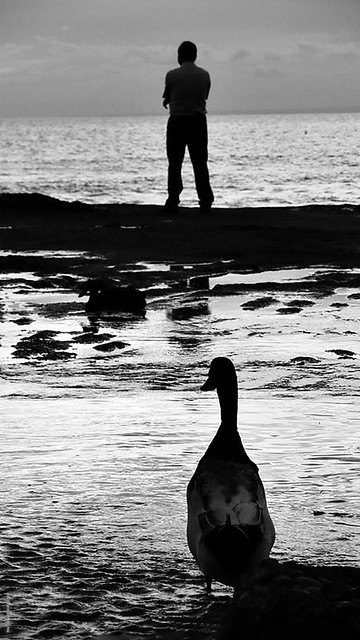
P1040458bw copy.jpg
Man and duck

P1070101b copy.jpg
Cameron highlands fog

____________

The inaugural mingthein.com photography contest closes 31 July 2012 – the more people entering, the larger the cash prize! Enter here

If you enjoyed this post, please consider supporting the site via Paypal ([email protected]) or via Ming Thein’s Email School of Photography – learn exactly what you want to learn, when you want to learn it. You can also get your gear from Amazon.com via this referral link.  Prices are the same as normal, however a small portion of your purchase value is referred back to me. Thanks!

Don’t forget to like us on Facebook!

We now have a flickr group!

Come join and submit your images here: http://www.flickr.com/groups/mingthein/

The objective is to create an interactive place for all of the readers and contributors to share their images and receive community feedback – let’s call it constructive critiques – in a safe, friendly environment. I would love to be able to do this personally, but time simply does not permit. However, the most important thing is that the group is all about the images; everything else is secondary. I don’t care what gear you use, but I will moderate the pool for minimum standards of composition/ visual quality and technical quality.

Looking forward to seeing all of your images! MT

Thoughts on Instagram and similar apps

IMG_0923b copy
No instagram, just careful exposure. iPhone 4

It seems that there are several distinctive ‘looks’ that amateur photographers recognize and try to replicate:

– High contrast black and white, sometimes with extra grain, usually all in focus
– Solarized/ retina-searing color, usually all in focus
– Partial bleach-bypass cross-processed color, usually with uneven depth of field or obvious lens flaws (Holga-with-expired-film)
– Very shallow depth of field of any sort
– The ‘miniature effect’ – pseudo tilt-shift

Originally, these styles were either conscious artistic decisions, or the consequences of not enough money and using expired film. They were chosen precisely because they looked unique – either because it was a difficult thing to execute well (using tilt-shift lenses, for instance) or because nobody else did it (cross-processing). The only exception to this is the high contrast black and white style, which was more a consequence of the limitations of the film chemistry at the time, and the requirements a picture of any recognizable description under difficult lighting conditions over fine grain.

However, now that we have a choice of how we process our images – and there’s sufficient latitude even in files from point and shoot cameras – a proliferation of either in-camera modes, filters or apps has taken hold of the photography industry, each claiming to be all you need produce one or all of the above styles.

I’ve got mixed feelings about this. On one hand, it takes the skill out of actually having to do any of these things (learn to process B&W properly, either chemically or in Photoshop, for instance); on the other, it does make crappy camera phone shots a lot more pleasant to look at. Until you’ve seen perhaps five, after which they’re all the same anyway – you might as well just have say five or ten random images that come out of the filter, regardless of what you actually shot – after all, you want your grab shot to look like a HC-B, right?

Yes and no. While filters and apps are great for improving the ease of getting the look you want and promoting the general democratization of photography, it’s also sad to see that the vast majority of people can’t tell the difference between a sloppily applied filter, an Instagram shot, and something that was actually done intentionally with full control. It’s even sadder to see that there are a lot of internet ‘photographers’ and bloggers who claim to be the best thing since sliced bread, but would be completely lost without Silver Efex or similar. Strip the artifice away, and what are you left with? A shot with extremely weak composition.

This isn’t so say that mobile phones are useless as capture devices; far from it. My previous article on using the iPhone as a camera is very much in support of it. If you learn the limitations of your device, you don’t need to resort to overcooked processing to mask its inherent limitations – blown highlights or blocked up shadows, for example. There are definitely undoubted advantages – instant connectivity, the ability to share and abundant abundant processing power all come to mind. Apps that come close to replicating the functionality and control of Photoshop – PhotoForge is a good example – make a very good argument for what an intelligent camera can do.

I’ve long maintained that all of these post-capture applications – be they photoshop or filters – cannot materially add to or take away from the composition of the image, because that’s the one thing that’s baked in at the time of capture. No matter how badly you botch the processing, if it’s a strong shot, it will always remain a strong shot whether in B&W, or color, or run through the Holgarize filter on your iPhone. However, the reverse of course applies: garbage in, garbage out. Composition aside, everything else is merely distraction. The problem is when the distraction portion is so great that the viewer can’t tell the difference, or worse, is drawn in at first by the distraction then disappointed by the lack of substance – I admit it happens to me a lot when browsing through images on flickr.

Put it this way: putting effort into learning how to compose properly will pay off in a much bigger way than putting effort into figuring out which button does what on the app. Or if you want to do both, then at least your image will have some substance to it.

If I sound a bit cynical and bitter about the whole thing, it’s not because I see people doing things with ease that I do the manual way – far from it; if there is an easier, faster workflow I’m usually the first to adopt it. What bothers me is that there are plenty of these ‘photographers’ who are not only ignorant about what they’re doing – ‘oh, I’ll use the Velvia filter’ – without actually knowing what Velvia is, or how it’s actually meant to look. Worse still, they get preachy about it and suddenly become an authority on slide film because they have an app or a button that says so. Never mind the fact that some of us shot commercial product jobs with multiple lights on slide, back in the day when you had to calculate guide numbers manually…man, I sound old.

Remember: it’s a tool, not a religion, and before you spout opinions, make sure you can back them up – it’s quite possible the other person you’re talking to has forgotten more than most people ever learn about the particular topic you’re talking about, but is just too polite to say anything about it. With that, I stand ready to be corrected. MT

____________

Visit our Teaching Store to up your photographic game – including Photoshop Workflow DVDs and customized Email School of Photography; or go mobile with the Photography Compendium for iPad. You can also get your gear from B&H and Amazon. Prices are the same as normal, however a small portion of your purchase value is referred back to me. Thanks!

Don’t forget to like us on Facebook and join the reader Flickr group!

appstorebadge

Images and content copyright Ming Thein | mingthein.com 2012 onwards. All rights reserved

Photoessay: Geneva monochromes with the Olympus OM-D

Some street photography from Geneva with the Olympus OM-D andy 45/2.8 Macro. I didn’t use the 45/1.8 (my choice for this kind of thing) because I was decompressing with my backup lenses after being on assignment…

Enjoy! MT

As usual, all images can be clicked on for larger versions.

_5004225bw copy

_5004177bw copy

_5004129bw copy

_5004200bw copy

_5004086bw copy

_5004146bw copy

_5004111bw copy

_5004102bw copy

_5004097bw copy

_5004088bw copy

____________

The inaugural mingthein.com photography contest closes 31 July 2012 – the more people entering, the larger the cash prize! Enter here

If you enjoyed this post, please consider supporting the site via Paypal ([email protected]) or via Ming Thein’s Email School of Photography – learn exactly what you want to learn, when you want to learn it. You can also get your gear from Amazon.com via this referral link.  Prices are the same as normal, however a small portion of your purchase value is referred back to me. Thanks!

Don’t forget to like us on Facebook!

Good news and bad news

Good news #1: There’s a firmware update available for the OM-D that’s supposed to correct the sleep lockup problem.

Good news #2: It appears that there are huge discounts on the Pansonic GX1, available here from Amazon in kit form for $492 (with the 14-42) and body only for $395. That’s cheaper than a Pen Mini in most parts of the world…and as much as I like the Pen Mini, the GX1 is a much more full-featured camera – and a no-brainer at this price.

Bad news: 43rumors.com has jacked my image without permission to use as their post centerpiece, which is how I found out about the firmware update. You can see the original here. Please do me a favor and leave a comment of support under my comment on their fb page (http://www.facebook.com/pages/43rumors/154271467964575) or on the original post. Thanks! MT

Revisiting the Leica M8: a cheap entry into digital rangefinders?

_M8_L1024673bw copy
Latte Ninja. Leica M8, 21/1.4 ASPH

In the last few years, rangefinders (effectively only the Leica M system) have experienced something of a renaissance; I think partially due to the market being over saturated with DSLRs to fill every niche, and partially due to the full frame M9 which so many Leica shooters had been clamoring for. A frequently asked question is ‘why is DRF technology lagging so far behind its DSLR counterparts?’ After all, the innards are pretty much the same – sensor development and fabrication is so horribly expensive and complex that it can only be undertaken by a handful of either very large or very specialized companies; the electronics are largely FGPA-based (i.e. with reconfigurable chips) and there are plenty of good software coders out there – just look at the proliferation of Apple apps. Micro 4/3 has arguably pushed miniaturization of the electronic components even further – so it can’t be the body size that’s holding back DRF development.

_M8_L1022658bw copy
Yin Yang. Leica M8, Voigtlander 50/1.1

Aside from the M9 and its derivatives (full review of the Leica M9-P here, and the M-Monochrom here), the only other digital true range finders that have made their way to market in the past were the Epson RD1 and RD1s (both using the same 6MP Sony APS-C sensor) and of course the Leica M8. All of these cameras have been M-mount, a sensible choice because it’s the most versatile and open of the RF systems – and of course has the greatest selection of lenses, from second hand $200 Voigtlanders to $12,000 Noctiluxes.

_M8_L1025381bw copy
A Parisian cliche. Leica M8, Voigtlander 50/1.1

No, I suspect the reality is that what’s preventing us from seeing a DRF with competitive specifications isn’t technology, but the economics of market sizing: Leica sold about 30,000 M9s in the two-and-a-half years after launch; by comparison, Nikon makes about that many D800s every month. To invest such levels of R&D spending into a very niche product doesn’t make economic sense – even if you are charging three or four times what a comparable spec DSLR goes for.

_D90_DSC7260bw copy

Having said all that, you’re probably wondering about the title of the article: Leica M8? Is that a typo? No. Even with the technological, sensor and usability limitations (manual focus and built in frame lines for 28-90mm only, for instance) there are still good reasons why you might want a rangefinder. And even more reasons why you might consider technology that’s now realistically nearly seven years old – which is an entire geological epoch in the digital era.

_M8_L1021682bw copy
Contemplating the journey. Leica M8, Zeiss 21/2.8

For a start, rangefinders are far less intimidating to your subject than DSLRs. They’re also smaller. Yes, there’s Micro 4/3 and all of its different flavors: but which one of them gives you a proper optical finder? None*. If you want an optical finder, and a responsive focusing system, a rangefinder is the only way to go. The lenses are also smaller, because they don’t have to house AF components or retrofocus/ telecentric designs to clear an SLR’s mirror mechanism.

*I’m deliberately leaving out the Fuji X100 and X-Pro1 cameras here; I don’t consider them to be rangefinders, and they have their own entire set of issues – slower AF than manual focusing a rangefinder being the biggest of them.

_M8_L1025023bw copy
Cloister. Leica M8, 21/1.4 ASPH

Let’s assume for now that your priorities are to be inconspicuous, travel light, have an optical finder, and do documentary work in the 28-90mm range – let’s not bother with flash for now. That basically puts an M as your only option. You could buy a new M9 and lenses, but that’ll be painfully expensive; with three fast lenses (28/2, 35/1.4, 50/1.4 or 75/2) you’re already looking in the vicinity of US$30,000. And that might not even be your primary system, because if you want macro, precise framing for your ultra wide, or telephoto, you’re out of luck.

_N8_L1002520 copy
Compact. Leica M8, Zeiss 21/2.8

This is where a second hand M8 starts to make some sense: you can find clean, low-mileage examples in the US$2,000-2,500 range; pair that with some Zeiss ZM or Voigtlander glass, and you’re in business. Some of the Zeiss lenses like the 21/2.8 and 50/2 are outstanding in the own right, and the Voigtlanders offer unique options that aren’t available natively to Leica M (12mm and 15mm pancakes, or an affordable 50/1.1 anybody?). Let’s say we do the same system with equivalent fields of view (i.e. 28mm, 35mm, and 50 or 75mm) – I’d pick the Zeiss ZM 21/2.8 Biogon, the Zeiss ZM 35/2 Biogon and Zeiss 50/2 Planar or Voigtlander 50/1.1 Super Nokton. You could easily do that around the US$8,000 range, even if you buy all the lenses new. And if you decide for whatever reason that you don’t like the rangefinder experience, selling it on isn’t going to cost you very much, or be very difficult. Think of it as a rental.

_M8_L1026630bw copy
One of those moments. Leica M8, Voigtlander 50/1.1

But what about the sensor and electronics? It is, after all, seven year old technology. The reality is that the M8 was a bit on the noisy side even when it was new; that hasn’t changed. However, it was also capable of excellent images at that time – that also hasn’t changed. (All of the images in this article were shot with a Leica M8 and a variety of lenses.) So long as you understand the inherent limitations of rangefinders, and those of the camera itself, you’ll be fine. Even if you have to shoot in low light. The sensors of the M8 and M9 are CCDs. CCD technology delivers a rich tonal response in the shadows and highlights that is very difficult to achieve with a CMOS; the tradeoff is noise and color accuracy.

_N8_L1000327bw copy
Looking for information. Leica M8, Zeiss 21/2.8

Let’s talk a bit about the limitations of rangefinders in general, and the M8 specifically:
– Built-in frame lines for 24-90mm only, with a 1.3x crop factor – 32-120mm equivalent. Use an external finder if you need wider.
– 10MP CCD, ISO range of 160-2500, but I’d stick to 640 and lower for optimal image quality, and 1250 in a pinch. Either use fast lenses, or meter for the highlights.
– Realistically, it’s a single frame advance camera. The continuous modes are not worth talking about. Anticipate your shots!
– 6 DNG frames when the barrel is hot. Overshoot this and you’re going to run into card corruption and buffer dumping issues – which will require pulling the battery to unlock the camera.
– Inaccurate frame lines. They’re calibrated for 1m, instead of something that makes more sense like say 2m. The M8.2 had its frame lines updated to correspond to the view at 1.5m instead, which is an improvement, but no idea. Just frame with the outside of the frame lines. A little practice will help you to visualize what will be in-frame and what won’t.

_M8_L1026180bw copy
A very friendly Parisian. Leica M8, 21/1.4 ASPH

– Poor battery life. Carry a spare.
– Crappy LCD. No point chimping on this camera, because the LCD is so poor it’s impossible to tell what’s in focus and what isn’t – just save it for the PC. You’ll save a bit of battery life, too.
– Metering issues with strong point light sources. The M8’s center weighted meter gets easily confused by strong point light sources in the frame; it’s very important to keep an eye on the meter reading. If it looks too high to make sense, then you probably want to override manually by using the shutter speed dial directly.
– No easy exposure compensation. Move the camera a bit until you find the exposure you want, then half press until the little dot between the left numbers appears – this locks exposure.

_M8_L1024556bw copy
Turbine. Leica M8, 21/1.4 ASPH

– Manual focus. I’ve left the biggest issue for last. It isn’t manual focus per se that’s the issue, but focus calibration: if it’s out, it’s out, and you can kiss goodbye to sharp images. The rangefinder interacts with the lens through a series of very sensitive and precisely calibrated cams, and in my experience with several digital M bodies, they do drift – more so with frequent mounting and dismounting of lenses. It’s highly recommended that you get the body calibrated to the lenses you intend to use on the camera, and this goes for any digital M body.

_M8_L1023548 copy
Children. Leica M8, 35/2 ASPH

The M cameras tend to be extremely polarizing cameras. They’re either intensely refreshing, and offer a very different shooting experience, or they’re extremely frustrating due to their lack of flexibility. Rangefinders are cameras that force you to adapt to their way of working, not the other way around. If the way you see happens to fit this, then you’re in for a great experience. Unfortunately, the only way to find out is if you have a particularly generous friend who’ll loan you theirs, or by going down the used M8 route.

_M8_L1024904 copy
Canterbury Cathedral. Leica M8, 21/1.4 ASPH

I highly recommend sticking to one lens and getting to know it well; it will help in both keeping costs down as well as improving the quality of your images because it trains your eye to pre visualize. And there’s no harm in buying second hand Leica glass either; thanks to the recent trend of continual price increases, the lenses have been holding their value better than most blue chip equities. In fact, it’s probably the only class of photographic equipment that might even be considered an investment – certainly not the bodies, however. MT

____________

Visit our Teaching Store to up your photographic game – including Photoshop Workflow DVDs and customized Email School of Photography; or go mobile with the Photography Compendium for iPad. You can also get your gear from B&H and Amazon. Prices are the same as normal, however a small portion of your purchase value is referred back to me. Thanks!

Don’t forget to like us on Facebook and join the reader Flickr group!

appstorebadge

Images and content copyright Ming Thein | mingthein.com 2012 onwards. All rights reserved

_M8_L1024320 copy
Spiral. Leica M8, 21/1.4 ASPH

A gentle reminder: three weeks to go until the first Mingthein.com photography contest closes!

If you haven’t started shooting, now’s the time to do so. Remember, the more people who enter, the larger the pot…

Full details here.

Photoessay: Some Hublots (and, how to shoot watches on location with available light…)

_5004410 copy

I was recently at a Hublot event – both covering the new Basel 2012 watches for fratellowatches.com as well as meeting the CEO and marketing people (it never hurts to network in this industry). I didn’t want to bring the lighting equipment, and the photos were for a blog – not commercial use – so I figured that I could get away with a lightweight rig. I used the Olympus OM-D and Panasonic Leica 45/2.8 Macro, and available light. Most of the images were shot at ISO 1600 or above; even at larger sizes, they hold up pretty well. Needless to say, for web use, they’re fine.

But I digress – all I had was whatever lights were set into the roof of the showroom, and a dark watch display tray for use as a background. By tilting the tray and camera to look for the right lighting angles – sometimes to avoid reflections, sometimes to enhance them – I managed to produce a set I was pretty happy with, but yet manages to have a very different feel to what I normally produce in the studio. (They also have zero dust retouching, which you fortunately can’t see at this size – cleaning cloths are your friend!) Enjoy! MT

_5004709 copy

_5004680 copy

_5004618 copy

_5004636 copy

_5004606 copy

_5004587 copy

_5004460 copy

_5004452 copy

_5004536 copy

_5004484bw copy

_5004379 copy

____________

The inaugural mingthein.com photography contest closes 31 July 2012 – the more people entering, the larger the cash prize! Enter here

If you enjoyed this post, please consider supporting the site via Paypal ([email protected]) or via Ming Thein’s Email School of Photography – learn exactly what you want to learn, when you want to learn it. You can also get your gear from Amazon.com via this referral link.  Prices are the same as normal, however a small portion of your purchase value is referred back to me. Thanks!

Don’t forget to like us on Facebook!

For the curious, a dissertation of opinions on my current equipment choices

This is a little preview of something I’ve been working on for some time and have gone through many  packets of ginseng-garcinia cambogia to keep energized for – a concise database of quick reviews/ opinions on every single piece of equipment I’ve ever used. Think of it as a reference for a quick opinion instead of having to send an email – look out for it soon, the magnum opus is nearly complete and will weigh in at nearly 20,000 words…

Cameras

_0012308bw copy

Apple iPhone 4** – The first phone whose image quality I actually liked. Crisp, detailed files; limited dynamic range – as expected from this kind of sensor – some kind of rudimentary spot metering. Color accuracy is horrible in anything other than bright sunshine, and way off indoors. Doesn’t seem to have the range of shutter speeds to cope with very dark or very bright conditions. Also, noisy. Needs a physical two-stage shutter button. Nevertheless, it’s produced images that went into the Getty library, so no complaints. Oh, and I can make calls and blog off it, too.

_S21_L1008270 copy

Leica D-Lux 5/ D-Lux 5 Titanium** – Actually won a regular one in a competition; wasn’t impressed and sold it fairly quickly thereafter. However, extended time with the camera has made me change my mind. Not only is the image quality excellent, the pixels are surprisingly robust and stand up to a decent amount of post processing. Excellent macro mode that makes it a good food camera. Also, great stabilizer. Color output needs a lot of work though, and I see that customary Panasonic cyan tinge. Still, makes a great backup/ pocket/ M-companion camera.

_7052691 copy

Leica M9/ M9-P** (May 2012) – The M9-P is one of those cameras that just feels right. Tactility and the ‘want to use it’ factor are high. Image quality is superb, so long as ISO is kept below 800; 1250 is still okay (about a one stop improvement on the M8) but still nowhere near the other FF DSLRs. The lack of an AA filter gives images tremendous bite – just watch your rangefinder calibration. It’s very easy to shoot fast lenses and then wonder why they’re soft, when in fact it’s probably due to a misaligned rangefinder. Most of the woes with the M8 are gone (lockups etc) but you have to be very careful with what cards you use; faster ones can cause corruption and crashes.

_1KD_MG_0084 copy

Nikon D700** (May 2012) – My workhorse since late 2009, and the end of the First Leica Period. Shares the incredibly versatile sensor and AF system from the D3, and delivers identical image quality and performance for almost all purposes. Capable of hitting 8fps with the battery grip and suitable power source, too. I can’t think of a better value camera today – there isn’t anything that delivers the same image quality, same usability, customizability and durability for the price. Along with the D3, the first camera where I felt that I was now the limitation in the imaging chain, and would have to progress substantially to change that. Mine has done over 70,000 actuations and remains in my arsenal for available light reportage work, and as a backup body to the D800E. Smart move by Nikon to keep in production (at least for a few months) and on sale; I would actually recommend this over the D800 if you don’t intend to print enormous (D700 files still look great at 40×60″) or require video. Save the difference in price and go buy some glass instead – and enjoy the wider choices, because the larger pixel pitch is very forgiving indeed.

_7062045 copy

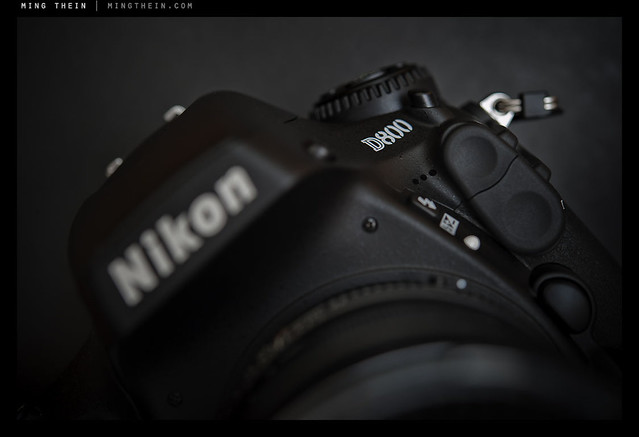
Nikon D800 (Apr 2012) – Best dynamic range of any 35mm format DSLR at the moment; incredibly accurate color, and shunts around those enormous files like it’s nothing. Video quality catches up to Canon 5DIII, and offers headphone monitoring, adjustable audio input and uncompressed full HDMI out feeds. This camera has moved the bar for 35mm DSLRs. In fact, it’s so good that most lenses can’t keep up with the sensor – every optical flaw is revealed. The lenses that work well on the camera are just as surprising as the ones that don’t (compared to the 12MP FX cameras); the 85/1.8 G for instance is better than the 85/1.4 G, and the 28-300VR becomes pretty good. Pixel-level noise performance is probably a stop behind the D700, but you’re actually going to lose a bit more than that because of the shutter speeds required to negate camera shake at these pixel densities. A non-issue if you downsize, but then why would you do that after having to suffer huge file sizes? Highly recommended to spend some time calibrating your lenses using the AF fine tune function. Watch out for AF issues with side focus points.

_DL5T_L1000927bw copy

Nikon D800E** (May 2012) – The comments that apply to the D800 also apply to the D800E, if not more so; it’s even more demanding on lenses, and shows up CA more than the regular D800; it will moire, but you’re saved by the high resolution which means moire doesn’t kick in until much finer structures are resolved. This camera takes the Oscar for Best Image Quality in 35mm Format at the moment – by a long, long stretch. It makes the D3x feel like positively old, slow technology by comparison (even though the images it produces are of course still the same as the day it was released). It just makes achieving results like this so effortless and accessible, than you forget how many pixels you’re actually packing. And did I mention that the battery life is better than my D3 ever was?

_8012328 copy

Olympus OM-D E-M5** (May 2012) – The most impressive new camera I’ve used so far in 2012. Not because of any one of its features, but because of its combination of features. It’s a game changer in its ability to combine excellent image quality – I’d say very close to the D7000 in every way, including high-ISO performance and dynamic range – to a very compact body, which also happens to be weather sealed and able to shoot at 9fps. EVF is finally good enough to use, though has limited dynamic range and of course can’t replace a good optical finder. In the tradition of Olympus cameras, it’s highly customizable, too. The only thing that lets it down is AF – yes, it’s blazingly fast, but not always accurate especially at longer distances with fast wides. And continuous AF is nearly worthless – good thing single AF is so fast. Also available with a two-part battery grip that makes quite a big difference to the handling and overall usability of the camera – but it’s still positively tiny. No built in flash, but they give you a little weather-sealed one that can also double as a wireless commander for other flashes. Olympus still hasn’t learned that putting the strap eyelet in the middle of your palm is uncomfortable. Sigh.

_7048929 copy

Olympus E-PM1 Pen Mini** (May 2012) – The best value M4/3 camera out there today. Decent image quality; great color and acceptable noise at ISO 1600. Very responsive and lighting fast focusing – same system as in its more expensive siblings. Incredibly compact body means you can slap a pancake on it, chuck it in your pocket and call it a day. And not notice it’s there until you need it. Surprisingly customizable once you find the hidden custom function menu – I can’t think of any other cameras of this size (or even professional DSLRs) which let you change the color temperature of the LCD. Great battery life, too – easily a thousand shots before you need to swap out packs. Design *looks* great but could use refinements – why on earth would you fit a 16:9 LCD to a camera whose native aspect ratio is 4:3? Most of the LCD is black and unused; the strap lugs are still idiotically positioned (this seems to be an Olympus design hallmark) and the ring on the back is fiddly. Other than that, I really do love this camera. It’s largely taken over from my Ricoh GRD-III.

_DL5L1000074bw copy

Ricoh GR-Digital III** (May 2012) – Round three. This iteration of the ultimate pocket PJ camera increased lens speed to f1.9, brought the sensor from the LX3 and G9, and more speed. Still remains hugely customizable. You could now shoot DNGs like JPEGs and not pay any usability penalty; focusing got faster; ISO 800 was now useable, and 1600 OK for emergencies. However, the lens’ notional f1.9 speed brought more improvement than expected – I rarely have to go over ISO 400 indoors, which makes me think the lens design and coatings are truly excellent. Files are surprisingly good for such a small camera, and up to A3 indistinguishable from larger sensors; plenty of latitude for processing and capable of both excellent B&W conversions and color tones. My favorite point and shoot, at this moment in time. No impulse to buy the GRD IV because I don’t see anything that camera would give me over the GRD III. If I had to take only one camera with me for a trip, this would probably be it – and was, on several occasions.

Zoom lenses

Nikon AFS 28-300/3.5-5.6 VR II** (May 2012) – The FX equivalent of the 18-200VR, and the replacement for the original 28-200 Swiss Army Knife. Delivers acceptable quality between 35 and 200mm on the 12MP FX bodies; 300mm is soft even at f8, and 28mm is both haloed and soft until f5.6 – it almost seems that there’s a slight focusing issue only at 28mm. Strangely, delivers sharp results everywhere in the range on the 16MP DX bodies; it’s actually very, very good on the D800, and excellent by f8. Who would have guessed? If you travel, and want to go light but maintain resolution, buy this and a D800. Note that it has a very slow T stop thanks to the 20+ elements inside it, so don’t expect it to be a low light lens. VR is quite effective but you’ve got to give it a second or two to ‘lock down’ before shooting, and turn it off above about 1/500s or it will just cause a double image. It’s not on Nikon’s recommended list of lenses for the D800, but they bundle them as a kit in Japan – I can see why. Notice I haven’t talked about D800E: that’s because on this camera, somehow the same lens performs like it did on the D700 – hazy wide open, and not pretty at all at 28mm. However, stopping down by one stop improves things dramatically, and we’re nearly back to the same level of resolution it produces on the D800. Odd.

Olympus ZD 12-50/3.5-6.3 EZ** (July 2012) – A multitalented Swiss army knife of a kit lens that feels a lot more complicated than it needs to be – motor zoom, 1:3 ‘macro’ mode locked at 43mm, weather sealing, fly by wire focusing…sadly, the optics aren’t really up to par for the OM-D it’s bundled with. It will do fine if there’s enough light, but you’re going to need a lot of light to make the f6.3 end work well. The plus side is that it focuses very quickly indeed.

Olympus ZD 14-42/3.5-5.6 IIR** (June 2012) – The standard kit lens for the Pen cameras – it’s actually pretty good, with decent sharpness over the entire field even wide open. I much prefer this to the 12-50. It has very…er…lightweight construction, which means plastic mounts, thin plastic sections on the barrel, and generally you want to be careful because I don’t think it’ll take that much abuse. Good optics though, even if (as rumored) none of them are actually glass. Focuses fast.

Panasonic Lumix G 100-300/4-5.6** (June 2012) – 200-600mm equivalent zoom for M4/3, topping out at a very useable f5.6 at the long end – what’s not to like? Sharpness is very good to excellent everywhere in the range, with the 300mm end being (predictably) the weakest. Optical stabilizer works well. Focusing is reasonably fast, but not as fast as the Olympus MSC lenses. (Actually, it feels about the same speed as the Nikon 70-300VR). Best used with an EVF camera for stability; you can’t really mount it on a tripod because of the lack of a collar and resulting imbalance (which is a shame).

Prime lenses

_8015800 copy

Nikon AFS 28/1.8 G (June 2012)** – A very light, relatively small lens. Focuses fast. Weather sealed, but doesn’t have any metal in it apart from the mount and some screws. It’s sharp in the center at all apertures on the D800E, but isn’t flat field; you’ll have to take care for edge subjects – it can be sharp if you get the focus plane right. Doesn’t have the 3D microcontrast of the Zeiss 28/2 Distagon, but surprisingly offers better transmission f-stop for f-stop. Neutral bokeh and color. Now if only they’d make an f1.4 version.

Nikon AI 45/2.8 P** (May 2012) – Currently on my second copy. I had one of the much rarer black versions with my FM3A back in 2004; stupidly, I sold it. I’m rediscovering the joys of the simple Tessar optical formula with the D800 – the center zone is always bitingly sharp, and progressive ‘rings’ of sharpness open up as you stop down; by 5.6 it’s great everywhere across the frame. I suspect this is actually field curvature rather than softness, because you can focus on an edge subject, recompose and the edge subject will be perfectly sharp. I have a feeling I’ll find this to be one of those lenses with personality, like the similarly field-curvy Zeiss 28/2 Distagon. Color transmission is neutral, there’s a tiny hint of longitudinal CA, and bokeh is very nice indeed. Unfortunately it won’t make sunstars, though. Oddly the edge focusing points seem to work inconsistently for focus confirmation on this lens; the center point works much better and focus holds if you do the center-focus-and-recompose thing. Now if only there was an AF f2 version! Pentax was on to something with its Limited series of pancake lenses.

Nikon AFS 60/2.8 G Micro** (May 2012) – This lens is one of my two studio workhorses, the other being the 85/2.8 PCE. This one gives me the convenience of AF, 1:1 and higher potential magnification with extension tubes. I switched to this lens from the 105/2.8 VR due to the huge amount of lateral chromatic aberration (bokeh fringing) present in the latter; not great for product shots as it required some often very tricky retouching to remove the color casts without affecting the color of the underlying subject. I feel it’s also a touch sharper, too. The 40/2.8 and 85/3.5 VR macro lenses do not make any sense to me; the latter is not much cheaper, and the working distance of the former is terrible. Bokeh-wise, it’s neutral to good; color wise, it’s neutral; all in all, it’s a very transparent lens that does its job and avoids imprinting its personality onto the picture, which is great. Note that it doesn’t change length with magnification, but it does shorten focal length a little, so working distance at maximum magnification isn’t more than about 5cm. Not suitable for photographing biting insects.

Nikon AFS 85/1.8 G** (June 2012) – An impressively sharp optic on every body I’ve tested it on, including the D800 and D800E; no CA, edge to edge perfection even at f1.8. Sharp and contrasty all over, probably thanks to the small number of internal elements. I have no idea how they do it – the optical design is incredibly simple, and has no aspherical elements, no ED glass, no IF/ RF groups and no fancy coatings. The T stop is about half a stop down on the 85/1.4 G for the same aperture, though – must be the effect of the Nano Crystal Coating on the 85/1.4 G’s elements. I think this may be the best general purpose/ fast 85mm out there at the moment, and I don’t say that lightly. Beats the 85/1.4G and Zeiss ZF.2 85/1.4 handily for sharpness. Highly recommended if you don’t already have the 85/1.4 G, and recommended for D800 users even if you do.

Nikon PCE 85/2.8 Micro** (May 2012) – One of Nikon’s sharpest lenses. Full movements, and a macro to boot! Nothing to complain about optically, at any aperture. However, the tilt and shift axes should be parallel; the way they are installed from the factory not only does not permit easy rotation like the old version, but there’s also a PCB and ribbon cable that has to be changed at the cost of US$300 or so – for something that shouldn’t have been design that way in the first place. My other issue is that the focusing ring on all of the samples I’ve tried is extremely stiff; no amount of working it in or lubrication helps that. I dismantled part of my lens to find that there are a few friction rings between the top keeper that stops the focus ring from slipping off, and the ring itself; the problem is when the focusing ring is moved, it naturally exerts force on the friction ring and keeper because of the focusing cams. It’s actually so stiff that it requires less force to rotate the lens about its movements axis, which means you’ve got to be careful when using it. It isn’t a fluid or easy lens to use, but produces excellent results. PCE version means an electromagnetic diaphragm that stops down with a button instead of a lever; unfortunately it also means you can’t use it on a non-electronic body or bellows, other than wide open.

_7048849 copy

Olympus ZD 12/2** (May 2012) – The best of the wide angles for M4/3 at the moment; it’s fast, sharp, and doesn’t have any obvious optical deficiencies other than slightly nervous bokeh (but chances are you’re not going to see bokeh with this spec anyway). It does distort a bit, so it probably isn’t that suitable for architectural photography. I don’t think the T stop is quite f2 – feels like it needs a higher shutter speed than you’d expect for a given lighting condition. The lens does have this interesting focusing ring which can be either fly by wire or mechanically linked manual; the latter has distance and depth of field scales and everything! However, it may not be fully mechanically coupled as it seems there are only five or six distinct focus ‘zones’ you can select, which means hyper focal use isn’t quite as easy as you’d think. I tried it a few times and was disappointed by the inexplicably out of focus results I got at times until I discovered the previous fact. Use it in autofocus mode and be happy (it’s one of the newer, fast MSC designs anyway).

Olympus ZD 45/1.8** (May 2012) – Probably my favorite lens for M4/3 at the moment. Optically, it’s superb. Sharp, moderate contrast, excellent color, neutral, smooth bokeh, and a great microcontrast structure the helps to generate that 3D look and feel to images. Sharp already wide open, but improves to peak at around f2.8-4; don’t go past f8 on M4/3 bodies because you will run into obvious diffraction effects. The price is spectacularly good for what you’re getting, but the compromise is a plastic, somewhat flimsy-feeling outer shell, no lens hood, and an easily-lost blanking ring at one end to cover the hood bayonet.

Panasonic Lumix 20/1.7 G** (May 2012) – One of the must-haves for M4/3 because of its small size and reasonably high optical quality. It isn’t the sharpest or fastest-focusing lens out there (in fact, it’s one of the original lenses that was launched with the system) but it does seem to hold up well on the newer 16MP cameras. My only complaint is that it’s a bit too contrasty, and the micro contrast structure lacks the same refinement of say the Olympus 45/1.8. Not expensive and worth having around; makes a good two-lens kit to pair with a zoom for travel.

Panasonic Leica Lumix 45/2.8 Macro-Elmarit OIS** (May 2012) – The only real macro choice for M4/3 at the time of writing this; good thing it’s an excellent lens. Reaches 1:1 on the M4/3 sensor size, which means close to 2:1 equivalent magnification on full frame. I’ve not done any serious shooting with this yet, but my early watch tests and casual shots suggest that it’s one of those rare ‘transparent’ lenses that just does a great job at faithfully reproducing the subject. A cautious favorite, so far. The OIS system also seems more effective than the in-body stabilization on the OM-D – and no, don’t use them together because there’s some weird interference going on.

Zeiss ZF 21/2.8 Distagon** (Jun 2012) – Possibly the ultimate wide angle lens, period. Sharpness is excellent across the entire frame even wide open on the D800E; there’s noticeable vignetting, but it goes away completely by f5.6. More importantly, the lens has a rich, 3D saturation and microcontrast structure that makes fine textures (e.g. landscapes) pop. This is how all lenses should be constructed – focus throw and weighting is utterly perfect, with just enough resistance, plenty of smoothness and no backlash. The only thing I don’t like is the enormous filter size – the front element is much, much smaller than the filter ring; why on earth did they have to use 82mm? It makes the lens very difficult to pack because it’s almost conical.

_3100_DSC1295 copy

Zeiss ZF 28/2 Distagon** (May 2012) – This is one of my favorite lenses of all time; has the same optical formula as the legendary C/Y ‘Hollywood’ so beloved of filmmakers (hence the nickname). I know I keep going on about Zeiss microcontrast; this has it in spades. I’m convinced it’s all in the coatings. You know the transmission of a lens has to be good when you can’t see the first few elements – that’s a sure sign that there isn’t any light being reflected back out of the lens (or worse still, around inside the lens, causing internal flare). Color transmission is on the warm side, but very rich and saturated throughout the spectrum. It’s worth noting that this is not the best lens for reproduction or architectural work; not only does it distort, it also has highly pronounced field curvature (concave with edges closer towards the camera). It is this field curvature that both gives the lens its unique character – exaggerated subject separation from the background, as the background is effectively more out of focus than if the lens were flat-field – as well as its horrible test charts.

Zeiss ZF 50/2 Makro-Planar** (Jun 2012) – The fastest short macro lens currently available, but only goes to 1:2 reproduction; 1:1 would have been nice. Working distance is a little short, and there’s some spherochromatism/ longitudinal CA wide open on high contrast subjects. Optically, it delivers nice separation and ‘bite’ at all distances. Has a very long focus throw, with far distances a bit too bunched up. My problem with it is that the white front lettering and silver ring are very obviously reflected in shiny subjects…

_7011131bw copy

Zeiss ZF 100/2 Makro-Planar** (July 2012) – Reputed to be one of Zeiss’s highest resolving lenses for F mount; I can believe it. Switched to this from the Nikon 105/2.8 VR in the hopes of lower longitudinal chromatic aberration; sadly, it was not to be. Interestingly, there’s no lateral CA, though. However, the lens doesn’t shorten its focal length when focusing close, which means framing stays the same on focusing. It’s also constant f2 throughout the magnification range, which makes for some spectacular separation. Reaches 1:2 on its own; 1:1 would have been nice. Only downside is that once again like the 50/2 Makro Planar, the further distances on the focusing ring are very close together, which makes precise focusing a little tough. I acquired a second one of these recently to give me something with longer working distance for the D800E – and it’s utterly superb. The lens is capable of outresolving the sensor everywhere in the frame wide open. I may have an exceptional copy, though I doubt it because my previous one was similarly spectacular. Highly recommended.

Zeiss ZM 28/2.8 Biogon** (May 2012) – Although sharp, the lens somehow doesn’t have the optical magic of its 21mm brother; there’s some slight internal flare that reduces crispness wide open. Great by f4 and excellent by f5.6, however. I bought this lens to use as my go-to 28mm on the M9-P, thinking it would replicate the 21 Biogon’s signature, but it has hardly seen any use since the arrival of the 35 ASPH FLE.

Zeiss ZM 50/2 Planar** (May 2012) – Optically, a much better lens than the 50/1.5 Sonnar; it’s bitingly sharp wide open out to the borders; the edges and extreme corners come into line at f2.8. Neutral bokeh and pleasing (slightly warm) color rendition; has that Zeiss ‘pop’ in the microcontrast. No complaints overall – just one of those transparent lenses that doesn’t get in the way of your picture-taking, or impose a signature of its own.

Accessories

Apple Macbook Air 11” Late 2010** (May 2012) – What I use when I’m on the road. I have the 1.4 C2D, 2GB, 128GB SSD configuration. It’s more than fast enough for everything except the most heavy duty video or image editing tasks; in fact, it’s the first computer which doesn’t make me feel like I’m carrying a computer. Also, it looks cool. Much preferred to an iPad because I can actually do work on it. However, I don’t do editing on this machine for one big reason: the screen. It’s both too small and too inaccurate (even after calibration) to do critical color work. Battery life is excellent – I can actually hit 5h with moderate brightness and wifi on; more if I turn it off and dim the monitor.

Apple Macbook Pro 15″ Mid 2010** (May 2010) – My primary editing machine. I have the 2.66 i7, 8GB/ 512MB and 500GB/4GB SSD hybrid HDD configuration. I use it with CS5.5 and Snow Leopard; upgrading to Lion would be too painful to patch all of the little add-ons etc that I use. Handles 12MP 16bit raw files just fine; in fact, I can open about 20 in Photoshop before noticing any slow down. Curiously though, I can’t open seven 36MP files at the same speed; there’s definitely some nonlinear effects going on here. Four is about the max before things start to hit traffic. Could well be the way Photoshop is allocating resources, however. Battery life is okay – 3-4 hours for web browsing etc, probably closer to 2 if running processor heavy tasks like Photoshop (which also uses the discrete GPU).

_5001012bw copy

Fotodiox AV1000PRO LED panels** (Jul 2012) – Enormous 1.5-foot square LED panels with a high CRI and reasonable amount of brightness; runs off wall power with an optional battery pack. Great for food work as the temperature doesn’t affect what you’re shooting.

_5001910 copy

Gitzo GT1542 Carbon 6x Traveller** (Jul 2012) – My new travel tripod – it’s so unbelievably light, yet sturdy thanks to the leg locking mechanism. Unlike Gitzos of old, you no longer have to undo the locks one by one – you can undo all of them, extend/ retract, then tighten. Much faster. I think it’ll easily hold more than its rated weight capacity. Legs fold up to reduce overall size. The only downside I can see is that there are only two leg positions – flat, and 30deg. An intermediate position would have been nice. Makes an excellent pairing with the GH1780QR ball head.

Gitzo GH1780QR ball head** (Jul 2012) – A compact, low-profile ball head that pairs well with the GT1542 Traveller. Holds a D800E, 85 PCE and focusing rail sturdily with no play; doesn’t quite lock down as decisively as the Manfrotto Hydrostat, but it’s more than good enough. Slightly fiddly quick release locking system with tension adjustment, but in practice works well, and most importantly, prevents camera from reaching the floor in the event of an accidental bump. Has now replaced my Hydrostat for travel, because as good as the Hydrostat is, it weighs more than the GT1542 tripod…

Gitzo GT5562LTS Carbon 6x** Systematic Geant (Jul 2012) – My new studio tripod – even though it has six sections, it feels completely rigid because the largest section is about 2″ in diameter. I can even use it as a makeshift stool without too much trouble (sans head and column, of course). Easily the most sturdy, yet compact and portable, support system I’ve ever used. Weighs about 3kg or thereabouts. I imagine it’d be pretty useful for birders, too.

Kenko Pro DG extension tubes** (May 2012) – A critical part of my watch photography kit. So critical and heavily used that I actually wore out the contacts on my first set after about six years; it wouldn’t communicate the aperture properly to the lens (or AF for that matter) – a new set joined the arsenal earlier this year. Now if only Nikon would make a bellows with electrical contacts and a tripod mount…

Manfrotto 444 Carbon One tripod** (May 2012) – one of Manfrotto’s first carbon fiber numbers; it’s strong, but not particularly light. Extends to just below head height with the column down. Capable of holding a 400/2.8 without breaking a sweat. I pair it with the 468 RC0 Hydrostat head. One complaint – the column doesn’t lock down very well; the friction clamp doesn’t have enough friction to stop the column from rotating if you apply torque to the camera, but have locked down the head. Not a big issue for most uses, but can get annoying at times.

Manfrotto 468 MG RC0 Hydrostat ball head** (May 2012) – I firmly believe the Hydrostats are probably the best ballheads currently made. They use a vacuum system to lock down the ball, which is Teflon coated aluminum (I think; it could also be ceramic). The body of the head itself is cast magnesium. This is the only head I’ve used which doesn’t droop when you lock it down – it’s binary; either the head is locked or it isn’t. This is especially important for high magnification macro work as predictable fine positioning is critical. Has a separate pan lock and tension adjustment for the main ball. Not at all lightweight (about a kilo, I think) – but is rated to 16kg; I know it can hold far more than that as I’ve used it and the tripod as a stool on occasion (with another rail on the head to make it less pointy, of course).

Manfrotto 1052 BAC light stand** (May 2012) – I use these to hold my flashes and LED light panels. Lightweight and made of aluminum, but able to reach up to 7ft whilst carrying moderate (probably not over 2kg or a couple of speedlights) loads. Tubes fit together very precisely, and have some sort of gasket that prevents the loaded section from falling uncontrolled into the base, but instead uses the air trapped inside the bottom tube as a pneumatic cushion. Neat. Also folds flat to stack together multiple stands with ease.

Manfrotto 5001B compact light stand** (Jun 2012) – They’re light and compact (about 45cm long when folded) but not capable of supporting much more than a flash – good for travel. The leg extension mechanism isn’t as smooth as the 1052s because they have to fold out through 90deg rather than just extending downwards. Still, to the best of my knowledge, there aren’t any alternatives.

Manfrotto Super Clamp** (Jun 2012) – Does what its says on the box – it’s a standard lighting mount with a clamp on one end, and a ballhead with cold shoe on the other. Useful for holding flashes in position in awkward places, or for holding things on stands which don’t have standard mounts.

Michael Tapes Design Whibal cards** (Jun 2012) – A little piece of gray plastic that happens to be perfectly gray, and invaluable for ensuring perfect color (or as near as you can get to it given current sensor technology). Use either with your lights to set a manual WB, or add  a frame with the card in it to eyedropper and sync WB off afterwards in post. Highly recommended.

Michael Tapes Design LensAlign** (Jun 2012) – A graduated tool to calibrate focus for lenses and AF systems – shows you exactly how much front or back focus you have, and how to make adjustments accordingly. Has come in very, very useful now that the D800/ D800E is far more demanding on lenses and its focusing system…

Nikon DK17M** (May 2012) – 1.2x magnifier for threaded Nikon professional camera eyepieces; will fit the D700, D800, D2 series, D3 series and D4 series cameras. Makes precise framing and focusing a lot easier, but note that it reduces eyepoint, so if you wear glasses, you may no longer be able to see the corners of the frame easily anymore. Works well with the DK-3 eyecup (which is rare, out of production, and has been superseded by the less snug fitting DK19).

Nikon ME-1** (May 2012) – Stereo shotgun microphone for video-capable Nikon DSLRs. Mounts to the hotshoe and is powered via the microphone jack. Sound quality is definitely better than the built in mic, but nothing to write home about. There’s a wind cut switch, rubber isolation mount for the mic portion, and a small foam dead cat. If sound is absolutely critical you’re probably better off using collar mics or a dedicated audio recorder.

Nikon SB700** (May 2012) – Best value flash for Nikon users at the moment; serves as a good primary, and works well as a CLS commander. Physical switches for modes make it faster to use than digging through the softkeys and menus of the SB900. Has one annoying trait; the lock button on the power/ mode switch is difficult to press and rotate simultaneously – similar design to the SB900, but somehow it doesn’t have this problem. I’d rather have two of these than one SB910; functionality is almost the same and the price isn’t that different, either. Note that TTL only (not TTL BL) mode is gone from this flash – I don’t know why. Has one of the most stupidly designed cases ever – looks like a washbag – Unlike the SB900’s case, it isn’t a holster you can put on your belt; when you open it up, the contents all fall out because it isn’t rigid and the opening is huge. Good for storage but nothing else.

Nikon SB900** (May 2012) – I’m slowly acquiring a small collection of these as people dump them in favor of the SB910s; I’ve never had overheating problems despite fast, hard use in the studio. Recycle time is a lot faster than the SB800 even with the extra battery pack. Unfortunately it’s physically larger than the SB800, which makes it a bit challenging to pack; you get a bit more power and a much larger zoom head range, which means you can do interesting things like spotlight effects with the head set at 200mm (and your lens presumably much wider). Allows you to control the beam pattern (not that it seems to make a lot of difference) and communicates color temperature to the camera via the hotshoe pins. Also uses some sort of optical filter to recognize what color gel or accessory you have clipped over the head to alter output accordingly.

Nikon SC31-IR** (May 2012) – Most of you probably have never heard of this little gadget, let alone seen one; it’s a little IR-only transmission panel that mounts on the hotshoe and flips down in front of the built-in flash to prevent seeing the built-in flash in the exposure if you’re using CLS commander mode. A very specific tool, but for people like me who use the built-in for exactly that, it’s a godsend and beats having to put your hand in front of the flash all the time.

Sandisk Extreme Pro SDHC UHS** (May 2012) – Fast and reliable, I use these in all of my SD-based cameras except the M9; this card is on the watchlist and is apparently ‘too fast’ for the camera.

Sandisk Extreme Pro CF UDMA** (May 2012) – I use these in my D700.

Sanyo Eneloop AA** (May 2012) – The best rechargeable batteries ever; has the best of both worlds of lithium and NiMH – it’s rechargeable, can support high discharge rates, but at the same time doesn’t self-discharge and has no memory effect. Perfect for flashguns, especially if you don’t use them that often. I’ll get around 700-800 shots on an SB900 per fully charged set of four.

Transcend Class 10 SDHC** (May 2012) – Currently using this in my M9-P, to avoid card corruption issues – it seems that the fast Sandisk cards still aren’t fully reliable.

Wacom Intuos 4 M** (May 2012) – Upgraded to this in early 2010; I was seduced by the OLED shortcut display and the promise of more sensitivity levels. The former has turned out to be pretty useless because of muscle memory, and the latter is true, but it’s more about ease of control than actual additional pressure levels. I feel that the build quality on this version isn’t quite as good as the previous one – the button feel is not as positive, and the actual surface itself is very easily marked by the pen tip. To make things worse, the pen tips seem to wear faster on this surface; I used perhaps two in the four years I had the Intuos 3, but in two years with the 4, I’ve already gone through six. And no, I don’t think I’m doing any more retouching than before – but all the same, the active area of my tablet is mirror-reflective in places. In fact, you can probably figure out the layout of my Photoshop palettes by looking at the tablet surface alone. Still, highly recommended – an invaluable tool for any photographer that has to do serious retouching.

____________

Visit our Teaching Store to up your photographic game – including Photoshop Workflow DVDs and customized Email School of Photography; or go mobile with the Photography Compendium for iPad. You can also get your gear from B&H and Amazon. Prices are the same as normal, however a small portion of your purchase value is referred back to me. Thanks!

Don’t forget to like us on Facebook and join the reader Flickr group!

appstorebadge

Images and content copyright Ming Thein | mingthein.com 2012 onwards. All rights reserved

Extended photoessay: A visit to manufacture Jaeger-LeCoultre

For most horological afficionados, visiting their favorite manufacture is a necessary pilgrimage along the path. I’ve had the privilege to visit a few in my time, however living halfway around the world makes this a bit more of an expedition than is convenient. However, on my last assignment to Switzerland, I happened to have a free day, and the folks at Jaeger LeCoultre were extremely accommodating…

Enjoy the photoessay – it’s more of a story of how a watch is made, and a slight deviation from normal programming, but I think you’ll find it interesting all the same.

Images shot with an Olympus OM-D and Panasonic 20/1.7 and 45/2.8 macro lenses. Each image can be clicked on for a larger version.

01_5003883 copy

I was given this and a lab coat, presumably to keep out street dust (or perhaps add to the authenticity of the experience for some). Sadly, they didn’t issue me with any tools – perhaps for my own good.

That pass, gets you into here:

02_5003892 copy

03_5003880 copy

Once past the obligatory heavy Eastern Europeans (presumably there to ensure you don’t leave with any watches you didn’t come in with), one is greeted by this sculpture a little further down the hall; signed by all of the thousand employees who work at the Manufacture.

04_5003728 copy

05_5003726 copy

The old Manufacture, now the reception area and offices.

06_5003725 copy

07_5003720 copy

Views from this place are incredible. It’s like working in a postcard.

Life of a watch starts in the prototype and R&D department; for understandable reasons, I wasn’t allowed to take photos in here – or even go in, for that matter. From a production standpoint, things begin here – in the parts fabrication department, where things are cut, stamped, shaped, machined, CNC’d, bent…

08_5003731bw copy

09_5003729bw copy

12_5003797bw copy

14_5003837bw copy

15_5003843bw copy

The output of which can be seen here – Reverso case blanks, thousands upon thousands of tiny, perfect blued screws, and a whole bunch of spare gears (I believe these are offcuts that didn’t pass QC).

10_5003790 copy

11_5003808bw copy

13_5003847 copy

Those cases marked in red (along with other parts) are then sent to the QC department, where a laser alignment rig checks that the parts are within extremely fine (think micron level) tolerances. You can see that rig at work here:

16_5003850bw copy

Next up is finishing – parts are polished, grinded, striped, anglaged, perlaged, engraved, plated, and generally prettied up in yet another department. Two things surprised me: stripes and perlage are surprisingly fast to apply; polishing a Reverso case is not – in fact, it takes a lot longer than I would have imagined.

17_5003854bw copy

18_5003858bw copy

19_5003830bw copy

Anglage.

20_5003822bw copy

Rotor engraving.

21_5003817bw copy

22_5003835bw copy

Setting microscopically small jewels; that pile of what looks like dust off to the top right is actually a pile of unset ruby bearing stones. Needless to say, it takes a microscope and hands of stone.

23_5003793bw copy

Anchor setting room.

24_5003620 copy

Up some stairs, with a quick pause (note scenery) and through an attic doorway…

25_5003767 copy

26_5003617bw copy

…takes us to the haute horologie department.

27_5003733 copy

Don’t forget your protection. And those wrapped things at bottom left aren’t sweets, they’re earplugs.

28_5003624bw copy

On a tray for visitors to enjoy as you enter. Sadly, no ‘Please Take One’ sign was to be seen anywhere.

29_5003625bw copy

30_5003632 copy

This part of the workshop is an incredibly quiet, calm environment; you get the feeling you’re in a high precision lab rather than a manufactory – which I suppose is pretty much what it is. You’ll notice that most of the employees are plugged into their iPods; the music and isolation help concentration.

32_5003647bw copy

31_5003646bw copy

Assembling a Spherotourbillon.

33_5003655 copy

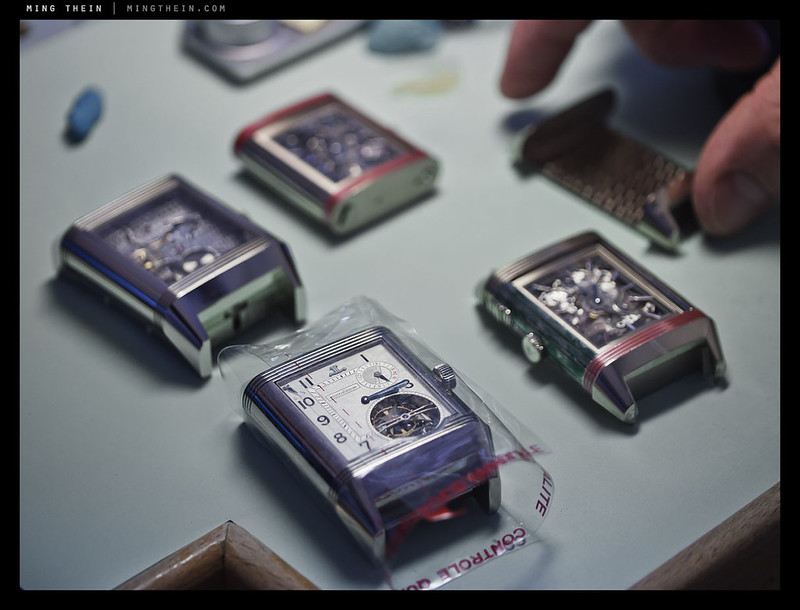
Ta-da! Look what I made earlier. This is possibly the only photograph to date with five of them in one place…

34_5003656bw copy

35_5003666bw copy

Beginning to case up inside a negative pressure cabinet, so dust gets sucked out.

36_5003670bw copy

Moving over to another bench, we find:

41_5003701 copy

37_5003674 copy

The red and blue plastic is a protective layer to prevent scratches as the watches are cased, assembled, and final adjustments made.

38_5003696bw copy

There’s also a Repetition Minutes a Rideau present – but not just any one, a blue one!

39_5003698bw copy

40_5003681 copy

It sounded great. I suspect the double case (the movement is actually based on the earlier limited edition series of 500 in pink gold) improves the tonal qualities of the chime significantly. It also looks absolutely stunning, though I’d gladly forgo the outer slide mechanism and just have the inner watch – apparently the inner case is about the same size as a regular Reverso GT, which isn’t very big at all.

42_5003712bw copy

On the way out, we pass a Gyrotourbillon in final stages of regulation. The dial on the left (which actually looks complete) is a work dial, used for adjustment only. I’m told that it takes one watchmaker between 1.5 and 3 months to assemble one of these; the huge time difference is if after assembly, it doesn’t run to spec, then the whole thing has to be taken apart and the cage re-balance and re-adjusted.

43_5003714bw copy

The gemsetting atelier is next.

44_5003868bw copy

45_5003871bw copy

I’m not a huge fan of gem set pieces (they showed me bracelet links for a Master Tourbillon, which when completed, would retail for around one million Euros – the entire thing was covered in diamonds, including the dial); however, this particular piece was pretty intriguing – it’s called a ‘chaotic’ setting, and you actually can’t see where the setting ends and the stones begin. They use around 200-240 diamonds of various sizes to cover a ladies’ Reverso case.

46_5003875 copy

47_5003737bw copy

49_5003757bw copy

51_5003760bw copy

We appear to have found the Atmos division.

48_5003750bw copy

I actually found this portion quite fascinating, as you seldom see so many of these in one place – and more interestingly, so many vintages; there were clocks here dating from easily fifty years go. I suppose it’s one of the few products whose fundamental parts have changed very little over time. Interestingly, they still cure the balance suspension wire; except these days, it’s done with weights and electric current rather than horse urine and time.

50_5003746 copy

Oh look, a Klimt! In all seriousness, this was an incredibly stunning piece which I think few have been lucky enough to see in person.

52_5003776 copy

View from the employee canteen.

I did also visit the museum, but wasn’t allowed to take any photos. Suffice to say there are some incredibly rare and very interesting pieces in there. And while all the Atmoses are running, charmingly none of them show the exactly same time 🙂 MT

I would like to say a personal thank you to Marina Shvedova, Janek Deleskiewicz, Cecile Tichant, Alexis Delaporte, Reena Tan, and all the patient employees whom patiently answered my endless barrage of questions.

____________

Visit our Teaching Store to up your photographic game – including Photoshop Workflow DVDs and customized Email School of Photography; or go mobile with the Photography Compendium for iPad. You can also get your gear from B&H and Amazon. Prices are the same as normal, however a small portion of your purchase value is referred back to me. Thanks!

Don’t forget to like us on Facebook and join the reader Flickr group!

appstorebadge

Images and content copyright Ming Thein | mingthein.com 2012 onwards. All rights reserved