Announcing a new teaching collaboration

_RX100_DSC2706bw copy

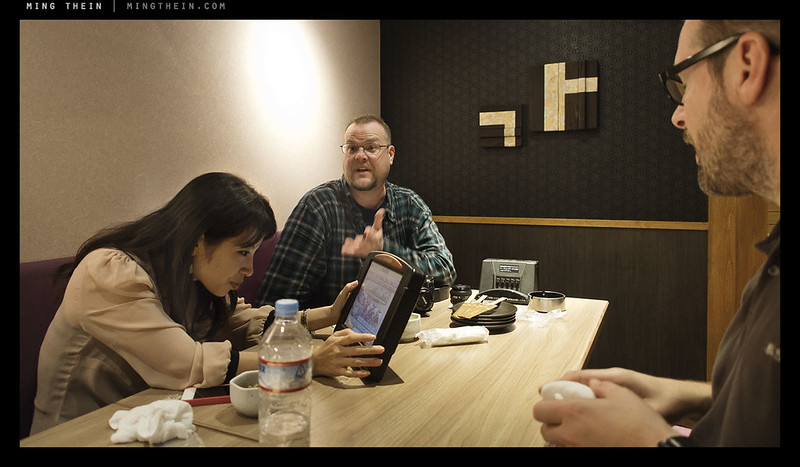
I’m proud to be part of a new teaching collaboration between SEGI College and Lightroom Studio and Academy – the Masters Series Professional Photography Mentoring Program. The program is the first of its kind in Malaysia and recognizes that being a successful professional photographer goes beyond raw technical skill and into workflow, business and marketing; you might be able to get a degree in photography, but that doesn’t teach you how to make a living out of it. Of course, a strong portfolio is one of the outcomes of the course – I’ve yet to meet a client who at all bothered about my qualifications (no, they’re not photography related) after seeing my portfolio. Together with five other highly respected industry professionals (commercial photographers, MPA members, Hasselblad masters etc) – Jen Siow, Adam Seow, Lim Hock Seng, Kevin Then and Wesley Wong – I will be one of the masters teaching the course.

_RX100_DSC2697bw copy

The aim of the program is twofold: to produce successful professional photographers, and to set standards and raise the bar for the industry as a whole. Whilst it might seem that we are going to shoot ourselves in the foot by training our competition, that isn’t necessarily the case: the market still remains big enough to support many professionals. The problem is that we’re all going to have to spend some time on both photographer and client education in order to ensure that the perceived value of our skills is appreciated and valued appropriately – by improving understanding, we can actually help the photographic and creative market to mature and grow. This is a very important responsibility of all true professionals in the industry so that we can continue to ensure future commercial sustainability.

_RX100_DSC2693bw copy

The program itself is will be recognized by the Ministry of Higher Education as a postgrad diploma; it will be highly self-driven by the student and very much like a true Masters’ program. There are no limits on entry or application, other than that the students must have a portfolio and an aim; it’s much like my Email School of Photography in that regard but aimed at a more intensive level. Each student will spend time with a number of the masters depending on their chosen discipline; passing is dependent on a final portfolio review and assessment. Industry partners including Leica, Canon, Hasselblad, Profoto, HP, Pentax and Sony are supporting the effort, which will include a fully-equipped studio and workspace for students. Intakes will start in 2013 – I’m looking forward to this! MT

For more information contact Wesley Wong @ Lightroom Studio and Academy – [email protected]

The full press release can be downloaded here.

____________

If you enjoyed this post, please consider supporting the site via Paypal ([email protected]); Ming Thein’s Email School of Photography – learn exactly what you want to learn, when you want to learn it or learn how to achieve a similar look with our Photoshop workflow DVDs.  You can also get your gear from Amazon.com via this referral link.  Prices are the same as normal, however a small portion of your purchase value is referred back to me. Thanks!

Don’t forget to like us on Facebook and join the Flickr group!

Images and content copyright Ming Thein | mingthein.com 2012 onwards. All rights reserved

Tokyo Oct 2012 workshop report

_5012566 copy

I arrived in Tokyo a couple of days early – partially because of the flight schedules, partially because Tokyo is one of my favorite cities in the world for photography and I hadn’t had a chance to shoot here in nearly four years – it was high time I rectified that. I have to say that a large part of what made Tokyo so darn attractive was the fact that it felt so different from the moment you stepped off the plane; I don’t know if it’s familiarity or something else, but I didn’t really get that hit this time around.

_5011367bw copy

That aside, I spent a good two days just walking around, looking and shooting anything that took my fancy. I travelled very light – in the end bringing only the OM-D, 12/2 and 45/1.8 lenses, plus a Sony RX100 for backup (the links are to my reviews); not having a bag – hell, not even having to use the pockets of my shooting jacket most of the time – was positively liberating, not just because Tokyo appeared to be going through a warm ~25C spell.

_5011383bw copy
Plenty of opportunities to shoot distracted commuters during the many train rides.

The first day of the workshop started off with a briefing to explain the critical components of what goes into making a good image; followed by a period of just walking around Ginza, observing, with me pointing out compositions and the participants not distracted by the technical aspects of taking a photograph; by the end of the half hour, I was starting to see a lot of sneaked shots.

_5011297 copy

We proceeded to a rather nice garden for a gentle introduction to the workshop, and easing the participants in by practicing proper perspective use and framing of edges – the best way to do this is always to focus on one topic alone and remove all other distractions; gardens are great for this because they’re quiet, tranquil and static objects are of course very friendly to do-overs until you get things perfect…

_5011617bw copy
Not part of the museum’s exhibits, but I’d like to think the style is very Japanese and it’d have at least made it into the amateur category.

One of my favorite places in Tokyo is the Tokyo Metropolitan Museum of Photography at Ebisu; they always have some interesting exhibitions running, and it was here where I first encountered Salgado’s work – in the form of original prints, no less. There were two exhibitions running – one of a competition from a local photography club, and one of a number of classical photographers considered to be masters. We spent some time assessing both – looking at what worked in the images, what didn’t, and deconstructing them for the participants to understand what elements they specifically liked, and how we would go about replicating them – first for the amateur images, and then the classical ones. Needless to say – there were a lot more hits in the classical images, but still a surprising number of misses or difficult to understand images in both.

_5011540 copy

_5011475 copy

The afternoon and early evening was spent at Asakusa and the old market around Senso-ji temple; here we practiced the use of stages and waiting for a subject; timing, and making cinematic. There was also an unfortunate hangyoku (Tokyo apprentice geisha) who got pursued around for a few blocks…

_5011546 copy

_5011648 copy

Dinner was at Akihabara, but not until the participants had a chance to practice some of the techniques from the Asakusa session again in a more lively environment, plus add in one more tool: the correct use of spot metering for the subject.

_5011702 copy

_RX100_DSC2287b copy

_5011939 copy

_5011884 copy

_5011885 copy

_5011927 copy

Doyle was still raring to go after the rest of us were footsore and too full of yakitori; he kept shooting.

Day two dawned bright and clear again – the light was fantastic with nary a cloud to be seen; in the mornings, the tall canyons of buildings and their glass sides serves as very strong light guides and secondary sources; we spent it wandering around Ginza looking for light, and making the most of the naturally interesting sources both for street photography and architectural abstracts.

_RX100_DSC2392bw copy

_RX100_DSC2411b copy

_RX100_DSC2364b copy

_RX100_DSC2433bw copy

Following another look-for-compositions-only walk to the Otemachi district near Tokyo Central (which was mostly observed, though it broke down somewhat at the end), we dealt with the use of reflections and layering to give images added context and depth, before calling a halt at noon once the light became non-conducive for this.

_5011950 copy

_5011975bw copy

_5011990bw copy
We started out with all the cameras in a bag. By the end I don’t think anything could have forced the participants not to have them in hand all the time.

The group headed to Shibuya for the final instructional portion: shooting through people and acting calm, and working a single scene for a set amount of time to force yourself to work harder to see compositions rather than just abandoning and moving on. Both of these techniques require a huge amount of people, and Shibuya crossing on Saturday afternoon didn’t fail to oblige!

_5012101 copy

_5012225 copy

_5012484 copy

_5012498 copy

_5012551 copy

Our last shooting session happened around dusk, at Shinjuku on the threshold of the seedy (and even busier than Shibuya) Kabukicho district. Here, the participants were given free reign to employ all of the techniques they’d learned in the previous sessions to capture whatever felt natural and instinctive to them; we regrouped for a review and feedback to figure out how to strengthen the idea, then went out for a final session before calling it a day for sushi.

_5012694 copy
One of my experiments with motion – handheld. To be the subject of a future article.

_5014005 copy

_5014013 copy

_5014071 copy
Another battle in the never-ending RF vs DSLR debate

_5014108 copy
One of those scenes filled with randomness that happens from time to time in a place like Tokyo.

The final day was spent completing the workflow: yes, introducing the basics of Photoshop! Probably just as well, as the weather was miserable and raining. Up til this point, I didn’t think there was physically enough space for that many Macs in one room anywhere in Japan outside perhaps the Apple Store and rural Hokkaido.

_RX100_DSC2489bw copy
A gray, postprocessed shot for a gray, postprocessing day

You may be wondering why we didn’t visit the tuna auctions at Tsukiji: simple, because in recent years, access has gotten prohibitively restrictive to the point that now you have to queue from 5am to get a ticket for 5.30am that only allows you access to the auction portion for half an hour, and nowhere else. If you want to shoot the rest of the market, you can only come after 9.30am – long after all of the action is over. There simply wasn’t any point.

Images from the trip are slowly making their way into our reader Flickr pool by Khair Mahfar, lemonice photos, ekindangen, doyleshafer and dcmer. I’ll be uploading mine over the coming days and weeks, and most will come here as themed photoessays, too.

And yes, don’t worry if you missed this one – there will be more workshops planned for next year; provisionally, San Francisco, New York and possibly Boston in April; Munich, Barcelona and maybe London in September. I’ve also got a couple of spots left for Melaka on 3/4 November this year, as well as the last of the Zeiss Food Photography Masterclasses. Send me an email too book a place or if you’d like more details. Thanks! MT

____________

Visit our Teaching Store to up your photographic game – including Photoshop Workflow DVDs and customized Email School of Photography; or go mobile with the Photography Compendium for iPad. You can also get your gear from B&H and Amazon. Prices are the same as normal, however a small portion of your purchase value is referred back to me. Thanks!

Don’t forget to like us on Facebook and join the reader Flickr group!

appstorebadge

Images and content copyright Ming Thein | mingthein.com 2012 onwards. All rights reserved

Quick hands-on: The 2012 Leica M (Typ 240)

IMG_1958b copy

Update: my full review is here.

I finally had the chance to have some time alone with the new Leica M (2012 Typ 240) this evening at an event held by Leica Malaysia for the 2012 Maybank Photo Awards (you’ve got until the end of October to enter here; I’m serving as head judge). Advanced note: it was a pre-production prototype, with the SD card glued in because the image quality is nowhere near final. I’m told there will be some notable improvements between this version and the production version; it’s mostly to do with the firmware. I won’t be drawing any conclusions on image quality, because it’s simply impossible to tell at this stage. Please excuse the crappy product shots, I was using my old iPhone 4.

IMG_1963b copy

And that brings me to the first point: the LCD is now enormous. And a huge improvement on the old one; it’s now a 3″, VGA unit that’s on par with the rest of the market – it makes an massive difference to the whole experience. You can judge sharpness on it; exposure is still of course best done with blinking highlights and histogram. To go with the new LCD is a new, cleaner menu system with functions grouped into sensible clusters; there are more of them, but the M remains a camera that you pick up and shoot. M9 shooters will of course be at home after they figure out what the extra two buttons do – the one on the front is for focus peaking; the one at the top is to record a movie.

The M now has live view, and a neat focus peaking feature that only activates when you turn the lens, and disappears with a half-press of the shutter or when you leave it for a while. I presume it works based on a sensor interacting with the rangefinder cam. The next thing you notice is the loss of the RF frameline illuminator window; it’s now LED backlit in either red or pale blue-white; both are very visible. I actually miss the old frameline preview lever; perhaps I was one of the few. There isn’t any more information in the finder, though.

IMG_1965b copy

There are four things that make the new M feel much more polished: firstly, the shutter release action has lost the notchiness of the M8 and M9; it’s a light half press to lock exposure, and slightly more pressure with a clean break to exposure. The shutter itself is a lot quieter and lower vibration; it simply feels better damped. Secondly, the whole thing is just faster – shuttling around the large 24MP DNG files was fast, and there was no waiting for the camera to zoom in/ scroll around. It simply felt snappy; easily as fast as my D800E (!). Next up is selectable metering: you now have the old centerweight, but also spot and matrix; I didn’t get a chance to test matrix extensively but it seems a lot less prone than the M9’s meter to drastic underexposure when you have a bright point source in the frame. This is a good thing for night photographers; as is the new sensor. I could only judge off the rear LCD, but it appears that we’ve now gained some significant high ISO performance – 3200 looked pretty good, with 6400 being useable. Once again, without seeing actual files, this is far from conclusive.

Although the body seems larger than the M9, it’s in fact identical in size to the old one. To accommodate that larger LCD and keep the lines intact, the scroll wheel around the d-pad has now moved to the top right corner, partially hiding behind a thumb rest. I was a bit skeptical about the utility of such a small nub, but it does feel much more secure in the hand than a regular M without a ThumbsUp – which is a good thing, because with the hotshoe serving double duty as an EVF port (didn’t get to try this, unfortunately) you won’t be able to attach any grip accessories. The prototype I handled also had the optional handgrip and wrist loop. I didn’t particularly like the feel of the loop because it didn’t feel comfortable – quite possible I had the wrong size installed for my hands – but the grip definitely improves handling. This one was a blank dummy, but I believe the final versions will have functional ports.

The big question of image quality, and utility of other functions like video will have to wait until I have a final production sample to review – I’m told that will be sometime around December. I’m looking forward to a number of things: firstly, shooting wides without having to use an accessory finder; trying out some macro work without the Visoflex and bellows, and finally, putting my favourite Zeiss ZF.2 2/28 Distagon on the front in a useable way thanks to a Nikon F-Leica M adaptor I’ve had lying around for some time.

All the signs are extremely positive that the M is a huge step forward from the outgoing model. Feel is an important thing; the M feels a bit more ‘button-ey’ than the M9-P, but also more polished. That said, I do like the simplicity of the M9-P – with the ever increasing number of features, I can now see the sense in keeping the product lines separate; the more features the camera has, the more settings and menus are going to be required to tame it. This does somewhat dilutes the photographic purity of the M – but then again, I’m not a videographer and I’m perfectly happy shooting 28/50 on my rangefinders. Now if only they’d do a Hammertone M-E with the new sensor…MT

____________

Visit our Teaching Store to up your photographic game – including Photoshop Workflow DVDs and customized Email School of Photography; or go mobile with the Photography Compendium for iPad. You can also get your gear from B&H and Amazon. Prices are the same as normal, however a small portion of your purchase value is referred back to me. Thanks!

Don’t forget to like us on Facebook and join the reader Flickr group!

appstorebadge

Images and content copyright Ming Thein | mingthein.com 2012 onwards. All rights reserved

Achieving ultimate image quality*

*Both with what you own, and what you don’t.

This seeds of this article started to plant themselves in my mind during a recent assignment. It dawned on me that my shooing style had been slowly changing over the last few months; from trying to run and gun handheld with speed and (mostly) precision, I was now bolting everything down to a 5-series Gitzo Systematic, hydrostatic ball head and geared head, shooting at base ISO at optimum apertures and compositing my shots. Oh, and bringing in lighting. I can only suppose this represents the next step in my evolution as a photographer, as my work becomes increasingly skewed towards commercial and less documentary/ ad-hoc/ personal. (I, and my bank balance, can only hope that medium format isn’t next!)

That said, there’s a right and a wrong way to go about the technical aspects of shooting. I want to cover tips on how to obtain the maximum image quality from your equipment under three different scenarios: firstly, handheld with the gear you own; without upgrading or buying any more gear, and finally, a hypothetical what-if scenario if the sky was the limit. Shot discipline basically boils down to two things – support/ stability, and optics. The former resolve as camera shake issues; the latter as softness and a general lack of resolution. I’ll address both here.

Handheld and making do
This scenario assumes you don’t have a tripod, and you’re shooting available light.

1. Watch your shutter speed. Make sure you don’t fall below 1/2x 35mm focal length for critical applications, or 1/35mm focal length if you have no choice. If you have IS or VR, you can safely shoot at twice as long a shutter speed as without; just make sure you give the VR or IS system a second or so to lock in first.

2. Use Auto-ISO, if you can control it. Auto-ISO may be derided as being for amateurs, but the reality is that it helps you to maximize image quality by giving you precisely the sensitivity you need and nothing more; if you increase ISO beyond what you need to get a decent hand-holdable shutter speed, you’re going to also incur unnecessary noise. This of course assumes that your camera allows you to set the minimum shutter speed and maximum ISO; not all of them do. The better ones automatically default to 1/focal length.

3. Check focus. This seems obvious, but relying on your camera to decide what should be in focus is a huge mistake. Pick the AF point, make sure you’re using continuous AF in case you or your subject moves – for very fast lenses, less than a centimeter can make a huge difference to the final result. I typically tap the shutter a few times to confirm focus and even defocus a bit manually and reshoot if I’ve got time. Inevitably, there will be variations in sharpness between frames; sometimes due to camera shake, sometimes due to the focusing system. Especially at the edges; not all lenses are flat-field, and some may have field curvature issues to take into account.

4. Use optimal apertures. Spend some time figuring out at what apertures your lenses perform best, and how this changes if you’re focusing at the borders or edges. Very few lenses deliver optimal performance wide open. Some lenses can also move their point of best focus on stopping down (‘focus shift’); this matters because all AF systems focus with the lens wide open. It’s important to know that even if your depth of field at f8 covers focus shift, it might not extend in the direction you were expecting.

5. Control your breathing. Exhale slowly as you release the shutter; the camera is coupled to your body either via your face (viewfinder) or worse, held at arms’ length; if you’re breathing hard when you take the picture, this motion transfers to the camera, which results in shake and softness.

6. Shoot RAW. A no brainer: keep all the image data your camera can produce. Storage is cheap. Near misses are more frustrating than not having the opportunity to shoot something at all.

7. Nail exposure. Getting exposure right, or as close to it as possible in-camera minimizes noise from shadow recovery or posterization and odd colors from highlight recovery afterwards. It gives you the maximum amount of dynamic range to work with. Note that getting it ‘right’ doesn’t mean making it as close to the final desired exposure as possible, it almost always means exposing to the right so that the highlights just clip – this keeps as much of your shadow data out of the lower, noisy, bits of information as possible. You can always reduce the exposure later with no penalty to image quality, but it isn’t the same in reverse.

8. Shoot bursts. Bursts minimize the effects of jerky fingers on the button, as well as giving you a couple of extra shots as insurance. This is especially important under low-light (read: dodgy shutter speed) conditions, as well as fast-moving events where anything could happen.

9. Watch your stabilization system. Stabilizers all involve a moving element of some kind to counter motion – they don’t work well with high frequency motion, simply because there’s a limit to how fast things can reasonably move. If your shutter speed goes above a certain threshold – generally 1/1000s or so – then the moving parts in the camera can create a minor vibration that won’t cause visible shake in the image, but it will trigger the stabilization system to try and compensate for it – and it usually overcompensates, resulting in a double image as it snaps from one place to another. Turn it off if your shutter speed is high enough. At the opposite end of the spectrum, giving the stabilizer a second or two to ‘bed in’ before you shoot can make a huge difference to its effectiveness. Mashing the shutter all the way down simply does not give the stabilizer enough time to lock in.

10. Stand firm. If you can’t bring fixed support, then be your own support. Find something firm to brace the camera on, or at very least, have both feet firmly on the ground. Tiptoeing or holding an awkward angle is almost certainly going to result in camera shake.

11. Don’t jerk around. Be smooth when you release the shutter – roll your finger over it and gently press, don’t stab at it. Use the half press position to lock in or activate focus, then just add a little more pressure to release. You’ll be surprised how much difference this makes to the sharpness of your images.

Under ideal circumstances, but you’re not allowed to buy anything
This is effectively how I approach my current assignments. Note: many of you will be surprised by just how good the image quality from the current generation of compacts can be, if given enough light, careful exposure and used on a tripod. My earlier article on the use of compact cameras for professional work shows some examples of that – and at that point, we didn’t even have such interesting options as the Sony RX100.

1. Support is critical. Although I both of my tripods and heads are rated far beyond the maximum equipment load I have – a light Gitzo 1542 Traveller and a much heavier Gitzo 5562 Systematic, I seem to be using the 5562 all the time. It’s simply as sturdy as a rock: the thinnest leg section is about an inch in diameter, which is much better than metal for damping vibrations. I don’t even use a column; the head – a Manfrotto Hydrostat – is bolted directly to the large platform. This tripod is so sturdy I can sit on it (without the head, of course) and the thing doesn’t move or flex. Simply no comparison to shooting handheld – there’s just no way to obtain this level of stability or precision in framing. I can’t imagine doing commercial work handheld anymore.

2. Use base ISO. Covered above.

3. Use optimum apertures. Covered above. Note that when you’re shooting a high resolution camera on a tripod, diffraction becomes very obvious. Unless you have no choice, don’t stop down farther than you need to – you can actually make the image softer that way.

4. Bracket and composite. For scenes with large dynamic range, or elements so far apart that no depth of field at reasonable apertures will cover them, I find myself using multiple images – one for each distinct exposure or focus zone – and compositing them afterwards in Photoshop. Care has to be taken to make things look natural, too; HDR this is not. And you simply can’t do it without a good tripod.

5. Bring your own light. I’ve always said that without light, there is no photography. With good light, the most banal subject can appear arresting. So why rely on unknown or potentially insufficient or spectrally-odd light? I bring a set of speedlights, umbrellas and softboxes to every job. Not only do I know exactly what I’m getting color- and exposure- wise, bringing your own controllable light also allows you to increase your shutter speeds to further minimize the possibility of camera shake or subject motion. Use the maximum sync speed unless you need to blend in ambient light too.

6. Watch your shutter speeds. There are a few critical threshold levels for shutter speeds – some support systems or cameras have a range in which there are inevitably vibrations, no matter how stable the tripod; you can’t go below about 1/60s for a slowly moving person, or 1/500s for sport; other, faster, subjects may require even more shutter speed. Even if in theory you could get away with 1/500s to freeze motion, you will probably see a significant improvement at say 1/1000s.

7. Use manual white balance. Although modern AWB is pretty good, and current sensors have a large dynamic range, what doesn’t change is the fact that once a channel blows, you can’t recover the information. Most of the time, RAW converters are interpolating data from the photosites of non-blown channels and adjacent areas to guess what the color for the overexposed area should be. Shifting white balance too much can actually cause channels to blow, or require blown channels to be brought back under Level 255. If you get the white balance right out of camera, not only does this save you the hassle of having to do major color corrections later, but it also prevents false color and minimizes noise in individual channels.

8. Use live view to focus. Both the resolution and focusing system problems of the D800 have made it clear that for critical applications, live view focusing is the way to go. You can’t get any more accurate than focusing on the actual imaging plane. This also allows you to check depth of field and preview exposure; finally, no modern DSLR seems to have been designed with critical manual focus through the viewfinder in mind – the focusing screens simply lack ‘snap’ and are optimized to deliver a bright image with slow zooms. I have to admit, I initially didn’t see the point of live view, but on a tripod, for precision work, it makes perfect sense. Especially with a good LCD. Now, if only we could get Retina Displays on our DSLRs…

9. Shoot RAW. Covered above.

10. Nail exposure. Covered above.

11. Use a timer or mirror lockup. No point in having the most sturdy support system in the world, and then inducing vibration by moving the camera yourself when you trip the shutter. Either use the self timer, a remote release or mirror lockup (or preferably, all three) – this truly minimizes the amount of camera shake at the point of release, and allows any residual vibrations caused by the mirror cycling to die down before the shutter opens.

12. Limit the amount of optical intermediaries. Teleconverters, adaptors and extension tubes all introduce another set of mounts into the equation, not to mention possibly degrading image quality if there are optical elements involved. The perfect planarity of each mount surface is required to maximize image quality at the sensor plane – there’s no point in having a perfectly flat-field lens if the mount is at an angle!

13. Turn IS off. You just don’t need it if you’re shooting on a solid tripod and making your own light.

14. Limit the tilting and shifting. Even though tilt-shift lenses are designed with a much larger image circle than the format they’re meant to cover, like every other lens, the edges of this image circle are often far from perfect. Limiting your lens movements helps to avoid these areas.

Sky’s the limit…
Here’s what I would have if money were no object.

1. Full movements. If I could place my depth of field and focal plane precisely where I want it, I wouldn’t need to use large lights or very small apertures; Scheimpflug is your friend.

2. A large format back with enormous pixels. Large format for better DOF control; a single shot back (if anybody makes them that large for non-military use) with big pixels for fantastic dynamic range and color accuracy. Forget JPEG, RAW is all I need. And it should have a nice, high-resolution preview screen for critical focusing, too.

3. High CRI LED panels, and lots of them. Bringing my own light – with low weight, low power consumption, no chance of bulbs going pop, and good spectral transmission. Plus, the ability to preview the outcome of a particular lighting setup lets you work a lot faster.

4. Some serious support. I’m very happy with the Gitzo 5562 I’ve got now, but it seems that the combination is let down by the head. Specifically, not so much the rigidity of the head as the lack of precision in positioning; I think I need an Arca-Swiss Cube or D4.

5. Apochromatic lenses with leaf shutters. No loss in resolution due to CA; great color reproduction, and minimal camera shake thanks to a teeny shutter with very low mass.

5. A packhorse and/or a good chiropractor. Either it carries itself, or my spine is going to go…MT

____________

Visit our Teaching Store to up your photographic game – including Photoshop Workflow DVDs and customized Email School of Photography; or go mobile with the Photography Compendium for iPad. You can also get your gear from B&H and Amazon. Prices are the same as normal, however a small portion of your purchase value is referred back to me. Thanks!

Don’t forget to like us on Facebook and join the reader Flickr group!

appstorebadge

Images and content copyright Ming Thein | mingthein.com 2012 onwards. All rights reserved

Compact challenge: Live from Sepang Circuit

I thought I’d give my students a bit of a challenge this time: during one of my recent workshops, we covered a bit of motorsport and documentary photography at the VW Scirocco Cup at the Sepang International Circuit. The assignment was to tell the story of race weekend in 10 images with a compact – with the exception of the moving cars, of course. Of course there was some serious equipment involved, but I’m a big fan of teaching with compact cameras for several reasons:

1. They force you to focus on composition only, and not rely on depth of field or perspective (most of the time) as a crutch;
2. The lag forces you to work on your anticipation skills; it’s impossible to capture a moment when you’re only beginning to react at the instant of the moment itself
3. Very limited dynamic range forces you to think about metering: on your subject, or the scene? What’s going to blow out, and does it matter?
4. Working the files afterwards is both a good test of your photoshop skills, as well as the opportunity to learn some new ones.

There are a number of the images which made it into the reader pool, but I thought I’d contribute a few of my own here. I think this might well become a recurring theme for future workshops…

DSCN0136b copy
Forming up before the parade lap

DSCN0047b copy
Well-used pitlane

DSCN0185bw copy
One that got away

DSCN0111b copy
Game face

DSCN0123b copy
Suiting up (II)

DSCN0147b copy
On the grid

DSCN0067b copy
Drive through

DSCN0030bw copy
Meanwhile, in the hospitality box…

DSCN0093b copy
Spectator reflections

DSCN0072b copy
On the podium*

*not the same race

DSCN0182b copy
Press conference

DSCN0050b copy
Taking a break after the race

DSCN0200b copy
Obligatory unusual workshop group portrait

DSCN0064b copy
Image review time

The observant of you will note that a) there are some key moments missing in the action, like the start and finish; b) there are no photos of moving cars; c) not all of the scenes appear to be from the same race. There’s a simple answer to all of those: race circuits are huge places to be, and pros do not aim to cover every part of the track at once, much less over a race that only lasts 10 laps.

We used the compacts to gather b-roll and documentary material around the main shooting sessions with the big guns; the start of the race and actual race itself were shot from Turn One at the end of the main straight, which tends to be where most of the action happens – both at the start of the race when everybody is jostling for position, as well as during the race when drivers use the long run to try and make up places under braking. At Sepang, Turn One is actually a right hairpin followed by a left chicane; the complex of corners means the cars both travel slowly and close to the barriers, which make it an ideal area for photography.

Note that we did have the requisite pit, paddock and circuit media passes for the event. Also, motorsports is a very dangerous environment to shoot in – plenty of fast moving objects, people rushing around, hot surfaces, spilled oil and various other hazards. Safety always comes before getting the shot – unless of course you’re a journalist on assignment 🙂 MT

____________

If you enjoyed this post, please consider supporting the site via Paypal ([email protected]); Ming Thein’s Email School of Photography – learn exactly what you want to learn, when you want to learn it or learn how to achieve a similar look with our Photoshop workflow DVDs.  You can also get your gear from Amazon.com via this referral link.  Prices are the same as normal, however a small portion of your purchase value is referred back to me. Thanks!

Don’t forget to like us on Facebook and join the Flickr group!

Images and content copyright Ming Thein | mingthein.com 2012 onwards. All rights reserved

My daily reading list

I’ve had a couple of emails from people in the last week or two asking me which blogs and sites I read on a regular basis; unsurprisingly, most of these are photographic. Some of you may find it interesting, so click away…

mingthein.com – (duh) I don’t know if counts as a daily visit anymore; there’s a window of tabs permanently open monitoring comments, the posting schedule, articles-in-progress, stats, etc…

Flickr – For several purposes: firstly, to take care of my own uploads and hosting; secondly, to look at other people’s images for ideas, or generally to get my daily fill of photographs; thirdly, to moderate and take care of our reader portfolio pool.

The Online Photographer – Perhaps closest in spirit to what I aspired to for this blog when I started out; however, Mike is a great writer but perhaps not so much of a photographer. I love his essays and esoteric discussions on the finer points of printing; above all, it’s intellectual but practical.

DPReview – Which photographer doesn’t visit this site? Reliable news and technical reviews, though these days I’m less interested in the numbers/ test charts and more interested in details of handling – admittedly, they don’t seem to be doing many reviews at all these days, and the site seems to be degenerating into a consumer-goods (phones? books? bad articles? check) blog.

The Luminous Landscape – Michael does some interesting work; not all of it is to taste, but it’s interesting to get a working photographer’s perspective on various things – even if some of those things are stratospherically inaccessible pieces of equipment, like Phase One IQ180s, for instance.

Amazon (referral link) – There are some pretty good deals that pop up (on memory cards, or hard drives, for instance) that make it a lot cheaper to order the ‘consumable’ stuff from the other side of the Pacific. And of course all of those rare photography books that you can’t get here. (Anybody else waiting for the softcover Kubrick photo book?)

Engadget – General tech news, done well.

Facebook – For keeping up with friends in far flung places, as well as interacting with the readers of this blog.

Thom Hogan – For intelligent Nikon-centric commentary, even if he did deride initial reports of D800 AF problems as user idiocy…

Sansmirror – Also run by Thom Hogan, but focusing on CSCs. I personally find this one a bit light on content compared to his main site, but interesting nevertheless.

Ken Rockwell – Polarizing, yes, but I find that he makes some valid and good points – except he doesn’t explain them very well, or at all, in some cases. More for entertainment value than factual knowledge, however; ensure your BS filter is set on ‘high’. Reviews are a bit formulaic (I smell a lot of template copy-and-paste).

Autoblog – I’m a closet petrol head (well, diesel actually) too.

Uncrate – A good place to see unusual design – some of which you can actually buy, too.

Innocentive – If you like a challenge, there are plenty here – with money up for grabs for solutions.

Rangefinder Forums Classifieds – Self explanatory. Good for Leica-specific equipment, and the occasional odd other thing like the Ricoh GR1-V which I still haven’t gotten around to buying yet.

Photomalaysia For Sale forum – Local classifieds; I’m slowly vacuuming up all of the used SB900s. You can never have too many flashes (I think Joe McNally might have said that).

YL Camera @ Shutter Asia used listings – Ditto above; except the quality and variety of gear is usually higher; YL Camera is my normal dealer in Malaysia.

John Sypal/ _valerian – Street photography, Japanese style, but explained in a western way.

Tokyo Camera Style – Okay, I’m a gearhead.

Flickr – contacts – You never know where you might find inspiration.

Aizuddin Danian/ Volume of Interactions – A good friend of mine who’s gotten back into photography recently; I’m rather flattered by the ‘Ming filter’ he applies to everything. Interesting read, too.

Thorsten Overgaard – An excellent photographer and good Leica resource.

DC.Watch – Japanese only site, but has interesting field reviews, news, and a slightly different twist on things.

____________

If you enjoyed this post, please consider supporting the site via Paypal ([email protected]); Ming Thein’s Email School of Photography – learn exactly what you want to learn, when you want to learn it or learn how to achieve a similar look with our Photoshop workflow DVDs.  You can also get your gear from Amazon.com via this referral link.  Prices are the same as normal, however a small portion of your purchase value is referred back to me. Thanks!

Don’t forget to like us on Facebook and join the Flickr group!

Images and content copyright Ming Thein | mingthein.com 2012 onwards. All rights reserved

Technology, art, and pushing the boundaries

Even from the earliest days of photography, there has been an inextricable link between the medium and the technology used. Classical artists saw it as an abomination: where was the skill required to recreate the form of a subject when the device did everything for you? If anything, the early photographer was more engineer and chemist than artist. Relative unfamiliarity with some properties of the medium – depth of field, perspective, etc. and near complete unpredictability with others – tonal reproduction, exposure, colour, lighting, emulsion quality etc. meant that results were hit and miss, and more often about getting any image at all – rather than one of any longstanding artistic merit*.

*I believe the popular analogy goes ‘what’s amazing is that the horse can talk at all, not so much what it has to say’.

And for this reason, many of the images we see from the early days of the medium – especially portraits – resemble conventional paintings in the posing, light and general composition. Is it any wonder that early photographers weren’t taken seriously by artists? In fact, I think we can argue that photography as an art medium didn’t really come into its own until the second half of the 20th century, coinciding with not one specific event, but a few technological ‘enablers’:

1. Built-in meters.
2. TTL flash.
3. Consistency – both in the cameras themselves, as well as the processing
4. Mass market processing of film.
5. Later on, autofocus.
6. Still later, digital.

Each one of these things has brought its own little impact on the way photographers work; arguably, making executing a technically good photograph a lot easier than it used to be, but also removing the other distractions and freeing the photographer to concentrate solely on the contents of the frame. All things equal, if you don’t have to think too much about exposure, or focusing, or whether you need to remember to adjust the lens a few degrees past the mark to get true infinity, then you should have a bit more spare brain power to spend on composition – which in theory, should make for stronger images.

But on the whole, I’m not sure we’re seeing this. I remember a statistic that said 10% of all images ever taken were shot last year – that’s mind boggling. By simple laws of statistics, more images means more better ones as an absolute number – but perhaps not more as a proportion. I think maybe making things easier has actually resulted in taking a photograph both crossing the threshold of ‘something you do casually without thinking about it’ as well as opening it up to a whole bunch of people who might otherwise have been intimidated by all of those buttons and knobs. Give a random person your Leica M3 to take a photo of you with in the 1950s, and he’d probably do okay. Do the same today, and chances are they’d run off with your camera.

Yet for those of us who are taking the whole photography thing seriously – and I’m not talking about the gearheads and collectors here – it’s a golden era. We photographers have never had such a wide choice of equipment to use; all of which performs well above the sufficiency threshold. Arguably, even the enthusiast compacts of the current era can deliver at a level that was very much cutting edge for anything below medium format not so long ago. Beyond that, the expansion of the overall market has made room for niche equipment makers to survive and thrive; a good example would be a tilt shift bellows for M4/3, made by Novoflex – combine that with the small sensor, and never-ending depth of field, anybody?

And that brings me to the core of this essay: in a creative form that has always been tied to its technological roots, we might as well embrace it and use the technology to open up new creative doors; I think the current generation of photographers is doing that well, but perhaps not taking it as far as they could be. I’m talking about vision, imagination, and the idea; the ability to see in your mind your final frame before you shoot it. And it doesn’t have to come out of the camera that way; there are some things that must be done in post-processing, like compositing or retouching – so what? The only limitation in the results is very much down to how far ahead the photographer can see; how well they can visualize the effect or potential applications of the new tools. At the same time, though, we must be careful not to get caught up in pop culture: a good example would be that not all HDR has to look like a multi-colored psychedelic tone map. What else can we do with HDR that would result in a frame that a) doesn’t look like every other HDR frame, and b) allows you to present a different view on the world? At the same time, it’s important to note that for journalism purposes, a degree of integrity is required in images: changing the tonal presentation is fine, but changing the contents of the image is absolutely not.

I want to talk about some of the emerging and maturing technologies that make me excited because I can see creative applications for them; I’m sure that there are plenty more I’ve not even heard of. So bear with me.

3D/ Lytro.
The presentation aspect of this has some ways to go before it becomes really mainstream; I’m more interested in the ability to fix a ‘near miss’ after capture, or to have perfect focusing all the time, or have control over the depth of field after taking the shot. For this, we wouldn’t need to have an infinite number of light fields to enable focusing at any distance, but just a few before and after the captured focus point to be able to tweak things afterwards. With sufficiently high density sensors, we wouldn’t even have to take much of a hit in resolution – and I’m sure a smart algorithm could make use of the nearby non-image forming pixels to reduce noise or improve dynamic range.

Composite sensors.
It’s a bit surprising that the conventional Bayer array CCD has lasted this long, actually. Although the idea of Foveon – with multiple photosites per pixel – is a good one, there’s no way that vertical stacking is going to be able to deliver the same noise and dynamic range results, because by the time the light hits the lowest layer of the sensor, it’s already been attenuated severely by the filters above it. And if you don’t have much light in the first place, all you get is noise. What would make more sense is some form of pixel binning – especially with the increasingly dense sensors we’re seeing today. The OM-D’s 16MP sensor is a quarter of the size of full frame; that would make a 64MP array at the same pixel density. But what if the pixels were grouped into bunches of four – RGB and luminance – for true color at each photosite? The luminance pixel could be used to further improve dynamic range and noise, too. And I don’t think a real resolution of 16MP is anything to sniff at.

Speed and HDR.
Input dynamic range should not be confused with output or display dynamic range. Even though the display methods we have today are limited to ~8 stops because they can’t all be lightbulbs to replicate the brighter areas – an LCD for instance, or a print – that doesn’t mean we can’t use more input dynamic range. What this lets us do is choose where and how we allocate the output tonal scale, according to our artistic intentions for the scene. The current limitation is that single-capture DR is around 14 stops maximum; whilst this is far ahead of anything we’ve had previously, there are still scenes that exceed this dynamic range, yet remain clearly visible to us in real life without clipping to black or white. At the same time, capture speed is getting faster – why not take two shots very close together with the mirror up, and then merge them in camera to prevent clipping? We’re already nearly there with the back end coding, but the speed (and camera/ subject motion related to it) needs a bit of work. No reason why at say shutter speeds above 1/1000s we couldn’t have a 1/1000s and a 1/2000s exposure…

Extreme perspectives.
Slowly but surely, lenses are getting both wider and longer. They are also quite unwieldy to handle or compose with – how close do you have to be to something with an 8mm lens on FX to make it fill most of the frame? Very, is the answer. But yet there are plenty of creative photographers who are using these tools to create interesting perspectives. On the opposite end, the Phantom HD camera used by the BBC to film Planet Earth comes to mind – it lets us get close, at a surprisingly natural perspective, without having to either endanger the lives of the crew, or scare off whatever it is we’re filming/ photographing. No doubt it’s a bit voyeuristic, but hasn’t that always been the nature of photography?**

**A good example of this is Miroslav Tichy – although pretty much seen as a pervert during his lifetime, he’s now considered an artist. And yes, he made his own cameras out of cardboard and string.

Miniaturisation.
I think it’s impossible to separate perspective from location – getting the camera into places previously impossible, or inaccessible, is also a big part of this. Aside from the obvious aerial rigs to get us remote unsupported shots in the middle of the action (at the Olympics, for example) – there’s also the whole field of miniaturisation. Perhaps the best example of this is what the GoPro camera started: POV filming from absolutely any point of view. What if we could do that to a decent image quality level with still cameras? In my mind…taken to the extreme, I envision sticking the end of an extremely fine endoscope inside a watch movement to photograph it. I’m sure you all can think of other uses.

Endurability/ survivability.
Taking perspectives and location even further – we’re now sending cameras to places where we physically can’t go, like space, or the deep ocean, for instance. The more advanced our technology gets, the more options we have. Just like in the early days of being wowed at capturing any image at all, eventually there might be some thought given to composition, framing and the artistic merits of the photograph – once we’ve sorted out getting the photograph at all.

Increases in sensitivity and color accuracy.
Since the D3 generation of cameras – I feel we have been able to get a useable image under conditions previously unimaginable, or where we’d just say ‘forget it’. But that kind of flexibility ha, if anything, made me even more aware of the other even more difficult shooting conditions under which I can see a shot, but it remains beyond the ability of my camera to capture. Or we can capture it, but it doesn’t quite come out looking as we saw the scene. The ability to really reproduce what your eyes can see, under all conditions, is something where technology has made great strides but still isn’t quite there yet.

Integration with the photographer
Here’s a crazy idea: what if you could just download the image you saw directly from your eye/ optic nerve/ brain? I wouldn’t be surprised if some research lab somewhere is working on it. We’ve already seen integration of CCDs with the optic nerve to be able to restore sight to some degree, so why not the other way around?

It’s definitely an exciting time to be a photographer. At the end of the day though, it’s important to remember that all of the technology is but an enabler: it’s up to us to push our own creativity to come up with something different, and create your own vision. And although that will always remain the biggest challenge, there will be also always be some people who conquer it and move the medium forward as a whole. MT

____________

Visit our Teaching Store to up your photographic game – including Photoshop Workflow DVDs and customized Email School of Photography; or go mobile with the Photography Compendium for iPad. You can also get your gear from B&H and Amazon. Prices are the same as normal, however a small portion of your purchase value is referred back to me. Thanks!

Don’t forget to like us on Facebook and join the reader Flickr group!

appstorebadge

Images and content copyright Ming Thein | mingthein.com 2012 onwards. All rights reserved

Two new Malaysian workshops: 3 & 4 November 2012

_6001223b copy

After the success of the last session in Kuala Lumpur (Making light, and Finding light) I’m pleased to announce another two new workshops for 3 and 4 November 2012:

The streets of Melaka: Saturday, 3 November 2012 (Melaka)
Intermediate street and travel photography techniques; from 10.30am to 7.30pm
All you need is a digital camera. Any camera; even a compact/ point and shoot is fine (bring it if you have one). I’ll show you how to see, how to translate that into an image, and how to make images where the equipment doesn’t matter – you’ll be liberated. The day concludes with an assessment of images and debrief.

_6000688b copy

Introduction to Photoshop Workflow for Photographers: Sunday, 4 November 2012 (Kuala Lumpur)
With digital photography, shooting is just half of the story: the other half is in both how you shoot to make the most of the output of your camera to maximize image quality, and how you optimize those images afterwards. Photoshop doesn’t have to be intimidating or slow – I spend less than a minute per image on average, but each one is individually optimized. Bring along your problem/ difficult images or images from the day before. I’ll cover the entire basic desk workflow from assessing/ editing and sorting to adjustments and output. You’ll need a laptop with Photoshop CS3 or higher plus an editing tablet – I like the Wacom Intuos series. Note that you can use the trial version of Photoshop for 30 days before deciding if you want to buy it or not. But, once you see what it can do, it’s not a lot of money to spend when you consider that you use it on every image.

Each session is RM1,000 per person, or book both for RM1,800. Please note that payment is due on confirmation to reserve your place.

Please email [email protected] for bookings or information. Places are strictly limited for both sessions (max. 6 for Melaka, and max. 10 for Intro to Photoshop) in order for me to help you get the most out of the session. MT

Color management for photographers: a primer


Color spaces, from Wikimedia Commons; reused under a Creative Commons license. Image by Cpesacreta. What is clear here is that none of the common color spaces or reproduction methods can display the entire visible spectrum.

Starting from the start, a colour space defines all of the possible tones and hues that a single pixel may take. The values may take either a RGB value or CMYK value; the set of three numbers represents the amount of each colour present from a scale of 0-255, which gives 256 possible tonal values for each colour (red, green, blue or cyan, magenta, yellow and black). Combining every possible permutation of these gives you 16.7 million possible different colours for RGB. Note that you don’t get 4.3 billion colours for CMYK, because the K (black) value controls the overall brightness and density rather than contributing another possible hue to the mix.

The reason why we have different colour spaces is because they define the limit of reproducible tones for a particular reproduction method – be that screen, web, print, or TV transmission. The most commonly used colour spaces are either a type of sRGB or newsprint CMYK; both of these actually offer very limited reproduction potential. Many of you will notice that most images you see on the web, or in print, are lacking in depth and tonal subtlety; this is simply because the desired tone simply cannot be reproduced, and as a result lands up defaulting to the nearest possible colour value – which is obviously not going to accurately represent the original image. When a colour goes outside the possible range, this is known as gamut clipping. Some of the better proofing software can be configured to display a warning when this occurs; Camera Raw shows a small warning triangle in the upper-right near the histogram.

For photographers, the important colour spaces you need to be aware of for digital display are Adobe RGB, sRGB and ProPhoto RGB. For print, it’s whatever variant of CMYK your printer uses. Let’s start with the former. Adobe RGB is the most common wide-gamut colour space available; almost every camera today – even compacts – has the option to output in this colour space by default – use it. sRGB is a limited, mostly web-safe gamut that varies slightly depending on the standard; one camera maker’s sRGB won’t be the same as another, and the sRGB displayed online will be different yet again – possibly depending on the browser, or your system settings, or any one of many other factors. Avoid this wherever possible. The final RGB – ProPhoto – provides the widest of all gamuts; however, most monitors aren’t capable of displaying the majority of the possible colours, and few web browsers support it. I’m going to leave covering CMYK until the section dealing with print.

Although the tonal limitations of each colour space depend very much on the specific colour space themselves, it’s safe to say that in general, you’ll see the difference between Adobe RGB and sRGB most prominently in the blues and greens. There’s a particular shade of sky blue that seems to be nearly impossible to reproduce in sRGB, for instance. CMYK has similar restrictions to sRGB, but biases towards cyan instead of green and blue; overall, it lacks the vibrance and saturation that RGB can deliver – unsurprising given that the constituent colours are not red, green and blue! CMYK is used only for print proofing and is never found in camera or monitor; this is because the native components of these devices are formed of RGB photosites or pixels.

The observant of you will have noted that 256 tonal values represent 8 bits of information per colour channel. So why do we bother with 14 bit raw files, and working in 16 bits? Simple: although our output may always only be 8-bit, the amount of information we have going in affects the amount of work we can do to a file before we start to see posterisation (separation of areas into distinct blocks of colour with no tonal variation or smooth transition between adjacent zones). If we have 256 input values, do some contrast adjustment (effectively, ‘stretching’ the histogram) – we might now make some of the levels cover adjacent levels, resulting in only say 150 truly distinct tonal values for a particular channel. Most of the time, software will cover these ‘steps’ reasonably well; however, the reality is that you will see some posterisation. Working in a 16-bit colour space – with 65,536 tonal values per channel – avoids this problem mainly because we can’t actually achieve this many distinct tonal values through most reproduction methods; everything is effectively down sampled before output. Make sure you have your editing software convert any files in other colour spaces to the working colour space, too.

In-camera, the best option you have for maintaining accurate colour is to shoot RAW, Adobe RGB and whatever the highest bit space your camera offers; for the current batch of Nikons that would be 14-bit NEF, Adobe RGB, lossless compressed or uncompressed. (Lossless compressed only discards information in portions of the tonal register that aren’t being used or are adjacent duplicates, not any of the actual image data). Any time you’re shooting JPEG, you’re limited to 8 bits – and every file is compressed; avoid shooting JPEG unless you absolutely have no choice (A non-compressed JPEG is effectively a TIFF or bitmap). After being used to the tonal elasticity of of manipulating a good RAW file, you’ll be surprised at just how fast a JPEG will clip or posterise when manipulated – it’s one of the reasons that I almost always avoid buying a camera until there’s full RAW support for it through my usual workflow (ACR>PS). And it’s also important to note that RGB channel histograms and overexposure warnings are important: once a channel clips, it’s gone for good, especially with JPEG files. Although most raw converters will allow for some interpolation of surrounding tonal information to recover and reconstruct some highlight data, it won’t be that accurate.

All of this care during capture would be useless if not maintained during the postproduction process – that’s the importance of your screen workflow. Firstly, you need to have a good monitor that’s capable of displaying a wide gamut; the best of today’s bunch (Eizo, some NEC, Apple Cinema Display) are capable of covering almost all of the Adobe RGB gamut; if you’re serious, this is the kind of monitor you want. Secondly, it needs to be calibrated – i.e. ensuring what you see on screen accurately represents the actual data. The Monitor Calibration Utility for Apple (under System Preferences, Displays) is actually pretty good at this if you do all of the steps properly – a handy tip is to have an image which you’re familiar with open in another window while you run the wizard to ensure that the end output looks accurate to you. For Windows users, you’re recommended to invest in a Spyder or something similar – this generates a profile that the monitor then uses create its display output.

The next step along the chain is output: what are you going to use the image for? If it’s print, save as a 16 bit uncompressed TIFF; this will give the printer as much information as possible to work with when performing the RGB to CMYK conversion. I don’t actually recommend performing this conversion yourself unless you have the exact colour profile your printer is going to use, otherwise you might land up with some strange hue shifts. If it’s for screen or web use, then a jpeg is fine – most viewers are not going to have the right equipment to view the full gamut anyway; thus it’s better that you run a test proof under as close to actual viewing conditions as possible. I wouldn’t advocate going to sRGB unless you know that’s the only possible output; your best choices these days are Safari and Firefox – both are available for Windows and Mac. Similarly, ensure that your web hosting service preserves as much of the colour information as possible; the only one I know of that doesn’t convert things to sRGB is Flickr. Facebook et al are absolutely horrible – not only do they compress the hell out of the image, but they also shift everything into a very restricted web-safe sRGB that makes things appear both tonally blocky yet ‘coarse’ at the same time, due to the compression. Do NOT use Facebook to display images unless you have no choice, don’t care, or didn’t have the tonal information to begin with (smartphones, for instance) – everything just looks bad.

Printing is a whole article unto itself, but I’m going to touch on it briefly here: the main disconnect between the print workflow and the capture workflow is colour space; screen viewing involves an additive method where R, G and B are mixed together to make the desired colour; print uses C, M, Y and K inks subtractively to create colour. The reason for this is simple: pixels are backlit, prints aren’t. You’re dealing with reflected light off the print medium as opposed to transmitted light. Although this conversion process keeps improving, the mapping isn’t perfect and there still remain portions of the Adobe RGB gamut that can’t easily be reproduced in print. Part of this is due to the subtractive method; part of it is due to the fact that ink drops are either there or they aren’t – to create the illusion of tonal variation, printers use very, very small drops and dithering or half toning to leave white space between the dots. Note that print DPI is not the same as screen DPI – one pixel may be represented by anywhere up to 12 dots of ink! By far the best option for printing is to ensure your RGB output file is as accurate and full of information as you can manage; then find yourself a competent printer. I’m not going to get into self-printing – suffice to say that I did try, but between the wasted test prints, the clogged heads, the cleaning cycles…it simply wasn’t economically feasible for me to maintain my own printer.

There’s one final thing you have to take into consideration when an output image is being viewed: the effect of ambient light. It’s less important for devices that supply their own light – LCD panels, for instance – but it still matters because ambient brightness might overwhelm the panel and make colours appear dull or washed out. It’s far more critical for print viewing; the colour temperature of ambient light will affect the perceived white point, as well as the light reflected off the print itself. This causes toning or shading of the print; a good print master will adjust the yellow and blue components of an image for the intended display location; for instance, under tungsten light you have to remove some yellow component and/or increase the blues slightly as the light itself will provide that; the opposite is true for LED lighting. This is why all critical print proofing should be done in daylight – or under a daylight (5500-6000K) source. There are special daylight spectrum fluorescent tubes available for this purpose.

You’ll notice that I haven’t said anything about black and white workflow – it still matters, though less so. Assuming your printer can create a pure black and white without any hue shifts, then the important part is to check your grayscale space – this works in a similar manner to colour spaces, but controls the gamma of the image rather than the actual range of possible tonal values. This is critical to ensure that the resulting output image has the right density.

I’m going to finish with a final note on my own workflow. I run a 15″ MacBook Pro, calibrated with the Monitor Calibration Utility. I shoot 14-bit lossless compressed RAW in Adobe RGB on my D800E, M9 and OM-D; the RX100 is JPEG-only for the moment (Update: now supported by ACR/ LR as at October 2012). Files are opened in Adobe Camera Raw for initial adjustments (even JPEGs) before conversion to the working file format in Photoshop; I keep everything in 16 bit Adobe RGB until output. My web output is 8-bit JPEG; everything else is 16-bit lossless compressed (LZW) TIFF, or Photoshop (depending on the use or client). I will do some CMYK conversions for clients if they can supply the working CMYK space; otherwise, if it’s print, I leave the conversion to my printer – he knows the output capabilities of his equipment far better than I do, and I’ve yet to be disappointed with any of his output. It’s important to note that although I’ll select the colour space that retains as much of the original tonal information as possible, there’s also no point in bloating files if the information simply wasn’t there to begin with in the first place; I’m not going to save a conversion from a 12-bit RAW file as a 16-bit TIFF because there simply isn’t that much information after manipulation; let alone a JPEG. These will be saved as 8-bit compressed TIFF files instead.

Although the colour management process can be daunting, it’s important to invest time in understanding it and get it right – you’ll find afterwards that your images look a lot more consistent, regardless of the display medium. MT

____________

Visit our Teaching Store to up your photographic game – including Photoshop Workflow DVDs and customized Email School of Photography; or go mobile with the Photography Compendium for iPad. You can also get your gear from B&H and Amazon. Prices are the same as normal, however a small portion of your purchase value is referred back to me. Thanks!

Don’t forget to like us on Facebook and join the reader Flickr group!

appstorebadge

Images and content copyright Ming Thein | mingthein.com 2012 onwards. All rights reserved

Quick review: The Olympus 15/8 Body Cap Lens

_5009287 copy
At left: body cap. At right: Lens. Not much difference.

_5009306 copy
Lens mounted on the E-LM5.

Disclaimer: if you came here looking for optical perfection, you should probably stop reading now.

On the other hand, if you came here because you were curious about this little pancake, then read on. I admit that although I’m usually squarely in the former category, for some odd reason, the 15/8 got me intrigued – I suppose it was the size, or the fact that it suits the whole ‘fun’ ethos of the smaller PEN cameras. I think it’s the photojournalist in me that very much likes the idea of having the camera ready to go at all times, even if it’s in storage; the Olympus BCL-15 lets you do just that. It’s effectively the same depth as the supplied standard body cap (maybe a millimetre or two thicker, but nobody’s counting) – making the smaller bodies like the E-PL5 and E-PM1 very pocketable indeed. The lens was launched together with a number of other items at Photokina 2012 – notably the E-PL5, E-PM1 Pens, 60/2.8 Macro and the wireless SD card system.

_5L20198 copy
The mosque by the sea. E-PL5, 15/8

_5L20198 crop
100% crops.

It isn’t anything special in terms of construction: the lens has just three elements (supposedly glass), all-plastic construction, and a clever little lever that both doubles as a shutter to protect the front element, as well as a focusing lever; on the subject of focusing, you can get as close as 30cm to your subject. The lever is light and doesn’t really stay in place if bumped, but then again, precision isn’t that important in a lens that both has an extremely great depth of field – being a 15mm f8 and all – and optics that aren’t exactly highly-corrected. In fact, it’s a wonder that it isn’t just fix-focused.

_5L20165 copy
Book spirals. E-PL5, 15/8

_5L20165 crop
100% crops.

Needless to say, there’s no electronic communication of any sort between camera and lens, so EXIF data is not recorded, and since there’s only one aperture, you’ve effectively got a point and shoot. Curiously though, it appears Olympus has put a small baffle between two of the elements to only use the central portion of the lens in a bid to keep image quality reasonably high; I suspect that if one could somehow separate the elements and remove this, you’d find the lens to be closer to f4 or thereabouts – at the expense of optical quality and depth of field, of course. It might be something I’d be willing to try as a rainy day project…

_5L20156 copy
Staircase. E-PL5, 15/8

_5L20156 crop
100% crops.

So how does it perform optically? Well, it’s surprisingly sharp in the center, even though the 16MP M4/3 sensors are already hitting diffraction limits at f5.6 and smaller; the lens might well be a bit sharper if it was a stop faster due to this. The edges and corners are another story – let’s just say they’re not very sharp anywhere, and rather smeary in places. No doubt this is due to the limited optical correction possible with just three non-aspherical elements. (That said, this lens reminds me of the MS-Optical Perar Triplet 35/3.5 and 28/4 lenses for the Leica M mount; I wonder how they perform optically.) So long as you keep your subjects in the central third or so of the the frame, and take a little time to ensure focus is just about at the right distance, optical results are better than expected.

Although you might think that some of the crops are soft because of the focus distance, let me assure you that at f8 and a 15mm real focal length, the depth of field is more than sufficient to cover where I placed the focal point – and that was verified with live view magnificaiton for the purposes of this test; in real life, I don’t think I’d bother.

_5L20188 copy
Minaret. E-PL5, 15/8

_5L20188 crop
100% crops.

Simple lens designs like this one tend to have very high contrast and transmission because there aren’t a lot of surfaces and air-glass interfaces inside the lens to lose light at; the 15/8 renders with very high macrocontrast indeed; microcontrast is much less impressive, though (and has a lot to do with resolving power – you weren’t surprised about that result, were you?). Color is saturated, brilliant and actually quite pleasing.

_5L20200 copy
Sunset. E-PL5, 15/8

I can see photographers buying this for several reasons – as a fun walk around lens; as an impulse buy when you go to the camera shop with itchy fingers but perhaps not enough money or not finding anything that really catches your eye; the blogging crowd will probably find it fun and conveniently compact. I actually used it a lot while reviewing the E-PL5 (which all of these images were shot on) simply because it made the camera very pocketable and immediately responsive – not having AF and all – and being very close to my preferred 28mm focal length, an interesting street photography option (at least in good light; f8 means that you’re hitting ISO 3200 even in the shade, and forget about using it indoors).

_5L20217 copy
Amusement park dusk. E-PL5, 15/8

Conclusion: At just US$60, it’s a no-brainer recommendation for anybody who owns a M4/3 camera, especially if you’ve got a older or spare one lying around. Mine now lives on my E-PM1 Pen Mini, which has seen little use since the OM-D and Sony RX100 entered the stable. put this on, stick the camera in your pocket, and go for a walk. You’ll be glad you did. MT

The Olympus BCL-15mm f8 Body Cap lens is available here from B&H or Amazon.

____________

Visit our Teaching Store to up your photographic game – including Photoshop Workflow DVDs and customized Email School of Photography; or go mobile with the Photography Compendium for iPad. You can also get your gear from B&H and Amazon. Prices are the same as normal, however a small portion of your purchase value is referred back to me. Thanks!

Don’t forget to like us on Facebook and join the reader Flickr group!

appstorebadge

Images and content copyright Ming Thein | mingthein.com 2012 onwards. All rights reserved

_5L20162 copy
Abandoned, I. E-PL5, 15/8

_5L20150 copy
Abandoned, I. E-PL5, 15/8