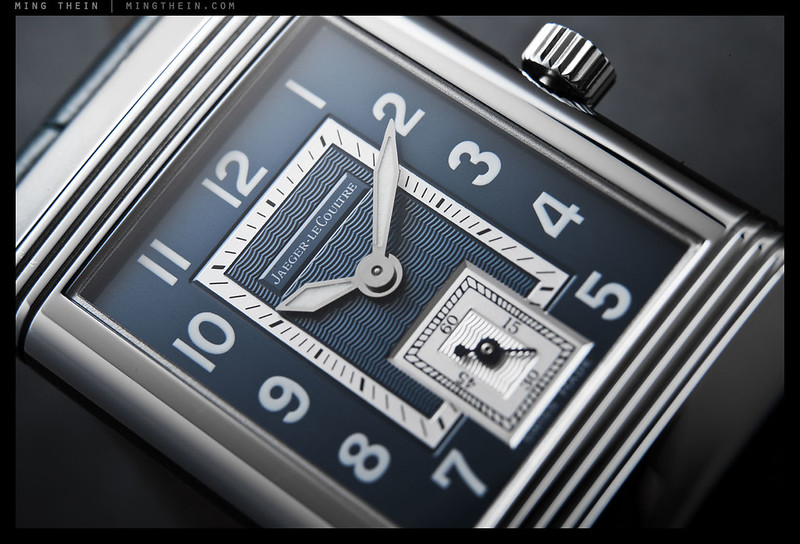
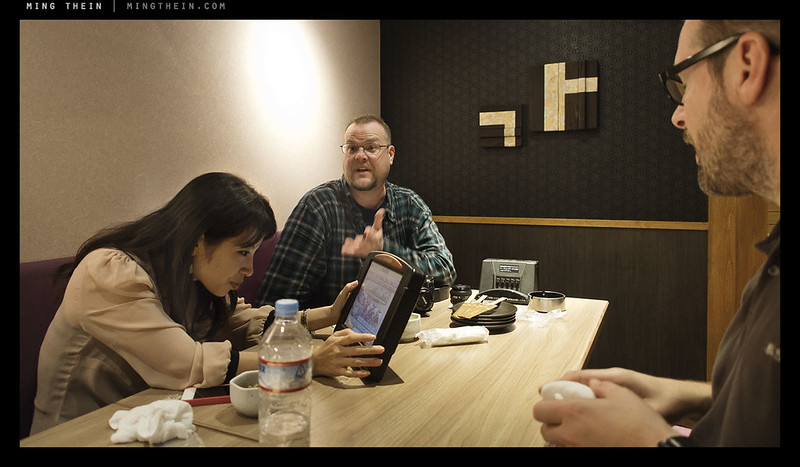
Candid thoughts on the online photography ecosystem

Let’s start off with a bit of a definition: the ecosystem covers all of the photography-centric bloggers, reviewers, pro photographers with blogs, corporatized review sites, e-commerce sites that might have some reviews, rumor mills, niche manufacturers of little photo-related widgets, gadget websites that might cover photographic equipment, testing houses, subscription review sites, point-and-click review factories, brand forums, community forums, photo sharing and hosting sites, facebook pages for photographers, columnists, contributors and so on and so forth – anything that’s photography-related, offering an opinion, and online.

This post is going to potentially offend a lot of people, but in the interests of continuing transparency and trust, I feel it is necessary to fully clarify my position.

There seems to be a bit of schism that’s taken place over the last couple of years, as the photography industry has both matured and moved truly into the digital age: correction, the primary consumer market of the photography industry has moved into the digital age. By that, I mean that increasing numbers of camera buyers are actually spending the time reading and then relying on the opinions of a relatively small (but growing) group of reviewers and websites. What I basically mean, is that photography online is becoming very much like either the automotive industry or the hi-fi industry. (I can understand why it’s so important to seek opinions in the auto industry – a car is a large, long-term purchase and you’ll probably only own one or at most two at a time; curiously photographers tend to own dozens of pieces of gear, whose combined purchase price probably exceeds their cars.)

Everybody and their dog (and their dog’s trainer and groomer) have an opinion, and many become self-proclaimed experts overnight.

It’s now both easier and harder than ever to check credibility: the louder a person shouts – and there are some bloggers who shout very loud about nothing much, or worse, illogical nonsense – the more weight an opinion seems to be given. This ‘expert opinion’ becomes repeated, quoted, and taken as gospel – all when the writer probably hasn’t done a shred of research, or worse, said something as a throwaway comment. People who in the real world, are generally sensible and making considered, planned decisions, are now following the town crier with their wallets open and thousands of dollars in their hands. Worse still, major camera makers are encouraging this by supporting the people with the loudest voice – not necessarily the most factual credibility. Where has common sense gone?

Perhaps it’s a case of information overload; the more text we have to read, the less we want to spend time looking for it, and so the first item on Google (or maybe the second, too, if we don’t have any meetings lined up) is all we read. The writers get more and more popular, and it’s a self-destructive cycle. The problem for the camera makers is that in the short term, people will follow the loudest voice. Obviously, this helps to sell a lot of cameras, which is what the companies want. In the longer term, as consumers get more educated, they’ll discover the louder voices are often incorrect, which discredits the previously ‘expert’ loud sources – and individuals are less inclined to trust future claims, which will have a negative impact on sales. It seems that feast now, famine later isn’t a problem for most executives because this year’s bonus assessment is coming up next month, and somebody else will be the one in the middle of the future famine.

As a consumer, you’re spending a not inconsiderable sum of your hard-earned money on something. Make sure that you know yourself, and what you’re going to use it for, before trusting the opinion of somebody who’s never used the item in question for your intended purpose. Most importantly: give weight to the review according to the output, i.e. the images. If a reviewer writes badly but is able to produce stunning images, then chances are they have enough knowledge that their opinion is meaningful. Do not trust reviews with mediocre (or worse, no) images – this is an obvious sign that the reviewer has no clue what they’re doing, and probably doesn’t even know what the equipment is for.

As a manufacturer, there’s a natural inclination to support those who are blindly loyal to promoting your product, especially if it’s at the expense of other companies. Wake up: if you can’t see that using many products gives a reviewer if anything even more credibility, then you might run the risk of being caught with your pants down when your customers (or somebody else with an even louder voice) says something to the contrary. A case of the Emperor’s New Clothes you do not want.

Forums full of equipment-masturbating fanboys are probably the worst hotbed of this kind of activity: people with relatively little knowledge go to seek the company of other people with similarly little knowledge, to try and reinforce the validity of their purchases – sometimes at the expense of common civility, or just being openly hostile to any challengers. Wake up: there is no absolute right or wrong piece of gear, the very reason that there’s a variety is because there’s no such thing as one size fits all. I don’t need my choices to be validated by somebody else to be able to take a good picture – that’s stupid.

One related trend that’s popped up and taken to the fore in the last year or so are the rumor sites: they serve an underlying malcontent insecurity amongst hobbyists who prefer to spend money on equipment in the mistaken belief that it will solve all of their problems and make them instantly better photographers. Worse still, titanically huge noises are made when the rumors aren’t as expected, and people forget that a) most rumors are intentionally leaked by manufacturers; b) nothing that might be released tomorrow will change your skill level or ability today; c) they’re rumors!!

What I really cannot understand is how people – and a lot of popular ‘reviewers’ fall into this category – can pass opinion on something that neither they nor anybody else have physically handled or used, and then treat this as gospel. Once again, the problem is that if something is repeated enough, and a sufficient number of people believe it, it becomes true.

But I’m probably preaching to the choir here: I don’t think the majority of my readers are under the illusion that practice and skill come second to equipment.

And that brings me to the crux of the matter: yes, cameras are now more than sufficiently prolific to be considered consumer goods (and with similarly short life cycles) – but ultimately, the pursuit of photography is about the production of images, not the collection of gear. There is nothing wrong with collecting cameras for the sake of collecting cameras*, or because you enjoy the designs, or for whatever other reason – just don’t confuse it with photography. It annoys me to no end when I’m challenged or criticised by people online, often hiding behind the anonymity of an ambiguous username on a forum, on something I’ve written that perhaps offends them because they purchased something I might have deemed to be slightly inferior to something else, or who insists on arguing a point that makes absolutely no difference in the real world. It is clear that these discussions are pointless, because a) you’re never going to convince a fanatic, but they can definitely waste a lot of your time; b) more often than not, they either haven’t posted a single image anywhere, or certainly none worthy of note: these are not photographers, they’re equipment fetishists.

*I highly doubt that anything mass produced and reviewed by every popular site on the internet is ever going to be collectible; there will simply be too many of them out there to appreciate in value – simple economics.

With that, I want to make some things clear about the principles under which I have so far and will continue to operate this site:

I am a photographer first, a writer second, and an equipment reviewer a distant third.
Everything I write about, I do so because it’s either interesting to me, or because I plan to (or already) use it in my professional or personal work. Time is far too limited for me to review things to promote them for manufacturers (several accusations) or bother testing extensively and reviewing a bad product. That is pointless, especially when I have to spend my own money to buy it!

My methodology is consistent.
I am a scientist by training, and know that a comparison with no baseline or repeatability or consistency in methodology is meaningless. I also know when the results are so close that the differences are within the margin of probable error, it’s impossible to call one superior over another.

If something seems off or unexpected, I double and triple check my results.
If there is a question in the results due to the possibility of sample variation, I will test enough samples to rule this out. The best example of this is the D800 and its focusing issues: I was accused of a) covering up the issue (!!) and b) crying wolf initially. I tested five bodies with a good spread of serial numbers variety of lenses; every single combination exhibited the problem. We can therefore conclude that there is a problem. If it had only been one out of the five, it would most likely be an individual sample defect.

I won’t ever post unedited JPEGs or similar images.
This is like making a judgement on a restaurant by eating half-cooked food. It isn’t giving the equipment a fair chance against other equipment, nor does it take into account the potential – and as a photographer, that’s what I want to have some concrete idea of. Would I buy a camera with crappy JPEGs but incredible RAW files? Of course, because I don’t shoot JPEG for the reason that I’m not maximizing the potential of my equipment.

I don’t do quantitative testing or pixel-peeping.
There are other sites that do this if you’re so inclined; however, sensor and camera technology has long past the point of sufficiency for the vast majority of uses, and even for those of us who make a living from images, our clients haven’t said anything about image quality for some time now (assuming of course you’re maximizing the potential of your camera). The fact that I need 3x higher a shutter speed to handhold adequately, or the fact that I can’t reach several of the major controls without contortion is far more important to me than the fact that the signal-to-noise ratio might be 5% better than its predecessor. One affects the way I work in practice, the other doesn’t.

I try to keep things relative.
In a previous life, I served as Editor and Contributing Editor to a photography magazine for over five years; in this time, I reviewed and used just about every major piece of equipment made; this totals some 300+ reviews. Using a variety of equipment both allows me to pick the best tool for the job, as well as have a good basis for comparison for one piece of gear against another. It’s of course impossible to use everything, but it’s also important to use enough that you can’t get called out for a glaring error.

I am not allied to any brand, though I work with many of them.
The brands I work with are fully accepting of the fact that I do so with no exclusive interest, and because I feel their product is the best for whatever I happen to want to do with it. I have full editorial freedom over what I write. And yes, there are brands and companies (I think you can figure out which ones by elimination) that I do not work with because they insist on censoring everything written first. That completely defeats the point of having an independent review, not to mention undermining everybody’s credibility. Saying something is good when it really is good is fine; it’s when people say something is good when it clearly isn’t that problems of objectivity arise. You won’t see me saying much (if anything at all) bad about most things, because it if’s bad, I won’t waste my time using it, or potentially affect my relationship with the brands by posting something negative that might be later constituted as inflammatory.

If I don’t know something, I’ll admit it.
There are aspects of photography where my knowledge is next to zero – sport, videography etc – and I’ll be the first to admit that. I’ll also not pass opinions on something that I have no knowledge of, or no ability to support through fact or experience.

My opinion is subjective, but I do try to be as objective as possible.
The outcome of any qualitative assessment is open to interpretation; photography very much qualifies as subjective in this regard. It is impossible to completely remove any interpreter bias, even moreso when it comes to the aesthetic considerations of an image – yet this is the area in which I receive the least (almost zero) discussion and challenge, by a long margin. I’ve always strongly encouraged my students and readers to seek a second opinion and not make a choice solely based on what I say; what works for me may not work for you, and what I like may differ from what you like. Seeking the opinions of multiple credible sources helps you to build up a objective, balanced picture – and hopefully make a better decision.

The primary focus of this site remains the creation of images.
From day one, this site has been about the pictures, and the creation of images. Everything else is a tool, technique or enabler, nothing more. It is information for the reader to absorb, and in turn allow themselves to be guided or influenced (or not) as they choose in their photographic journey. I initially didn’t want to review equipment, but eventually saw that it was a necessary part of photography – because so much of the way we see and create is inextricably linked to the tools we use, it is important to have an objective view on these tools from the point of view of a person whose primary focus was images. Don’t get me wrong: I like a good camera or lens as much as the next person (probably more so because I’ve used enough crap to be able to tell the difference) – I just don’t and will never let it be the dominating factor.

One final point: above all else, I value integrity and honesty – it takes a long time and several lucky breaks to build up a solid readership; but only one or two mistakes to erase your credibility. The danger comes when the commercial value of being dishonest is greater than the commercial value of being honest; this site remains a labor of love and a platform for me to share my knowledge with the photography community, and is nowhere close to being my primary source of income. (I think in over the last three months I’ve made a grand total of $400 or so from referral fees; nice pocket money, but not even close to being enough for a decent lens.) This allows me to maintain a level of objectivity that is impossible for pretty much everybody else – and I intend to keep it this way. MT

One final reminder for Malaysians: Today is the last day to enter the Maybank Photography Awards. Lots of great prizes up for grabs – and yes, I’m judging. 🙂

____________

Visit our Teaching Store to up your photographic game – including Photoshop Workflow DVDs and customized Email School of Photography; or go mobile with the Photography Compendium for iPad. You can also get your gear from B&H and Amazon. Prices are the same as normal, however a small portion of your purchase value is referred back to me. Thanks!

Don’t forget to like us on Facebook and join the reader Flickr group!

appstorebadge

Images and content copyright Ming Thein | mingthein.com 2012 onwards. All rights reserved

Photoessay: A slice of green in Tokyo

_RX100_DSC2116b copy

During my last trip to Tokyo – the workshop and the couple of spare days I had – one of the things I’d always wanted to do is find a bit of urban oasis in the concrete jungle of the city. It seems that the Japanese apply the same sort of perfection to their landscaping as they do to just about everything else – even though it seems at times that some parts of the composition may be chaotic, it’s probably intentional. On a more practical note, the gardens were used to provide easy perspective practice for that portion of the workshop. We visited Koishikawa garden near Iidabashi station – a little mini-enclave with several distinctively different areas to provide some variety.

_RX100_DSC2112b copy

Personally, I was just happy to enjoy the flawless green grass of the Imperial Palace East Garden – open to the public, and supposedly with regular lunchtime concerts (though I was there at the appointed place and time, I guess it must have been the wrong day). One of the photographic ideas I continued to explore here (and you may have seen some evidence of this in my past work already) was layering and the use of projected surrealism – spot the Monet-a-like, and homages to Chinese painting in the fish. Though I like this for my personal work, I’ve yet to see any commercial potential here…

Thoughts and comments welcome as always; you can click the images to view larger versions via the flickr landing page, plus EXIF data if you click on the right column (‘The photo taken with an XXX’).

This series shot with an Olympus OM-D, 12/2 and Sony RX100.

_RX100_DSC2108b copy

_RX100_DSC2110b copy

_RX100_DSC2092b copy

_RX100_DSC2245b copy

_RX100_DSC2248b copy

_RX100_DSC2123b copy

_RX100_DSC2122b copy

_RX100_DSC2119b copy

_5011011 copy

_5010959 copy

_5010949 copy

____________

If you enjoyed this post, please consider supporting the site via Paypal (mingthein2@gmail.com); Ming Thein’s Email School of Photography – learn exactly what you want to learn, when you want to learn it or learn how to achieve a similar look with our Photoshop workflow DVDs.  You can also get your gear from Amazon.com via this referral link.  Prices are the same as normal, however a small portion of your purchase value is referred back to me. Thanks!

Don’t forget to like us on Facebook and join the Flickr group!

Images and content copyright Ming Thein | mingthein.com 2012 onwards. All rights reserved

Film Diaries: Revisiting film under the pretext of creative development

_MT57330bw copy

Followers of my facebook page and those who joined me for the Tokyo workshop will know that I’ve recently acquired two vintage cameras, ostensibly in the name of investment, however in reality it’s simply because I enjoy using cameras of this generation; they really don’t make them like they used to.

For the curious, my acquisitions were a 1979 Nikon F2 Titan, and what is approximately a 1986 Nikon 58/1.2 Noct-Nikkor Aspherical*. In my mind, these two represent pretty much what is the pinnacle of 100% completely manual technology. The camera body is 33 years old, and looks just as pristine as the day it left the factory floor. (I doubt my D800E will be functional 10 years from now, much less 33; I think the batteries will be long dead and unavailable, and the media and file formats either unsupported or unreadable. Hell, my D2H is already dead, and judging by the slow disappearance of cameras from just six years ago on the secondary markets, it’s likely that a lot of those have either died or entered a quiet retirement too.) Testing the shutter speeds using a digital stopwatch and point-and-shoot on long exposure with the film back open is proof that despite its age, the mechanicals are still functioning perfectly. This is actually fairly amazing given the condition of the camera, because either it has not been used, or was shot by exceedingly careful and paranoid photographer. It is unclear, though unlikely, that the camera has ever undergone a CLA. At the time of writing, the accompanying lens has not yet arrived from Japan so I will refrain from drawing conclusions; however, given the relatively simple nature of the mechanics inside lenses, I’m not expecting any issues.

*In case you’re wondering why I selected this combination, there are some simple reasons: firstly, because I’ve always wanted an F2T since seeing one – the paint finish and weight are much like a modern Nikon, but the rest of the camera is entirely classical. Secondly, it’s familiar to me because I shot extensively with an F2A before; thirdly, the camera distills everything down to the bare minimum – no custom functions or AF issues to worry about; you focus where you want, you adjust exposure manually, hell, it has no meter, let alone DX coding or exposure compensation. Part of what I want to do is retrain my eyes to be my meter – I have this skill, but it isn’t accurate enough for my liking – a stop plus minus isn’t good enough for slide film or digital. At the moment while I’m learning, my Sony RX100 has now become a ridiculously over-specified meter.

For a person whose photographic credo throughout the digital age has pretty much followed the pursuit of perfection through control, you probably are going to think that the use of film is a little unexpected, to say the least. My history and experience with film so far has been somewhat chequered. Not counting my use of film cameras in the days before I had any meaningful interest in photography, I had a brief affair with a Nikon FM3a in my early digital (D70) days; I couldn’t get along with it and in the end landed up trading it in (with one of the rare black 45/2.8Ps) for a 12-24. I think I shot all of four rolls with it. Then, when I got serious, I picked up another film camera (Nikon F2A); the majority of my learning of photographic techniques was accomplished in parallel on both film and digital. In fact, I even shot watches on slide film (of all things), manually calculating guide numbers, diffusion factors, magnification factors and bracketing just to make sure. I got so used to shooting film, that I was almost treating it like digital. This led me to put on the brakes once again; I simply could not afford to pay for the amount of slide film and processing that I was running through on a weekly basis, much less find time to do the scanning.

At this point, we enter a silver halide desert. The next time I even so much looked at a roll of film was in mid 2009, when I picked up a Leica M6TTL as a backup body to my M8. The two biggest things I remember about that experience were that I completely wasted the first roll because I loaded it incorrectly, and as a result landed up with precisely zero images on it; and secondly the feel of the horizontal cloth focal plane shutter of the film Leicas is completely different – much smoother and quieter – than the vertical-travel, metal-bladed units in the modern digital Leicas. I think I must’ve used it on and off for a couple of months, and then decided I wanted the 50 Summilux ASPH more – so off it went.

By this point, I was too preoccupied with both work and the seemingly newfound degree of control that I was able to obtain through digital capture. There were also things I simply could not easily do with film – such as dodging and burning – unless I developed it myself – and I definitely didn’t have time for that. Ironically, this is one of the reasons that I am choosing to revisit film at this point. I’m finding myself spending far too much time in front of the computer post processing. It isn’t because I’m slow – far from it; it’s because I’m trying to do more with each image, and I’m simply shooting a much larger number of images these days.

Of course I am not shifting my commercial work back to film; that would just be stupid. There is no way, I can achieve the same degree of control and quality as I can with digital. And I’m certainly not going to take the risk of something unforeseen happening to the film in the intermediate process between shooting and client delivery. For the mall, there is simply no way I can keep up with the volume if I have to develop and scan every single print plus don’t forget this also dust spotting, retouching and color/ density correction required. Needless to say, I don’t think any of the clients these days would be impressed if you had to bill back the film costs – especially if you shot the same number of images as you normally would with digital.

For my pistol what however, I feel that it’s time to shift gears. I’m definitely experimenting and shooting more, but the improvement seems to be incremental and diminishing. Perhaps part of the problem is that I’m simply shooting too much. I need to be more selective before I take the picture; and again after take the picture. If this sounds like a breakdown in the editing process, that’s perhaps because in some ways, it is. Even though I usually throw away 98% of what I shoot in the quest for perfection every single frame, that 2% is starting to become quantitatively a very large number. Combined that with ever increasing file sizes, and the usual photographers attachment to the images which they shoot, and you have a recipe that’s going to eventually result in either of two things: you spend all of your time processing your personal work and doing nothing else, or you eventually give up shooting for yourself altogether. Obviously, neither of these is a ideal; the first results and you not having any income; the second, creative stagnation. (I’m not sure which is worse for a photographer. I suppose we’re all somewhat accustomed to the former.)

The unstriped come up with, is that I need to find a balance. A change to my shooting process that forces me to think even harder about the image before capture; to minimize the amount of postprocessing I have to do by ensuring that the critically important elements of a strong image are already in place before I press the shutter; and moreover something that forces me to think differently from a creative point of view. I need to play mind games with myself in order to improve to the next level. I suppose I could accomplish most of the former by forcing myself to shoot cameras with relatively small files, and even then only with a very small card – say 2GB, which is probably good for about the equivalent of two rolls of film in a D800E, or even 512MB, which would get me just over a roll from a D700.

The problem is really the creative portion. Although I find changing equipment does frequently force me to think differently, I spend just as much time figuring out how to get the most out of the equipment as shooting, which of course results in more experiments, more files, and even more computer time. This would just land me back in square one, not to mention significantly worse off thanks to the depreciation costs of new equipment. I even seriously considered switching to medium format at one point. However, this would have to be as much a commercial decision as a creative one, and the market in Malaysia, plus the majority of my overseas work being macro-centric simply does not justify the increased expenditure.

It seems as though once again there are good reasons to revisit film. In some ways, it’s much like shooting with a compact; you are removing an element of creative control so that you are forced into making the most of the others. This element of course is postprocessing and post-capture control**. The other added bonus is somewhat progress; every time you press the shutter it cost you money – I calculated to be around $.40 per shot, including processing. This makes you think very carefully before you push the button. I’ve met a lot of people say, that if you get one keep up on a roll you doing well; however, I think my keeper rate is far, far higher with film the digital; simply because it forces you to do everything you can to get the image right the first time. A nice bonus is that it’s also possible to try larger formats for not that much money; possibly because nobody seems to want the equipment anymore, and partially because the gear will be second hand, and therefore not lose a lot of value when you eventually move on and resell it. (You might well even make money on some of the rarer equipment – at least, that’s part of my plan with the F2T and 58/1.2; I also see a Hasselblad 501CM in my future.)

**Granted, I will be digitizing the negatives using one of the Nikons and a slide coping adapter, which of course creates the opportunity for me to intervene digitally at this point, but that’s not the objective of the exercise – there will be far fewer images to deal with, and I’m almost certainly not going to be doing any heavy duty RAW processing.

You’re probably wondering why there are no images to accompany this post. The reason why is simple; it’s because I haven’t developed any film yet. Instead of shooting hundreds of image a day, I’m now shooting perhaps half a dozen, if that. And I’m fairly sure (providing I didn’t mess up loading the camera), that the images I do eventually show will have helped my creative development. You’ll just have to wait and see. MT

____________

Visit our Teaching Store to up your photographic game – including Photoshop Workflow DVDs and customized Email School of Photography; or go mobile with the Photography Compendium for iPad. You can also get your gear from B&H and Amazon. Prices are the same as normal, however a small portion of your purchase value is referred back to me. Thanks!

Don’t forget to like us on Facebook and join the reader Flickr group!

appstorebadge

Images and content copyright Ming Thein | mingthein.com 2012 onwards. All rights reserved

Mid term report: The Nikon D800E

_DL5T_L1000927bw copy

I’d long ago intended to post a full review of the Nikon D800E, but somehow that got lost in a flurry of work, left-side AF problems, and repeatedly having to answer the question of ‘which camera should I buy?’ – note that this has now gotten even less straightforward now that the D600 is an option, too. And then there was the fact that it wasn’t really that different to the original D800, which I already reviewed here (I believe it was the first complete one up on the internet, actually). But now, I think enough time has passed, and I’ve used the camera under enough situations (and somewhere in the region of 20,000 images – almost all of them on-assignment) that I think it’s about time for a mid-term report card. This won’t follow the form of my historical reviews; rather it will take the form of a series of annotated comments. Some apply to both the D800 and D800E.

_8016610 copy
Apples. D800E, Zeiss ZF.2 2/100 Makro-Planar

One general observation is that it seems Nikon got the product mix wrong – most of the photographers I know bought the D800E over the D800, figuring that if they were going to go all out with resolution, they might as well really go for broke. I suspect this is contributing to the limited availability of the camera, despite the D800 being in stock – Nikon’s facilities were probably geared up to produce more D800s, but the demand is in favor of the D800E. I was recently told by NPS in Malaysia that while the D800 is readily available, the D800E is still back-ordered for a month or more.

I’m going to start with the bad first, to get all the negativity out of the way upfront.

_8016861 copy
Dragonfly. D800E, Zeiss ZF.2 2/100 Makro-Planar

Something still doesn’t feel right with the autofocus system.
Although my camera no longer exhibits any asymmetry with its focus points following the recalibration and fix by Nikon Malaysia, it just doesn’t seem to be as positive or accurate as the D700 was (or D600 is now). There are situations in which the camera nails everything perfectly, and situations under which it just seems to miss by a hair; far more of the latter exist than the former. And no combination of AF settings seems to work; this means that the D800 is effectively an unviable proposition to me as a documentary/ reportage camera. Bottom line: I’m not 100% confident that it’s going to focus where I tell it to.

_8015135bw copy
Up or down? D800E, 28/1.8 G

The viewfinder is nearly useless for manual focusing.
Sure, it’s big and bright and covers 100% of the frame, but the problem is that it just doesn’t have enough focusing ‘snap’; it’s very difficult to tell when things are in critical focus or not, which is made doubly critical by the extremely high resolution of the sensor. It seems that all modern focusing screens are really just optimized for brightness with slow zooms. I would have done the same thing I did to my D700 – namely, cut and fit a custom screen from one of the other cameras I like – the F6 type J and FM3A type K3 are my favourites. However, the D800’s focusing screen is so enormous that this simply isn’t an option – I think it actually has the largest focusing screen of any Nikon to date, which means there are no suitable donors. I’m trying to get hold of an original screen to see if I can make it more matte on my own, perhaps by grinding it down with 1200 grit sandpaper. (You’re probably wondering how I use the camera at all without AF and a good finder – since most of my work with this camera is tripod-based anyway, live view comes to the rescue.)

_8015235 copy
The ZR012. D800E, 60/2.8 G Micro

Demands on lenses and technique are high.
It’s not the pixel density, but the pixel density for a given angle of view – this is the highest it’s been for any consumer/ prosumer level camera (i.e. non-medium format) to date. I think a lot of people confuse this with pixel pitch. The bottom line is that if your lens covers say 90 degrees horizontally, then the D800E puts much more resolving power per degree in the hands of the average photographer than they’re used to; this places corresponding demands on lens quality and technique (focusing, camera shake etc) than the vast majority people can manage handheld except under good light. I can’t even get a consistently sharp image unless I’m over 1/2x focal length – and I’m certain I’ve got better technique than average. This, and the size of the files (a throughput issue) make it impractical for a documentary/ travel/ journalism camera. Oh, and you’ve got to use good lenses too, which tend to be large and heavy – not ideal for walking around with.

_8014881 copy
Eleven. D800E, 28/1.8 G

The live view exposure implementation needs work.
If you shoot manual exposure, live view mode always shows you a preview of the actual exposure. Guess what this means if you’ve got things set up for a studio strobe exposure with zero ambient: a black frame! You’ll have to toggle back and forth between P and M modes to focus, which wastes time and is unnecessary – especially since they fixed this on the D600. I hope it’s something that gets addressed in a future firmware update. Or, at least give us an option…

_8013241 copy
Bored. D800E, 28-300VR

There are a few ergonomic fails.
The mode button is more and more annoying the more I use the camera – it’s just impossible to reach without contorting your grip, and muscle memory from using every other Nikon pro body means that you will almost inevitably try to change exposure with the video record button and back dial. The D-pad lock switch is too loose, and easy to activate, meaning that you may not be able to change focus point at a critical moment – and then be left wondering why, while your shot disappears. By a similar token, the metering mode switch is too stiff, and difficult to operate with the edge of your thumb. Aside from that, ergonomics are spot on. What I don’t understand is why Nikon seems to make minor changes between generations to both things that need fixing, and things that work fine as they are…

_8013166 copy
Polo. D800E, 28-300VR

The shutter appears to have a vibration issue around 1/30s or so.
I’ve noticed a strange blurring/ double image that occasionally pops up in the 1/20-1/40s range; even with everything locked down on a heavy – Gitzo 5 series systematic – tripod and studio lights; the only conclusion I can come to is that somewhere in the shutter or mirror mechanism, something is vibrating at that natural frequency and creating a bit of camera shake. The solution around this has been to use live view and the self timer when required; it of course doesn’t require the mirror to cycle.

_8018601 copy
3T MRI. D800E, Zeiss ZF.2 2.8/21 Distagon

File handling is…chunky.
This isn’t a flaw of the camera. But the increased amount of detail means even larger files than the D800; you’re looking at 40-50MB routinely for a compressed NEF. It would be a waste to shoot jpeg with this camera, of course. This is one of the reasons why I tell prospective buyers to think very, very carefully about whether they really need such large files: it has a knock-on effect on everything else from processing to storage. I usually open my raw files in batches; with the D700, my current laptop can happily handle 20; for M9, OM-D and RX100, it’s about 15; for the D800E…I think a threshold has been crossed somewhere, because it’s more like five.

_8018214 copy
Sarpaneva Korona K0. D800E, 85/2.8 PCE

Now for the good news:

Visible diffraction is offset somewhat by the lack of an AA filter.
My work requires small apertures on a regular basis; the diffraction limit for the D800 was visibly between f8 and f11, with all other things equal. The lack of an AA filter allows you to claw back some perceptual sharpness (though remember that diffraction is a property of the pixel pitch, and still sets in at the same point for both cameras) – all other things being equal, this allows a D800E image at f16 to have the same perceptual sharpness as a D800 one at f11 or thereabouts. Handy. Needless to say, at smaller apertures, the D800E provides a noticeably crisper image – there isn’t necessarily more resolution, but the pixel acuity is definitely higher.

_8021674bw copy
All about the hair. D800E, Zeiss ZF.2 2/100 Makro-Planar

Moire is a non-issue for the majority of circumstances.
I don’t shoot a lot of fabrics or repeating patterns, but on the occasions I have done, I’ve seen very, very little moire. And these tend to be studio situations anyway, which means that I’m at small apertures; I can always have the option of removing any aliasing by stopping down a little bit more and letting diffraction take care of things for me should the situation arise. Conversely, I can’t add the acuity back to the D800’s files.

_8011276 copy
Jaeger-LeCoultre Master Ultra Thin Moon detail. D800E, 60/2.8 G Micro

Image quality is impeccable.
After working regularly with good D800E files, it makes me feel as though my other cameras are all lacking something; however, the knowledge that you really have to have all your ducks lined up in a row to make the D800E sing is enough for me to remain happy with the image quality from the rest. That said, the D800E is easily the best DSLR at the moment for any form of controlled lighting or tripod work; color accuracy and dynamic range are both superb; pixel acuity is beyond reproach (with the right lenses, of course) and – barring the aforementioned issues – usability is excellent.

_8017807 copy
Spiral. D800E, Zeiss ZF.2 2.8/21 Distagon

Battery life is outstanding.
Both the D800 and D800E have excellent battery life – easily 2000+ shots per charge without use of flash, or 1500+ if the built-in is used as a CLS trigger – which means that I only have one spare battery. This is a first for me: even my D3 had two spares. In fact, I think the real-world battery life of this camera is bested only by the D600.

_8019332 copy
Omega Speedmaster 9300. D800E, 85/2.8 PCE

It doesn’t feel that heavy.
Even though the camera isn’t much lighter than the D700, you do notice the difference after a day of shooting with it – my hands just don’t feel as tired as they did when I was using the D700. Perhaps it’s also a function of grip shape. I don’t know if this has negative consequences for camera shake and stability, though – probably not, since the D600 is even lighter and seems fine (though admittedly it also has a much lower-vibration and slower shutter).

_8015136 copy
How the other half live. D800E, 28/1.8 G

Overall, the impressions are good: very seldom is there a camera which I would consider perfect or close to it (the D700 was probably the last one) – the D800E pushes the image quality envelope forward by a significant margin, and with this necessarily comes compromises. The mistake I think most people make is in thinking that if you used the D700 with great results, you should be able to do the same with the D800E; no. Even for somebody who pays constant attention to shot discipline, you will find situations under which the demands of the sensor exceed your ability at that moment to achieve a pixel-level, critically sharp image. I know, because it’s happened to me several times.

This brings me to the final portion of this report card: I want to conclusively answer the ‘what should I buy?’ question once and for all.

_8016078 copy
Jaeger-LeCoultre Reverso Latitude. D800, 60/2.8 G Micro

Buy the D600 if:

  • Size and/or weight is a priority.
  • You are coming from a DX body that doesn’t have the same controls as the pro bodies (anything except the D2H/D2x/D300/D200)
  • You just want a general purpose FX body, and getting the large sensor ‘look’ is your priority.
  • You want resolution for large prints but can’t afford a D800E.
  • You shoot mostly handheld
  • You shoot a lot of live view work in the studio
  • You don’t print larger than 40×60″ or so

Buy a (or keep your) D700 if:

  • Budget is a priority – second hand D700s are abundant now, and cheaper than new D600s. They’re still capable of producing excellent images – I still use mine for reportage work.
  • You need speed or AF tracking ability – it has more coverage than the D600, and (I feel) higher precision than the D800E. It also runs at up to 8fps, which none of the others can.
  • You do a lot of low light or marginal shutter speed work – it’s just more forgiving for handholding.
  • You shoot in hostile environments
  • You don’t print larger than 20×30″ or so
  • Workflow throughput is a priority – events, weddings, sport etc.
  • You shoot mostly handheld
  • You don’t need video or live view

Buy the D800E if:

  • You need to have the absolute best image quality in a DSLR available now (due to lenses, or budget vs MF, or whatever)
  • You don’t mind using studio lights and/ or a tripod to maximize image quality
  • You don’t mind re-evaluating your lens lineup
  • You shoot a lot of video – it has manual exposure controls and power aperture than none of the other cameras do
  • You need to print larger than 60″ wide
  • You don’t mind (and have the hardware to) handle enormous files

_8012864bw copy
Nadiah. D800E, 45/2.8 P

And what about the D800? Well, I honestly can’t see why anybody would bother unless money is super-critical, or you shoot a lot of fabric –  the price difference to the D800E isn’t big enough to be a factor if you’re already committed to spending that much money, and it requires almost as much shot discipline and lens quality anyway. Finally, if you do a lot of long lens work – wildlife or similar – then you should probably look at a DX body instead; cropping isn’t going to up your frame rate much, or improve AF ability; the D600 and D700 probably won’t have enough resolution for demanding applications in DX crop mode, either.

I think what says the most about this camera is the fact that I only use it on assignment – it isn’t my first choice when I’m shooting personal work, or teaching (except in studio), or just going out for a while and feeling like I want to do some photography; something’s missing. And I don’t know if it’s the file sizes and processing that subconsciously puts me off, or something AF-related, or perhaps I’ve just moved on from feeling the need to carry a big camera for reassurance. Bottom line – I’m just not bonding with it in the same way I did with my D700, or even D2H for that matter – and those were even larger and heavier cameras. All of that said, I wouldn’t dream of using anything else for critical commercial work. MT

The Nikon D800E is available here from B&H and Amazon and the D600 here from B&H and Amazon.

____________

Visit our Teaching Store to up your photographic game – including Photoshop Workflow DVDs and customized Email School of Photography; or go mobile with the Photography Compendium for iPad. You can also get your gear from B&H and Amazon. Prices are the same as normal, however a small portion of your purchase value is referred back to me. Thanks!

Don’t forget to like us on Facebook and join the reader Flickr group!

appstorebadge

Images and content copyright Ming Thein | mingthein.com 2012 onwards. All rights reserved

Announcing a new teaching collaboration

_RX100_DSC2706bw copy

I’m proud to be part of a new teaching collaboration between SEGI College and Lightroom Studio and Academy – the Masters Series Professional Photography Mentoring Program. The program is the first of its kind in Malaysia and recognizes that being a successful professional photographer goes beyond raw technical skill and into workflow, business and marketing; you might be able to get a degree in photography, but that doesn’t teach you how to make a living out of it. Of course, a strong portfolio is one of the outcomes of the course – I’ve yet to meet a client who at all bothered about my qualifications (no, they’re not photography related) after seeing my portfolio. Together with five other highly respected industry professionals (commercial photographers, MPA members, Hasselblad masters etc) – Jen Siow, Adam Seow, Lim Hock Seng, Kevin Then and Wesley Wong – I will be one of the masters teaching the course.

_RX100_DSC2697bw copy

The aim of the program is twofold: to produce successful professional photographers, and to set standards and raise the bar for the industry as a whole. Whilst it might seem that we are going to shoot ourselves in the foot by training our competition, that isn’t necessarily the case: the market still remains big enough to support many professionals. The problem is that we’re all going to have to spend some time on both photographer and client education in order to ensure that the perceived value of our skills is appreciated and valued appropriately – by improving understanding, we can actually help the photographic and creative market to mature and grow. This is a very important responsibility of all true professionals in the industry so that we can continue to ensure future commercial sustainability.

_RX100_DSC2693bw copy

The program itself is will be recognized by the Ministry of Higher Education as a postgrad diploma; it will be highly self-driven by the student and very much like a true Masters’ program. There are no limits on entry or application, other than that the students must have a portfolio and an aim; it’s much like my Email School of Photography in that regard but aimed at a more intensive level. Each student will spend time with a number of the masters depending on their chosen discipline; passing is dependent on a final portfolio review and assessment. Industry partners including Leica, Canon, Hasselblad, Profoto, HP, Pentax and Sony are supporting the effort, which will include a fully-equipped studio and workspace for students. Intakes will start in 2013 – I’m looking forward to this! MT

For more information contact Wesley Wong @ Lightroom Studio and Academy – wesley@lightroom-academy.com.my

The full press release can be downloaded here.

____________

If you enjoyed this post, please consider supporting the site via Paypal (mingthein2@gmail.com); Ming Thein’s Email School of Photography – learn exactly what you want to learn, when you want to learn it or learn how to achieve a similar look with our Photoshop workflow DVDs.  You can also get your gear from Amazon.com via this referral link.  Prices are the same as normal, however a small portion of your purchase value is referred back to me. Thanks!

Don’t forget to like us on Facebook and join the Flickr group!

Images and content copyright Ming Thein | mingthein.com 2012 onwards. All rights reserved

Tokyo Oct 2012 workshop report

_5012566 copy

I arrived in Tokyo a couple of days early – partially because of the flight schedules, partially because Tokyo is one of my favorite cities in the world for photography and I hadn’t had a chance to shoot here in nearly four years – it was high time I rectified that. I have to say that a large part of what made Tokyo so darn attractive was the fact that it felt so different from the moment you stepped off the plane; I don’t know if it’s familiarity or something else, but I didn’t really get that hit this time around.

_5011367bw copy

That aside, I spent a good two days just walking around, looking and shooting anything that took my fancy. I travelled very light – in the end bringing only the OM-D, 12/2 and 45/1.8 lenses, plus a Sony RX100 for backup (the links are to my reviews); not having a bag – hell, not even having to use the pockets of my shooting jacket most of the time – was positively liberating, not just because Tokyo appeared to be going through a warm ~25C spell.

_5011383bw copy
Plenty of opportunities to shoot distracted commuters during the many train rides.

The first day of the workshop started off with a briefing to explain the critical components of what goes into making a good image; followed by a period of just walking around Ginza, observing, with me pointing out compositions and the participants not distracted by the technical aspects of taking a photograph; by the end of the half hour, I was starting to see a lot of sneaked shots.

_5011297 copy

We proceeded to a rather nice garden for a gentle introduction to the workshop, and easing the participants in by practicing proper perspective use and framing of edges – the best way to do this is always to focus on one topic alone and remove all other distractions; gardens are great for this because they’re quiet, tranquil and static objects are of course very friendly to do-overs until you get things perfect…

_5011617bw copy
Not part of the museum’s exhibits, but I’d like to think the style is very Japanese and it’d have at least made it into the amateur category.

One of my favorite places in Tokyo is the Tokyo Metropolitan Museum of Photography at Ebisu; they always have some interesting exhibitions running, and it was here where I first encountered Salgado’s work – in the form of original prints, no less. There were two exhibitions running – one of a competition from a local photography club, and one of a number of classical photographers considered to be masters. We spent some time assessing both – looking at what worked in the images, what didn’t, and deconstructing them for the participants to understand what elements they specifically liked, and how we would go about replicating them – first for the amateur images, and then the classical ones. Needless to say – there were a lot more hits in the classical images, but still a surprising number of misses or difficult to understand images in both.

_5011540 copy

_5011475 copy

The afternoon and early evening was spent at Asakusa and the old market around Senso-ji temple; here we practiced the use of stages and waiting for a subject; timing, and making cinematic. There was also an unfortunate hangyoku (Tokyo apprentice geisha) who got pursued around for a few blocks…

_5011546 copy

_5011648 copy

Dinner was at Akihabara, but not until the participants had a chance to practice some of the techniques from the Asakusa session again in a more lively environment, plus add in one more tool: the correct use of spot metering for the subject.

_5011702 copy

_RX100_DSC2287b copy

_5011939 copy

_5011884 copy

_5011885 copy

_5011927 copy

Doyle was still raring to go after the rest of us were footsore and too full of yakitori; he kept shooting.

Day two dawned bright and clear again – the light was fantastic with nary a cloud to be seen; in the mornings, the tall canyons of buildings and their glass sides serves as very strong light guides and secondary sources; we spent it wandering around Ginza looking for light, and making the most of the naturally interesting sources both for street photography and architectural abstracts.

_RX100_DSC2392bw copy

_RX100_DSC2411b copy

_RX100_DSC2364b copy

_RX100_DSC2433bw copy

Following another look-for-compositions-only walk to the Otemachi district near Tokyo Central (which was mostly observed, though it broke down somewhat at the end), we dealt with the use of reflections and layering to give images added context and depth, before calling a halt at noon once the light became non-conducive for this.

_5011950 copy

_5011975bw copy

_5011990bw copy
We started out with all the cameras in a bag. By the end I don’t think anything could have forced the participants not to have them in hand all the time.

The group headed to Shibuya for the final instructional portion: shooting through people and acting calm, and working a single scene for a set amount of time to force yourself to work harder to see compositions rather than just abandoning and moving on. Both of these techniques require a huge amount of people, and Shibuya crossing on Saturday afternoon didn’t fail to oblige!

_5012101 copy

_5012225 copy

_5012484 copy

_5012498 copy

_5012551 copy

Our last shooting session happened around dusk, at Shinjuku on the threshold of the seedy (and even busier than Shibuya) Kabukicho district. Here, the participants were given free reign to employ all of the techniques they’d learned in the previous sessions to capture whatever felt natural and instinctive to them; we regrouped for a review and feedback to figure out how to strengthen the idea, then went out for a final session before calling it a day for sushi.

_5012694 copy
One of my experiments with motion – handheld. To be the subject of a future article.

_5014005 copy

_5014013 copy

_5014071 copy
Another battle in the never-ending RF vs DSLR debate

_5014108 copy
One of those scenes filled with randomness that happens from time to time in a place like Tokyo.

The final day was spent completing the workflow: yes, introducing the basics of Photoshop! Probably just as well, as the weather was miserable and raining. Up til this point, I didn’t think there was physically enough space for that many Macs in one room anywhere in Japan outside perhaps the Apple Store and rural Hokkaido.

_RX100_DSC2489bw copy
A gray, postprocessed shot for a gray, postprocessing day

You may be wondering why we didn’t visit the tuna auctions at Tsukiji: simple, because in recent years, access has gotten prohibitively restrictive to the point that now you have to queue from 5am to get a ticket for 5.30am that only allows you access to the auction portion for half an hour, and nowhere else. If you want to shoot the rest of the market, you can only come after 9.30am – long after all of the action is over. There simply wasn’t any point.

Images from the trip are slowly making their way into our reader Flickr pool by Khair Mahfar, lemonice photos, ekindangen, doyleshafer and dcmer. I’ll be uploading mine over the coming days and weeks, and most will come here as themed photoessays, too.

And yes, don’t worry if you missed this one – there will be more workshops planned for next year; provisionally, San Francisco, New York and possibly Boston in April; Munich, Barcelona and maybe London in September. I’ve also got a couple of spots left for Melaka on 3/4 November this year, as well as the last of the Zeiss Food Photography Masterclasses. Send me an email too book a place or if you’d like more details. Thanks! MT

____________

Visit our Teaching Store to up your photographic game – including Photoshop Workflow DVDs and customized Email School of Photography; or go mobile with the Photography Compendium for iPad. You can also get your gear from B&H and Amazon. Prices are the same as normal, however a small portion of your purchase value is referred back to me. Thanks!

Don’t forget to like us on Facebook and join the reader Flickr group!

appstorebadge

Images and content copyright Ming Thein | mingthein.com 2012 onwards. All rights reserved

Quick hands-on: The 2012 Leica M (Typ 240)

IMG_1958b copy

Update: my full review is here.

I finally had the chance to have some time alone with the new Leica M (2012 Typ 240) this evening at an event held by Leica Malaysia for the 2012 Maybank Photo Awards (you’ve got until the end of October to enter here; I’m serving as head judge). Advanced note: it was a pre-production prototype, with the SD card glued in because the image quality is nowhere near final. I’m told there will be some notable improvements between this version and the production version; it’s mostly to do with the firmware. I won’t be drawing any conclusions on image quality, because it’s simply impossible to tell at this stage. Please excuse the crappy product shots, I was using my old iPhone 4.

IMG_1963b copy

And that brings me to the first point: the LCD is now enormous. And a huge improvement on the old one; it’s now a 3″, VGA unit that’s on par with the rest of the market – it makes an massive difference to the whole experience. You can judge sharpness on it; exposure is still of course best done with blinking highlights and histogram. To go with the new LCD is a new, cleaner menu system with functions grouped into sensible clusters; there are more of them, but the M remains a camera that you pick up and shoot. M9 shooters will of course be at home after they figure out what the extra two buttons do – the one on the front is for focus peaking; the one at the top is to record a movie.

The M now has live view, and a neat focus peaking feature that only activates when you turn the lens, and disappears with a half-press of the shutter or when you leave it for a while. I presume it works based on a sensor interacting with the rangefinder cam. The next thing you notice is the loss of the RF frameline illuminator window; it’s now LED backlit in either red or pale blue-white; both are very visible. I actually miss the old frameline preview lever; perhaps I was one of the few. There isn’t any more information in the finder, though.

IMG_1965b copy

There are four things that make the new M feel much more polished: firstly, the shutter release action has lost the notchiness of the M8 and M9; it’s a light half press to lock exposure, and slightly more pressure with a clean break to exposure. The shutter itself is a lot quieter and lower vibration; it simply feels better damped. Secondly, the whole thing is just faster – shuttling around the large 24MP DNG files was fast, and there was no waiting for the camera to zoom in/ scroll around. It simply felt snappy; easily as fast as my D800E (!). Next up is selectable metering: you now have the old centerweight, but also spot and matrix; I didn’t get a chance to test matrix extensively but it seems a lot less prone than the M9’s meter to drastic underexposure when you have a bright point source in the frame. This is a good thing for night photographers; as is the new sensor. I could only judge off the rear LCD, but it appears that we’ve now gained some significant high ISO performance – 3200 looked pretty good, with 6400 being useable. Once again, without seeing actual files, this is far from conclusive.

Although the body seems larger than the M9, it’s in fact identical in size to the old one. To accommodate that larger LCD and keep the lines intact, the scroll wheel around the d-pad has now moved to the top right corner, partially hiding behind a thumb rest. I was a bit skeptical about the utility of such a small nub, but it does feel much more secure in the hand than a regular M without a ThumbsUp – which is a good thing, because with the hotshoe serving double duty as an EVF port (didn’t get to try this, unfortunately) you won’t be able to attach any grip accessories. The prototype I handled also had the optional handgrip and wrist loop. I didn’t particularly like the feel of the loop because it didn’t feel comfortable – quite possible I had the wrong size installed for my hands – but the grip definitely improves handling. This one was a blank dummy, but I believe the final versions will have functional ports.

The big question of image quality, and utility of other functions like video will have to wait until I have a final production sample to review – I’m told that will be sometime around December. I’m looking forward to a number of things: firstly, shooting wides without having to use an accessory finder; trying out some macro work without the Visoflex and bellows, and finally, putting my favourite Zeiss ZF.2 2/28 Distagon on the front in a useable way thanks to a Nikon F-Leica M adaptor I’ve had lying around for some time.

All the signs are extremely positive that the M is a huge step forward from the outgoing model. Feel is an important thing; the M feels a bit more ‘button-ey’ than the M9-P, but also more polished. That said, I do like the simplicity of the M9-P – with the ever increasing number of features, I can now see the sense in keeping the product lines separate; the more features the camera has, the more settings and menus are going to be required to tame it. This does somewhat dilutes the photographic purity of the M – but then again, I’m not a videographer and I’m perfectly happy shooting 28/50 on my rangefinders. Now if only they’d do a Hammertone M-E with the new sensor…MT

____________

Visit our Teaching Store to up your photographic game – including Photoshop Workflow DVDs and customized Email School of Photography; or go mobile with the Photography Compendium for iPad. You can also get your gear from B&H and Amazon. Prices are the same as normal, however a small portion of your purchase value is referred back to me. Thanks!

Don’t forget to like us on Facebook and join the reader Flickr group!

appstorebadge

Images and content copyright Ming Thein | mingthein.com 2012 onwards. All rights reserved

Achieving ultimate image quality*

*Both with what you own, and what you don’t.

This seeds of this article started to plant themselves in my mind during a recent assignment. It dawned on me that my shooing style had been slowly changing over the last few months; from trying to run and gun handheld with speed and (mostly) precision, I was now bolting everything down to a 5-series Gitzo Systematic, hydrostatic ball head and geared head, shooting at base ISO at optimum apertures and compositing my shots. Oh, and bringing in lighting. I can only suppose this represents the next step in my evolution as a photographer, as my work becomes increasingly skewed towards commercial and less documentary/ ad-hoc/ personal. (I, and my bank balance, can only hope that medium format isn’t next!)

That said, there’s a right and a wrong way to go about the technical aspects of shooting. I want to cover tips on how to obtain the maximum image quality from your equipment under three different scenarios: firstly, handheld with the gear you own; without upgrading or buying any more gear, and finally, a hypothetical what-if scenario if the sky was the limit. Shot discipline basically boils down to two things – support/ stability, and optics. The former resolve as camera shake issues; the latter as softness and a general lack of resolution. I’ll address both here.

Handheld and making do
This scenario assumes you don’t have a tripod, and you’re shooting available light.

1. Watch your shutter speed. Make sure you don’t fall below 1/2x 35mm focal length for critical applications, or 1/35mm focal length if you have no choice. If you have IS or VR, you can safely shoot at twice as long a shutter speed as without; just make sure you give the VR or IS system a second or so to lock in first.

2. Use Auto-ISO, if you can control it. Auto-ISO may be derided as being for amateurs, but the reality is that it helps you to maximize image quality by giving you precisely the sensitivity you need and nothing more; if you increase ISO beyond what you need to get a decent hand-holdable shutter speed, you’re going to also incur unnecessary noise. This of course assumes that your camera allows you to set the minimum shutter speed and maximum ISO; not all of them do. The better ones automatically default to 1/focal length.

3. Check focus. This seems obvious, but relying on your camera to decide what should be in focus is a huge mistake. Pick the AF point, make sure you’re using continuous AF in case you or your subject moves – for very fast lenses, less than a centimeter can make a huge difference to the final result. I typically tap the shutter a few times to confirm focus and even defocus a bit manually and reshoot if I’ve got time. Inevitably, there will be variations in sharpness between frames; sometimes due to camera shake, sometimes due to the focusing system. Especially at the edges; not all lenses are flat-field, and some may have field curvature issues to take into account.

4. Use optimal apertures. Spend some time figuring out at what apertures your lenses perform best, and how this changes if you’re focusing at the borders or edges. Very few lenses deliver optimal performance wide open. Some lenses can also move their point of best focus on stopping down (‘focus shift’); this matters because all AF systems focus with the lens wide open. It’s important to know that even if your depth of field at f8 covers focus shift, it might not extend in the direction you were expecting.

5. Control your breathing. Exhale slowly as you release the shutter; the camera is coupled to your body either via your face (viewfinder) or worse, held at arms’ length; if you’re breathing hard when you take the picture, this motion transfers to the camera, which results in shake and softness.

6. Shoot RAW. A no brainer: keep all the image data your camera can produce. Storage is cheap. Near misses are more frustrating than not having the opportunity to shoot something at all.

7. Nail exposure. Getting exposure right, or as close to it as possible in-camera minimizes noise from shadow recovery or posterization and odd colors from highlight recovery afterwards. It gives you the maximum amount of dynamic range to work with. Note that getting it ‘right’ doesn’t mean making it as close to the final desired exposure as possible, it almost always means exposing to the right so that the highlights just clip – this keeps as much of your shadow data out of the lower, noisy, bits of information as possible. You can always reduce the exposure later with no penalty to image quality, but it isn’t the same in reverse.

8. Shoot bursts. Bursts minimize the effects of jerky fingers on the button, as well as giving you a couple of extra shots as insurance. This is especially important under low-light (read: dodgy shutter speed) conditions, as well as fast-moving events where anything could happen.

9. Watch your stabilization system. Stabilizers all involve a moving element of some kind to counter motion – they don’t work well with high frequency motion, simply because there’s a limit to how fast things can reasonably move. If your shutter speed goes above a certain threshold – generally 1/1000s or so – then the moving parts in the camera can create a minor vibration that won’t cause visible shake in the image, but it will trigger the stabilization system to try and compensate for it – and it usually overcompensates, resulting in a double image as it snaps from one place to another. Turn it off if your shutter speed is high enough. At the opposite end of the spectrum, giving the stabilizer a second or two to ‘bed in’ before you shoot can make a huge difference to its effectiveness. Mashing the shutter all the way down simply does not give the stabilizer enough time to lock in.

10. Stand firm. If you can’t bring fixed support, then be your own support. Find something firm to brace the camera on, or at very least, have both feet firmly on the ground. Tiptoeing or holding an awkward angle is almost certainly going to result in camera shake.

11. Don’t jerk around. Be smooth when you release the shutter – roll your finger over it and gently press, don’t stab at it. Use the half press position to lock in or activate focus, then just add a little more pressure to release. You’ll be surprised how much difference this makes to the sharpness of your images.

Under ideal circumstances, but you’re not allowed to buy anything
This is effectively how I approach my current assignments. Note: many of you will be surprised by just how good the image quality from the current generation of compacts can be, if given enough light, careful exposure and used on a tripod. My earlier article on the use of compact cameras for professional work shows some examples of that – and at that point, we didn’t even have such interesting options as the Sony RX100.

1. Support is critical. Although I both of my tripods and heads are rated far beyond the maximum equipment load I have – a light Gitzo 1542 Traveller and a much heavier Gitzo 5562 Systematic, I seem to be using the 5562 all the time. It’s simply as sturdy as a rock: the thinnest leg section is about an inch in diameter, which is much better than metal for damping vibrations. I don’t even use a column; the head – a Manfrotto Hydrostat – is bolted directly to the large platform. This tripod is so sturdy I can sit on it (without the head, of course) and the thing doesn’t move or flex. Simply no comparison to shooting handheld – there’s just no way to obtain this level of stability or precision in framing. I can’t imagine doing commercial work handheld anymore.

2. Use base ISO. Covered above.

3. Use optimum apertures. Covered above. Note that when you’re shooting a high resolution camera on a tripod, diffraction becomes very obvious. Unless you have no choice, don’t stop down farther than you need to – you can actually make the image softer that way.

4. Bracket and composite. For scenes with large dynamic range, or elements so far apart that no depth of field at reasonable apertures will cover them, I find myself using multiple images – one for each distinct exposure or focus zone – and compositing them afterwards in Photoshop. Care has to be taken to make things look natural, too; HDR this is not. And you simply can’t do it without a good tripod.

5. Bring your own light. I’ve always said that without light, there is no photography. With good light, the most banal subject can appear arresting. So why rely on unknown or potentially insufficient or spectrally-odd light? I bring a set of speedlights, umbrellas and softboxes to every job. Not only do I know exactly what I’m getting color- and exposure- wise, bringing your own controllable light also allows you to increase your shutter speeds to further minimize the possibility of camera shake or subject motion. Use the maximum sync speed unless you need to blend in ambient light too.

6. Watch your shutter speeds. There are a few critical threshold levels for shutter speeds – some support systems or cameras have a range in which there are inevitably vibrations, no matter how stable the tripod; you can’t go below about 1/60s for a slowly moving person, or 1/500s for sport; other, faster, subjects may require even more shutter speed. Even if in theory you could get away with 1/500s to freeze motion, you will probably see a significant improvement at say 1/1000s.

7. Use manual white balance. Although modern AWB is pretty good, and current sensors have a large dynamic range, what doesn’t change is the fact that once a channel blows, you can’t recover the information. Most of the time, RAW converters are interpolating data from the photosites of non-blown channels and adjacent areas to guess what the color for the overexposed area should be. Shifting white balance too much can actually cause channels to blow, or require blown channels to be brought back under Level 255. If you get the white balance right out of camera, not only does this save you the hassle of having to do major color corrections later, but it also prevents false color and minimizes noise in individual channels.

8. Use live view to focus. Both the resolution and focusing system problems of the D800 have made it clear that for critical applications, live view focusing is the way to go. You can’t get any more accurate than focusing on the actual imaging plane. This also allows you to check depth of field and preview exposure; finally, no modern DSLR seems to have been designed with critical manual focus through the viewfinder in mind – the focusing screens simply lack ‘snap’ and are optimized to deliver a bright image with slow zooms. I have to admit, I initially didn’t see the point of live view, but on a tripod, for precision work, it makes perfect sense. Especially with a good LCD. Now, if only we could get Retina Displays on our DSLRs…

9. Shoot RAW. Covered above.

10. Nail exposure. Covered above.

11. Use a timer or mirror lockup. No point in having the most sturdy support system in the world, and then inducing vibration by moving the camera yourself when you trip the shutter. Either use the self timer, a remote release or mirror lockup (or preferably, all three) – this truly minimizes the amount of camera shake at the point of release, and allows any residual vibrations caused by the mirror cycling to die down before the shutter opens.

12. Limit the amount of optical intermediaries. Teleconverters, adaptors and extension tubes all introduce another set of mounts into the equation, not to mention possibly degrading image quality if there are optical elements involved. The perfect planarity of each mount surface is required to maximize image quality at the sensor plane – there’s no point in having a perfectly flat-field lens if the mount is at an angle!

13. Turn IS off. You just don’t need it if you’re shooting on a solid tripod and making your own light.

14. Limit the tilting and shifting. Even though tilt-shift lenses are designed with a much larger image circle than the format they’re meant to cover, like every other lens, the edges of this image circle are often far from perfect. Limiting your lens movements helps to avoid these areas.

Sky’s the limit…
Here’s what I would have if money were no object.

1. Full movements. If I could place my depth of field and focal plane precisely where I want it, I wouldn’t need to use large lights or very small apertures; Scheimpflug is your friend.

2. A large format back with enormous pixels. Large format for better DOF control; a single shot back (if anybody makes them that large for non-military use) with big pixels for fantastic dynamic range and color accuracy. Forget JPEG, RAW is all I need. And it should have a nice, high-resolution preview screen for critical focusing, too.

3. High CRI LED panels, and lots of them. Bringing my own light – with low weight, low power consumption, no chance of bulbs going pop, and good spectral transmission. Plus, the ability to preview the outcome of a particular lighting setup lets you work a lot faster.

4. Some serious support. I’m very happy with the Gitzo 5562 I’ve got now, but it seems that the combination is let down by the head. Specifically, not so much the rigidity of the head as the lack of precision in positioning; I think I need an Arca-Swiss Cube or D4.

5. Apochromatic lenses with leaf shutters. No loss in resolution due to CA; great color reproduction, and minimal camera shake thanks to a teeny shutter with very low mass.

5. A packhorse and/or a good chiropractor. Either it carries itself, or my spine is going to go…MT

____________

Visit our Teaching Store to up your photographic game – including Photoshop Workflow DVDs and customized Email School of Photography; or go mobile with the Photography Compendium for iPad. You can also get your gear from B&H and Amazon. Prices are the same as normal, however a small portion of your purchase value is referred back to me. Thanks!

Don’t forget to like us on Facebook and join the reader Flickr group!

appstorebadge

Images and content copyright Ming Thein | mingthein.com 2012 onwards. All rights reserved

Compact challenge: Live from Sepang Circuit

I thought I’d give my students a bit of a challenge this time: during one of my recent workshops, we covered a bit of motorsport and documentary photography at the VW Scirocco Cup at the Sepang International Circuit. The assignment was to tell the story of race weekend in 10 images with a compact – with the exception of the moving cars, of course. Of course there was some serious equipment involved, but I’m a big fan of teaching with compact cameras for several reasons:

1. They force you to focus on composition only, and not rely on depth of field or perspective (most of the time) as a crutch;
2. The lag forces you to work on your anticipation skills; it’s impossible to capture a moment when you’re only beginning to react at the instant of the moment itself
3. Very limited dynamic range forces you to think about metering: on your subject, or the scene? What’s going to blow out, and does it matter?
4. Working the files afterwards is both a good test of your photoshop skills, as well as the opportunity to learn some new ones.

There are a number of the images which made it into the reader pool, but I thought I’d contribute a few of my own here. I think this might well become a recurring theme for future workshops…

DSCN0136b copy
Forming up before the parade lap

DSCN0047b copy
Well-used pitlane

DSCN0185bw copy
One that got away

DSCN0111b copy
Game face

DSCN0123b copy
Suiting up (II)

DSCN0147b copy
On the grid

DSCN0067b copy
Drive through

DSCN0030bw copy
Meanwhile, in the hospitality box…

DSCN0093b copy
Spectator reflections

DSCN0072b copy
On the podium*

*not the same race

DSCN0182b copy
Press conference

DSCN0050b copy
Taking a break after the race

DSCN0200b copy
Obligatory unusual workshop group portrait

DSCN0064b copy
Image review time

The observant of you will note that a) there are some key moments missing in the action, like the start and finish; b) there are no photos of moving cars; c) not all of the scenes appear to be from the same race. There’s a simple answer to all of those: race circuits are huge places to be, and pros do not aim to cover every part of the track at once, much less over a race that only lasts 10 laps.

We used the compacts to gather b-roll and documentary material around the main shooting sessions with the big guns; the start of the race and actual race itself were shot from Turn One at the end of the main straight, which tends to be where most of the action happens – both at the start of the race when everybody is jostling for position, as well as during the race when drivers use the long run to try and make up places under braking. At Sepang, Turn One is actually a right hairpin followed by a left chicane; the complex of corners means the cars both travel slowly and close to the barriers, which make it an ideal area for photography.

Note that we did have the requisite pit, paddock and circuit media passes for the event. Also, motorsports is a very dangerous environment to shoot in – plenty of fast moving objects, people rushing around, hot surfaces, spilled oil and various other hazards. Safety always comes before getting the shot – unless of course you’re a journalist on assignment 🙂 MT

____________

If you enjoyed this post, please consider supporting the site via Paypal (mingthein2@gmail.com); Ming Thein’s Email School of Photography – learn exactly what you want to learn, when you want to learn it or learn how to achieve a similar look with our Photoshop workflow DVDs.  You can also get your gear from Amazon.com via this referral link.  Prices are the same as normal, however a small portion of your purchase value is referred back to me. Thanks!

Don’t forget to like us on Facebook and join the Flickr group!

Images and content copyright Ming Thein | mingthein.com 2012 onwards. All rights reserved

My daily reading list

I’ve had a couple of emails from people in the last week or two asking me which blogs and sites I read on a regular basis; unsurprisingly, most of these are photographic. Some of you may find it interesting, so click away…

mingthein.com – (duh) I don’t know if counts as a daily visit anymore; there’s a window of tabs permanently open monitoring comments, the posting schedule, articles-in-progress, stats, etc…

Flickr – For several purposes: firstly, to take care of my own uploads and hosting; secondly, to look at other people’s images for ideas, or generally to get my daily fill of photographs; thirdly, to moderate and take care of our reader portfolio pool.

The Online Photographer – Perhaps closest in spirit to what I aspired to for this blog when I started out; however, Mike is a great writer but perhaps not so much of a photographer. I love his essays and esoteric discussions on the finer points of printing; above all, it’s intellectual but practical.

DPReview – Which photographer doesn’t visit this site? Reliable news and technical reviews, though these days I’m less interested in the numbers/ test charts and more interested in details of handling – admittedly, they don’t seem to be doing many reviews at all these days, and the site seems to be degenerating into a consumer-goods (phones? books? bad articles? check) blog.

The Luminous Landscape – Michael does some interesting work; not all of it is to taste, but it’s interesting to get a working photographer’s perspective on various things – even if some of those things are stratospherically inaccessible pieces of equipment, like Phase One IQ180s, for instance.

Amazon (referral link) – There are some pretty good deals that pop up (on memory cards, or hard drives, for instance) that make it a lot cheaper to order the ‘consumable’ stuff from the other side of the Pacific. And of course all of those rare photography books that you can’t get here. (Anybody else waiting for the softcover Kubrick photo book?)

Engadget – General tech news, done well.

Facebook – For keeping up with friends in far flung places, as well as interacting with the readers of this blog.

Thom Hogan – For intelligent Nikon-centric commentary, even if he did deride initial reports of D800 AF problems as user idiocy…

Sansmirror – Also run by Thom Hogan, but focusing on CSCs. I personally find this one a bit light on content compared to his main site, but interesting nevertheless.

Ken Rockwell – Polarizing, yes, but I find that he makes some valid and good points – except he doesn’t explain them very well, or at all, in some cases. More for entertainment value than factual knowledge, however; ensure your BS filter is set on ‘high’. Reviews are a bit formulaic (I smell a lot of template copy-and-paste).

Autoblog – I’m a closet petrol head (well, diesel actually) too.

Uncrate – A good place to see unusual design – some of which you can actually buy, too.

Innocentive – If you like a challenge, there are plenty here – with money up for grabs for solutions.

Rangefinder Forums Classifieds – Self explanatory. Good for Leica-specific equipment, and the occasional odd other thing like the Ricoh GR1-V which I still haven’t gotten around to buying yet.

Photomalaysia For Sale forum – Local classifieds; I’m slowly vacuuming up all of the used SB900s. You can never have too many flashes (I think Joe McNally might have said that).

YL Camera @ Shutter Asia used listings – Ditto above; except the quality and variety of gear is usually higher; YL Camera is my normal dealer in Malaysia.

John Sypal/ _valerian – Street photography, Japanese style, but explained in a western way.

Tokyo Camera Style – Okay, I’m a gearhead.

Flickr – contacts – You never know where you might find inspiration.

Aizuddin Danian/ Volume of Interactions – A good friend of mine who’s gotten back into photography recently; I’m rather flattered by the ‘Ming filter’ he applies to everything. Interesting read, too.

Thorsten Overgaard – An excellent photographer and good Leica resource.

DC.Watch – Japanese only site, but has interesting field reviews, news, and a slightly different twist on things.

____________

If you enjoyed this post, please consider supporting the site via Paypal (mingthein2@gmail.com); Ming Thein’s Email School of Photography – learn exactly what you want to learn, when you want to learn it or learn how to achieve a similar look with our Photoshop workflow DVDs.  You can also get your gear from Amazon.com via this referral link.  Prices are the same as normal, however a small portion of your purchase value is referred back to me. Thanks!

Don’t forget to like us on Facebook and join the Flickr group!

Images and content copyright Ming Thein | mingthein.com 2012 onwards. All rights reserved