May 10, Part 1: The Leica M-Monochrom review

_5001729 copy

The focus of Leica’s May 10 announcement landed in my hands a few days ago (not counting the X2, which was reviewed here); I suppose that Facebook post might have done the trick.

_5001707 copy

This will be a three part review. Part one will deal with the M-Monochrom; part two, the new APO-Summicron-M 50/2 ASPH (which I’ll refer to from here on as the 50APO); and finally, part three will be a bit of a surprise. The latter I’ll also be testing on my M9-P, because there’s obviously no way of testing the APO specification on a monochrome only body.

Note: I’ve been informed by Leica that both camera and lens are prototypes, and there may be changes between now and the final release product.

_5001708 copy

A short note on the context of this review: I am a commercial photographer, and measure the quality of the camera by the ultimate output I can get from it – this is my litmus test, because ultimately my clients don’t care what equipment I use so long they get what they paid for. The images you will see in this review have been processed with my normal workflow (minus the B&W conversion step, of course) – there is no way I’d deliver an out of camera JPEG, and I suspect the target audience won’t be happy with the unprocessed images either; that’s like eating uncooked food and wondering why it tastes odd. Before the cynics cry ‘unfair’, remember that I do this with every camera I review. I try to get the best possible output from the camera, and if the raw data isn’t there, no amount of Photoshop will save it. I’m brand agnostic; I run four systems, will pick the most suitable tool for the job, and (sadly) none of the camera companies pay me.  If the camera doesn’t work, I won’t waste my time with it. I won’t be posting any full size images due to bandwidth – I live in the third world, internet is slow – and intellectual property issues, however, there are 100% crops sprinkled throughout the review. Clicking on the images will bring you to larger versions hosted on Flickr. Please go by what I say as I’ve pored over hundreds of full size uncompressed DNGs on a calibrated monitor; images here are for illustration purposes only.

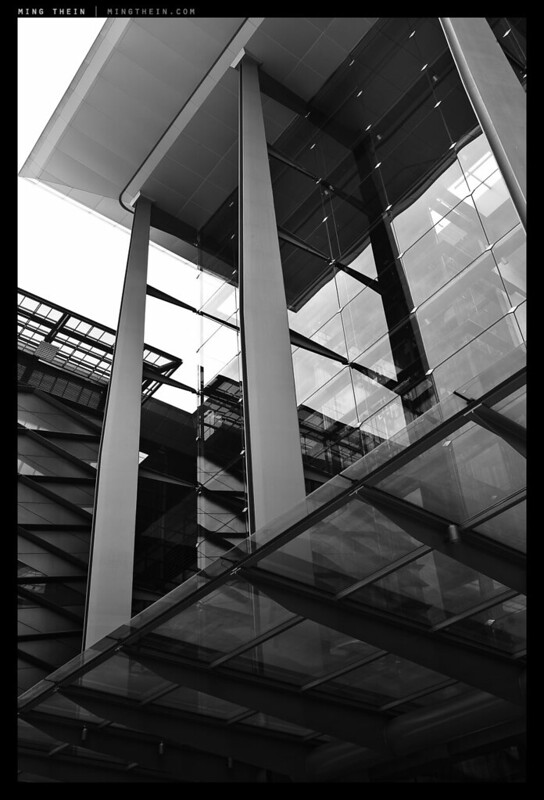
_MM1_L9995360bw copy
Stairs. Sasana Kijang, Bank Negara Malaysia. Leica MM and 50/2 APO

The M-Monochrom (MM from here onwards) is essentially the same camera as the M9-P, but with the bayer filter covering the sensor removed, and a rejigged processing algorithm. Leica have not disclosed whether they have left UV and IR filtration elements in place over the sensor, but it would definitely be nice if they’d removed them – from what I’ve seen so far, I believe these filters have been left in place; I’m not seeing much of a telltale glow off hot black objects which would indicate the absence of an infrared filter. Aside from the new guts, the rest of the camera is almost identical to a standard M9-P, in black chrome (if it existed) with leather textured grips and a small MONOCHROM engraving on the hotshoe, which is now black. I can see detail aficionados knocking themselves out in the distant future over the various different variants of M9. Unfortunately, the same low-res from the M8 and M9 remains.

_MM1_L9995532bw copy
Phone call. Leica MM and 35/1.4 ASPH FLE

There’s also one other important detail: the ISO setting now goes all the way to 10(000) – which as far as I know, is a first for any sort of commercial digital camera CCD of any sort. (CMOS doesn’t count). Base ISO is 320, so if you plan on using your fast glass wide open during the daytime, you should probably invest in some ND filters. Finally, it appears that Leica have followed Nikon’s D800/D800E example on pricing: the camera without the Bayer filter costs more than the one with. Niche markets and all.

_MM1_L9995597bw copy
Counting pennies. Leica MM and 35/1.4 ASPH FLE

In use, there is really not a lot to say about the MM that I haven’t already said about the M9-P in my long term review of that camera. It shoots the same as any other Leica M, and existing M9 or M9-P users will feel right at home. I must admit, the color combination feels a bit nostalgic for me – I shot with nothing but a pair of M8s in black chrome for most of 2009/10. The camera also comes with a leather strap and rubber-bottomed shoulder pad, rather than the grippy synthetic of the M9/ M9-P. It looks and feels nice, but I personally don’t like it because the strap rings still dig into my fingers, and the ends have a habit of slipping through the rings and interfering with your grip – especially if you have to grab the camera and raise it to your eye in a hurry. I find the stippled standard strap more grippy, too. Care is required when slinging this one over a shoulder to ensure that it doesn’t subsequently make an expensive crashing noise on the floor.

_MM1_L9995429bw copy
The hat. Leica MM and 35/1.4 ASPH FLE

The only other notable differences are lack of white balance (duh) and a disappearance of the DNG compression options – it could be because my camera was prototype 007 (makes me feel like James Bond!) and running beta firmware. Compression would be nice as the files weigh in at an enormous 34.75MB; however I suspect this is also partially because of the amount of detail contained therein.

_MM1_L9995352bw copy
Lines of the Hoffmeister kink. Leica MM, 50/2 APO

There is no question that the MM out resolves the M9 – by exactly how much it’s hard to say (hint: come back and see the post I have planned for Sunday) – but the difference is similar to the difference between a sensor with a strong AA filter and one without; it’s almost as though there’s a layer of something between you and the image that’s been removed. The MM has a level of clarity and acuity at the pixel level that so far has only been seen on Foveon sensors; however, even those start to become a weak at ISO 800 and above. The MM maintains its acuity all the way through the maximum ISO, though above ISO 5000 noise dominates the microcontrast structure of the image.

_MM1_L9995464bw copy
Spiral, 2. Sasana Kijang, Bank Negara Malaysia. Leica MM and 35/1.4 ASPH FLE

The files require almost zero sharpening out of the camera; if you missed focus you might want to mask off and sharpen, but then you have to be careful of other areas in the image that will subsequently look over sharpened. Actually, the MM’s high ISO capabilities encourage you to stop down a little more to get the most out of the lens; there’s little noise penalty associated with shooting a stop or two down from your normal aperture. In fact, the camera encourages you to see and think about your images in a very different way: aside from the increased depth of field available, there’s also more dynamic range on tap. The overall look of the images is redolent of medium format – from the tonality to the microcontrast structure.

_MM1_L9995612bw copy
The obligatory cat shot. Leica MM, 35/1.4 ASPH FLE

I tested the MM with the new Leica 50/2 APO-Aspherical-Summicron-M (50 AA, review coming on Friday), the Leica 35/1.4 ASPH FLE, the Zeiss ZM 2.8/28 Biogon and the Zeiss ZM 2/50 Planar. The ISO comparisons and tests were performed with the 50 AA. Let’s just say that combined lack of Bayer filter and AA filter makes for an incredibly demanding sensor – focus calibration is absolutely critical* when shooting at maximum aperture or close to it; the sensor captures the falloff in depth of field with warts and all. Similarly, all lens flaws are revealed; whilst you of course don’t get CA on a monochrome sensor, this flaw is seen as a sort of blooming (which makes sense, as the light that makes up colored fringes instead contributes to the luminance values of the neighboring pixels instead).

_MM1_L9995393bw copy
Cityscape. Leica MM, 35/1.4 ASPH FLE

*My MM was perfectly calibrated for the 50 AA it arrived with, but not for any of my other lenses; after a couple of narrow misses with my 35/1.4 ASPH FLE wide open, I decided to shoot everything stopped down a little thereafter. Even though the 50 AA is an f2 lens, it demands the same focusing precision as a Noctilux on the MM body precisely because of the unforgiving nature of the sensor. I would highly recommending any potential MM owner sending back all of their lenses and any other M9/ M8 bodies to ensure consistent calibration between all lenses and bodies to avoid any nasty surprises. There isn’t much point in buying a Noctilux over a Summarit if you can’t use the extra stops due to focusing concerns.

_MM1_L9995393bw crop copy
100% crop of the previous.

The decision to release the 50 AA with the MM left me scratching my head – but having seen the resolving power of this sensor, it makes complete sense. None of the lenses were capable of delivering the same cross-frame performance on the MM as the 50 AA, though the Zeiss 2/50 ran very close especially at smaller apertures. Unfortunately the price will make your eyes water – it’s about 70% of a Noctilux – and the relative subsequent performance of your other lenses will, too.

MM vs M9P ISO comparison copy
ISO comparison vs. M9. Click here for the full size image, which contains 100% crops.

All ISO comparisons between the MM and conventional Bayer cameras are a little bit of a fudge, because there is some interpolation that will take place in the color to monochrome conversion; I’ve attempted to avoid this as much as possible by just doing a straight desaturation via ACR in all such A-B tests. The first thing you notice when comparing them M9 and MM is the huge difference in pixel level acuity – I’d normally just sharpen and be done with it. I actually re-ran this test several times with focus bracketing just to make sure it wasn’t a rangefinder calibration issue – it wasn’t. (The 50 AA was used on both cameras, shot from the same tripod position and stopped down to avoid plane of focus issues.) More importantly, this is a good illustration of the difference in resolving power between the new cameras – the M9 is no slouch for pixel-level acuity. The difference is so huge it’s almost as though you’ve removed a sheet of low-quality plastic or similar material in between shooting the two cameras.
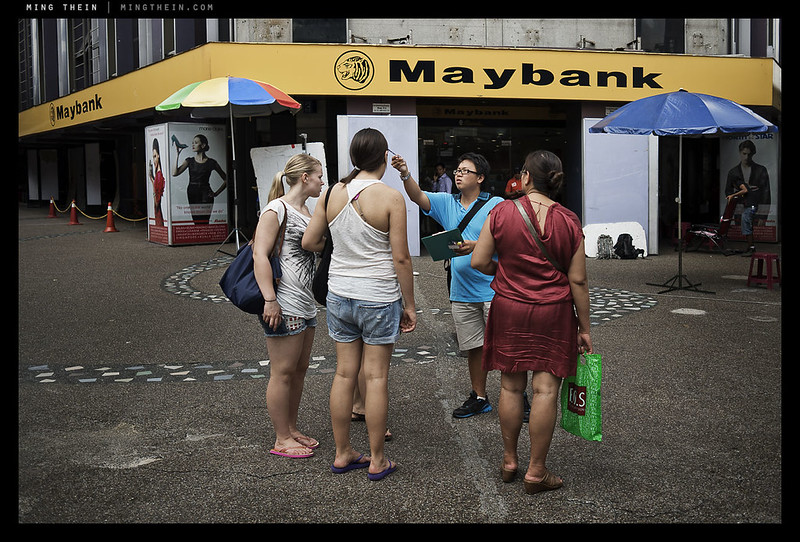
_MM1_L9995375bw copy
Tripod. Leica MM and 35/1.4 ASPH FLE

The next obvious difference is a 1-1.5 stop noise advantage in favor of the MM; however, the difference isn’t quite as clear cut as that, because the MM retains detail much better than the M9; look at the fine text in the sample as an example. Needless to say, the noise pattern of the MM is extremely fine grained, and pleasingly random – very much evocative of film grain. The reason this skews things is because you’ll have to sharpen the high ISO M9 files to get some edge definition back; this in turn increases the amount of visible luminance noise, and certainly introduces at least another stop of disadvantage to the M9. Furthermore, due to the lack of color filters, the MM is actually about half a stop more sensitive natively – which is to say, you get need 1/15s on the MM to get the same histogram as 1/10s on the M9 would get you. In practical terms, this means the MM is probably more like 2-2.5 stops more useable than the M9.
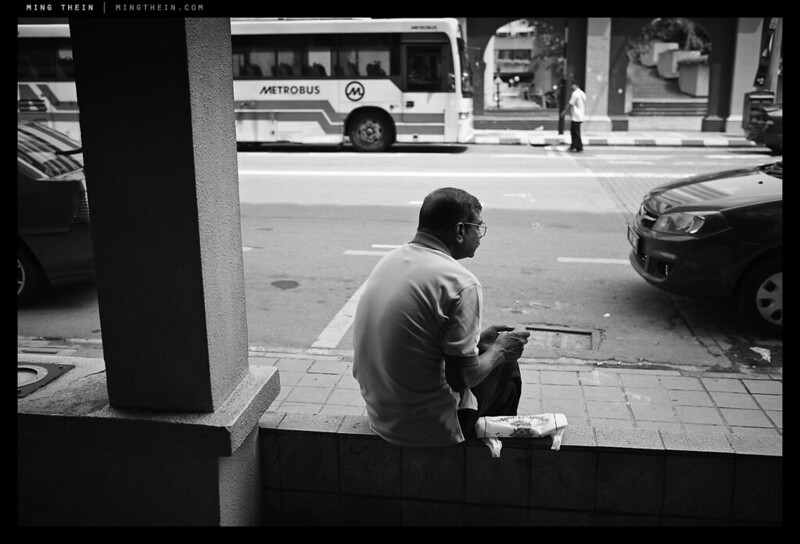
_MM1_L9995526bw copy
Waiting. Leica MM and 35/1.4 ASPH FLE

There’s also more dynamic range, too; it’s hard to say exactly how much, but I think it’s similar to the noise gain – 1-1.5 stops, which makes sense. What’s very nice about the native tonal rendition of the MM is that it seems quite shadow-biased – which suits my B&W style just fine, but may not work for everybody. I definitely feel it’s got better highlight rolloff than the CMOS based DSLRs, too – the transition from light gray to highlights is far more gentle and pleasing to the eye. Watch the extreme highlights though, because as with the M9 sensor, once you get a huge blowout around a point highlight source, there will be blooming to adjacent areas on the sensor – and you can’t recover this information.

_MM1_L9995572bw copy
It works for Japanese-style street photography too. Leica MM, 35/1.4 ASPH FLE

One small detail on image review is worth noting – the MM is possibly the only camera that displays a true RAW histogram; normally this information is color-channel based, and thus subject to interpretation by white balance adjustments during the RAW file conversion. All other cameras that are displaying RAW histograms are in fact using a small embedded jpeg to generate this data. The lack of an embedded preview jpeg may also explain why sharpening of the RAW files seems to be very low – it’s actually very hard to determine critical focus using the monitor, more so than the M9. I learned to mostly trust it, then make up the balance of insurance through focus bracketing and depth of field. Would I be confident using this camera with a Noctilux? In time, yes, but not without more frames under my belt for a better feel of how the LCD represents images.

_MM1_L9995557bw copy
Cockblock. Leica MM, 35/1.4 ASPH FLE

Something I’m sure every reader is wondering about is the MM’s usefulness as an available light and night camera; after all, the film Ms were legendary for their usefulness in the dark because of a combination of the very low vibration horizontal-plane cloth shutter, and the ease of focusing a rangefinder. The latter hasn’t changed; the Ms are definitely easier to focus manually than an SLR (providing of course your RF is calibrated properly). However, in the film era, the ‘sensor’ was normalized across all equipment; this isn’t the case with digital. I’d long wished for the D3s’ sensor in an M9 body; that would make one incredible available light camera, especially with the f1.4 M lenses.

_MM1_L9995881bw copy
Waiting room and garage. Leica MM, 50/2 APO

My normal workflow for shooting in the dark with an M9 sees me setting ISO 1250, 1/30s and f2 as a starting point; I judge the changing light conditions by eye and adjust accordingly – shutter speed or aperture as required – but never increase the ISO any further because of the ensuing noise and loss of dynamic range. Frankly, even ISO 1250 is a bit borderline on the M9.

_MM1_L9995911bw copy
Crossing. Leica MM, 50/2 APO

The MM, on the other hand, can be set to ISO 2500 with little noise penalty – at 100% magnification it appears as very, very fine grain; perhaps comparable to an ISO 400 B&W film. Better yet, there doesn’t appear to be much loss of dynamic range, either. This is probably because the base ISO of the sensor is now 320. Having a base of ISO 2500 to start from (and 5000 for emergencies) means much higher available shutter speeds, or a bit more DOF (if desired). During my night shooting sessions, I didn’t run into the usual camera shake issues that come with borderline shutter speeds on the M9.

_MM1_L9995938bw copy
Family moment. Leica MM, 50/2 APO

Over the course of several thousand frames in the last two days, and controlled A-B testing between the MM and M9-P, I’ve come to the conclusion that the biggest difference between the two cameras isn’t the sensor. Yes, the monochrome-only version is definitely much sharper and delivers images with lower noise and higher dynamic range, but if you’re shooting the MM for an extended period of time, the change seen in your images won’t be because of these properties.

_MM1_L9995346bw copy
Traffic again. Leica MM, 50/2 APO

Rather, the camera forces you to recalibrate the way you see the world. To understand why, we need to think a bit about human vision: the eye sees mostly in color; more intensely when there’s more light, which is why the tropics are generally perceived as colorful, but London in winter is dark and gray. When it gets dark, the eye defaults to a larger patch of cells around the periphery of the retina that only perceives luminance information. This is why almost all photographers inherently compose better in black and white when the light is low – it’s much closer to how our eye natively sees, and there’s less imagination required to visualize the end shot.

_MM1_L9995346bw-crop copy
100% crop of above shot – 50/2 APO shot wide open at f2 with zero sharpening.

So how is all of this relevant? Well, because the MM forces you to ‘see’ luminance information even in bright daylight. To use this camera effectively, you have to learn to ignore contrasting colors; these frequently result in very flat monochrome images because the luminance values across the scene have to be similar for us to perceive the different colors equally strongly (and thus appear contrasting). Unlike conventional Bayer cameras, you can’t put this perceptual difference back into the final image in the RAW conversion – there’s no channel mixer. It’s easy to say, but very difficult to put into practice, even when you do consciously understand what’s going on*. During the course of shooting the MM, I started off looking for monochrome images in the same way I would with the M9-P – which is to say, colored contrasts that I might adjust later on to preserve the contrast. This produced lousy, mostly forgettable images. Looking at luminance only – oddly, sunglasses helped achieve this – and consciously remembering to do so, greatly improved the impact of my output. I definitely also noticed that when switching back to the M9-P to test the 50 AA, a lot of the frames had very strong luminance differences that worked OK in color, but were much stronger when converted to black and white.

*I was concerned about some of the early samples from the MM I saw; most of them looked incredibly flat and lifeless – until I thought about it a bit more and realized the above. It’s also worth noting that all of the tonal information is there, it’s just up to you how you want to allocate it through dodge, burn, curves etc in the processing of the raw file.

_MM1_L9995551bw copy
Meaningless graffiti. Leica MM, 35/1.4 ASPH FLE

I’m going to conclude by saying that the MM is not the camera for everybody. It’s not easy to see luminance only; if you can’t, you’re honestly going to get better results by shooting a color camera and then mastering the conversion process afterwards (to be the subject of a future article). However, with practice, some amazing things are possible with the MM – the image quality potential of this camera is incredibly high indeed. I’ve never seen pixel acuity at this level before – even Foveon cameras tend to have some degradation due to the multi-layer design of the sensor. You’ll notice I haven’t dealt with the exact resolution numbers in this review; I’ll be doing that in part three, to be published on Sunday. MT

Come back in two days for the next installment: a review of the APO-Summicron 50/2 ASPH-M (I think I got that in the right order.) A shameless plug: If you enjoyed this or my articles, please consider donating support via PayPal ([email protected]) – it takes a huge amount of time and energy to keep this site running. It’s ad-free at the moment, which means that it’s entirely supported out of my own pocket and time spent writing and testing is time I can’t spend shooting commercially. Thanks! If you’ve got any questions or thoughts, feel free to leave a comment below.

September 5: My Photoshop Workflow DVD for the Leica M-Monochrom is now available. For more details, please click here.

The Leica M-Monochrom is available here from B&H.

____________

Visit our Teaching Store to up your photographic game – including Photoshop Workflow DVDs and customized Email School of Photography; or go mobile with the Photography Compendium for iPad. You can also get your gear from B&H and Amazon. Prices are the same as normal, however a small portion of your purchase value is referred back to me. Thanks!

Don’t forget to like us on Facebook and join the reader Flickr group!

appstorebadge

Images and content copyright Ming Thein | mingthein.com 2012 onwards. All rights reserved

Lens review: The Olympus ZD 45/1.8

_PM05660 copy
Prague sunset by the river. Olympus E-PM1 Pen Mini, ZD 45/1.8

_8012322 copy

Last year’s lens surprise of the year was the Olympus M.Zuiko Digital ZD 45mm f1.8 MSC – it’s a lens that was announced with the E-P3, E-PL3 and E-PM1, seems fairly ordinary and innocuous on spec, but yet delivers in boatloads. It’s both cheap and expensive at the same time; let me explain why. Most conventional SLR mount 50/1.8 lenses go for $100-150 or thereabouts. This lens is closer to $300, and it’s all silver-painted plastic except for the mount – to be honest, it feels kinda cheap. That’s expensive. But, it doesn’t use a conventional double-Gauss optical design:


Image from Olympus. Purple bits are E-HR lenses, whatever that means. I suspect it’s ED glass or something similar. I certainly don’t see any purple elements inside my lens 😛

Whoa, what’s this? 9 elements in 8 groups? Not so simple. I suspect the reason Olympus chose this optical design was primarily due to the very short back flange distance of Micro Four Thirds; double Gauss designs work well if the back focus distance is close to the focal length, which it is for most SLRs. Changing the optical design to keep the lens compact introduces all sorts of other issues on its own, including corrections for the various complex optical aberrations that occur once a lens design becomes asymmetric.

_PM05089 copy
Waiting for that text. Olympus E-PM1 Pen Mini, ZD 45/1.8

Secondly, it has a very fast coreless focusing motor – Olympus brands these lenses as ‘MSC’, which means you won’t hear the focusing motor working while recording videos – a nice touch. It’s also blazingly fast, at least with the current generation of Olympus M4/3 bodies. Sadly, like all of the other M4/3 lenses (except the 12/2), there’s no full time focus override; it’s fly-by-wire only and you have to put the camera into MF mode on the body before the ring does anything. Still, it’s nicely damped if a little dead-feeling.

_PM05240 copy
Night in the Malastranska, Prague. Olympus E-PM1 Pen Mini, ZD 45/1.8

But never mind all that, how does it perform? In a word, brilliantly. It’s one of my favorite lenses for Micro Four Thirds. If I had to describe it in a word, it would be ‘transparent’. That’s probably a good thing for an optical device; however, what I mean is that the lens itself doesn’t impose any of its own optical quirks or peccadilloes on the image; it does its job moving light from the subject to the sensor, and then gets out of the way. It delivers sharpness across the entire frame wide open at f1.8; there is some slight improvement at 2.8, but it isn’t really necessary to stop down – perhaps this may be different on the higher density 16MP sensor of the OM-D, however.

_PM02054bw copy
All about the hair. Olympus E-PM1 Pen Mini, ZD 45/1.8

Fringing is almost entirely absent, as is longitudinal chromatic aberration; a sign that the optical designers have done their job very well indeed, and the lens is working well with the sensor. (In case you’re wondering about in-camera CA removal, I’m not shooting JPEG and the RAW files are run through ACR like the rest of my workflow – there’s no special treatment unless Olympus is doing something with the RAW files.)

_PM00679 copy
Echoes of red. Olympus E-PM1 Pen Mini, ZD 45/1.8

The lens is contrasty, but not that contrasty; it strikes a nice balance between sufficient global contrast and maintaining the microcontrast that is so important to preserving fine detail structures. In fact, I prefer lenses with lower macro contrast for digital use as they help to maximize preservation of dynamic range; this is especially important with smaller sensors that have lower dynamic range, like those used in M4/3 cameras.

_PM00576 copy
Ninja demolition. Olympus E-PM1 Pen Mini, ZD 45/1.8

Color reproduction is on the warmish side of neutral. No yellow casts like I see with Sigma and Tamron lenses, but a pleasing warm hue shift. Bokeh is also neutral to good; there are times when separation between subject and background is a little harsh – typically when the subject is fairly close to the background – but it’s also pretty darn good under ideal conditions.

_PM00530 copy
Mirrors. Olympus E-PM1 Pen Mini, ZD 45/1.8

Although it ‘only’ focuses down to 0.5m, it’s worth remembering that on Micro Four Thirds, 45mm is really a 90mm FOV, and there no non-macro lenses for full frame cameras that focus this close – it’s 0.8m if you’re lucky, or 1m if you’re using a rangefinder. The lens can be used handheld at arms’ length – i.e. live view style – and that’s how I’ve been using it so far; however, you’ll need to keep your shutter speeds up, because frankly the in-body stabilization isn’t that effective. I suppose if you were using this on the OM-D it’d be a different story as the built in EVF would let you get a bit more stability by bracing the camera against your eye.

_PM02093 copy
Dusk and the sign. Olympus E-PM1 Pen Mini, ZD 45/1.8

The 45/1.8 makes up part of my M4/3 ‘trinity’ – the 12/2 and 20/1.7 being the other two, though I might replace both with the new Voigtlander 17.5/0.95 (35mm equivalent, fast and versatile – though I prefer 28, and sadly there are very few fast 28mms). It forms a great lightweight travel kit which is still capable of delivering outstanding optical quality. It also works very well as a secondary camera in conjunction with something else; at the end of last year, I shot in Europe with a Leica M9-P, 28 and 50mm lenses as my primary body, with the Pen Mini and 45/1.8 in a coat pocket for those times I needed a little extra reach – made a great compliment to the rangefinder.

_PM01974 copy
Graffiti. Olympus E-PM1 Pen Mini, ZD 45/1.8

Even on the slightly higher density OM-D sensor, this lens is a gem; sharpness doesn’t seem to be compromised anywhere, but there is a very slight veiling flare that goes away about half a stop in. It has a lightness and transparency (lower macro contrast, but higher micro contrast perhaps?) that I don’t see with the 12/2 or 20/1.7, and it’s something that makes the way it renders very natural and appealing.

_5001020bw copy
A classical portrait, second version. OM-D, 45/1.8. The first version is here

Are there any negatives? Well, yes. At the price, you can’t expect fantastic build quality. Frankly, it feels about on par with the kit lens; Olympus chose to put all of the production money into optics rather than cosmetics, which is a decision I can agree with. However, the leaves the lens feeling just a tiny bit fragile; the plastics don’t feel that thick or robust, and that little blanking ring on the front (ostensibly to cover the hood mount threads) doesn’t really stay in place securely, and isn’t that well made, either.

Still, all that aside, this is a highly recommended lens for Micro Four Thirds users. It isn’t good enough that I’d go out and buy a Micro Four Thirds camera just for this lens alone, but then again the thought of having a fast portrait 90mm equivalent in a pocket is quite appealing, and the cost of a Pen Mini plus this lens is much cheaper than many full frame lens options on their own. Of course, you do get the DOF profile of a 45mm lens, not an 85 or 90mm lens, so don’t expect crazy thin DOF. There’s adequate separation, but true bokeh enthusiasts will probably have to wait for the upcoming ZD 75/1.8 – a lens which I’m pretty excited about, actually. MT

_PM01718 copy
Sunset in the city. Olympus E-PM1 Pen Mini, ZD 45/1.8

Get the Olympus ZD 45/1.8 here from B&H or Amazon.

____________

Visit our Teaching Store to up your photographic game – including Photoshop Workflow DVDs and customized Email School of Photography; or go mobile with the Photography Compendium for iPad. You can also get your gear from B&H and Amazon. Prices are the same as normal, however a small portion of your purchase value is referred back to me. Thanks!

Don’t forget to like us on Facebook and join the reader Flickr group!

appstorebadge

Images and content copyright Ming Thein | mingthein.com 2012 onwards. All rights reserved

Exclusive premiere: The full Leica X2 review

_7064180 copy

This morning has seen a flurry of news: the M9 Monochrom first (with a useable ISO 10,000 apparently!), then the Hermes M9-P, the 50/2 APO-Summicron-ASPH (ouch what a price tag), and trailing, the X2 and V-Lux 40. I wasn’t lucky enough to go to Berlin, so reviews of the first items will have to wait a bit. But I did manage to get a final production X2 in advance. The full review follows. Note that you can click through all images to larger versions on my Flickr page – the link takes you to the image landing page, and then the magnifying glass icon or ‘all sizes’ will take you to the larger images.

Leica’s 2009 X1 (my review is here) was a modern throwback to the Barnack era in many ways – fixed focal length lens, very simple controls, and that ‘elongated cylinder’ look. In short, it was a handsome camera that was, and still is, capable of delivering outstandingly good images; the sensor actually outperforms the M9 at ISO 1600 and above, deliver lower noise. I owned one of these for several months and used it as my daily camera, until I was lured by the siren song of the (flawed) X100.

_7064197 copy
X marks the spot.

_7064146 copy
The new flash mechanism

However, it was crippled in a number of ways – the moderate f2.8 lens speed being one, but focusing speed being by far the main one. A firmware update improved things somewhat, and brought a much improved manual focus mode (driven off the rear thumb wheel) which showed both distance and an in-focus scale that varied with the aperture selected.

_X21_L1020079 copy
Work in progress from above. Leica X2

The Leica X2 was officially launched in Berlin yesterday, along with a number of other products (which I hope to get my hands on soon); I’ve had a final production model for several days now, courtesy of Leica. It’s been enough time to shoot several hundred frames with the camera, get to know its quirks, and probe the elasticity of its files with every tool known to ACR and a Wacom tablet.**

_X21_L1020070bw copy
Lagerfeld-style cool. Leica X2

**A note and advance disclaimer on processing: I ran the X2’s DNG files through ACR 6.7 and CS5.5, using my normal workflow. I process every file as though it was a final client delivery or exhibition piece, and that means two things: firstly, I’ll use every trick in the book I know to maximize image quality, but I do that with every camera I shoot, so that’s consistent; secondly, I shoot with the end in mind, especially once I get used to the tonal response of the sensor. For this reason, please don’t ask for out of camera JPEGS or RAW files, that’s not the way I work because it isn’t representative of the end use of the equipment. Some tests – the noise comparisons, for instance – are direct conversions via ACR with no additional work done on them. Where this is the case, it’s stated. One final thing: after the D800E vs S2 review, I think it’s necessary to also add the caveat that my observations are based on looking at full size 16 bit uncompressed files on a calibrated monitor, which will necessarily give rise to different conclusions than if you just see the compressed web size JPEGs in the article.

_X21_L1020061 copy
Taxi drivers (and dynamic range torture test). Leica X2

The first thing that strikes you is that it somehow feels better than the X1 – I am aware that this is a dangerously subjective comment to make – but the choice of materials seems a bit more solid; in fact, it seems like the camera has a bit more ‘stuff’ inside it. According to Leica, it’s about 30g heavier, which doesn’t sound like a lot, but you can feel it. It also seems like the body shells are a bit thicker, which contributes to the impression of solidity; the Leica X2 feels much closer to a mini-M than the X1 did. Perhaps it’s the black chrome and leather covers mine had. (I’m told it’ll also be available in silver).

_X21_L1020058 copy
Fitting the frame. Leica X2

Now would be a good time to talk about improvements. This list is by no means exhaustive, but it’s what you’d notice and appreciate as a serious photographer:
– AF speed is a LOT faster
– The top plate dials are much stiffer, and now don’t rotate accidentally
– Greatly improved LCD; supposedly still the same number of dots, but side by side with the old X1, it seems a lot clearer and more fluid.
– EVF shoe, and matching tiltable EVF which has great resolution.
– Battery life is significantly better
– Burst mode is faster.

_X21_L1020057bw copy
Lazy observation. Leica X2

Let’s work down that list.

AF on the X1 was so slow that I’d use it only for static subjects, and zone focus the rest of the time. Not so here – it’s fine for casual snapshots, but like every contrast detect system, AF-C is best avoided. Even the best of the mirrorless cameras falls flat on its face (I’m looking at you, OM-D) – perhaps with the exception of the Nikon 1 system, but that’s cheating because it has phase detect photosites on its sensor. Subjectively, I’d say it’s definitely faster than my X100 was; about the same as my NEX-5 (sorry, haven’t used as 5N to compare) and similar to most of the Panasonic M4/3 cameras. Not as fast as the Olympus M4/3s, though. But just fast enough to stop you from feeling like you’re waiting for the camera.

_X21_L1020046 copy
Clouds and angles. Leica X2

The best news, however, is that it doesn’t slow down much in low light; so long as there’s a decent amount of contrast, focus acquisition speed remains about the same. And unlike the X-Pro1 and X10, it doesn’t freeze the image when focusing – the view remains live, so you can see what’s going on in your frame. Interestingly, the ‘H’ (high speed settings that did freeze the image) options for AF and macro focus settings are gone; the camera is faster than the H options now, and it will automatically switch to it if required. Sadly 30cm remains the near limit, however.

_X21_L1020032bw copy
Images convert well to B&W, too. Leica X2

The X1’s LCD was pretty coarse; the X2’s is a significant improvement, but I don’t think it’s as good as say the Ricoh GRD IV – which has an amazing 1 million+ dot screen. Nevertheless, it’s now much easier to judge focus. Refresh rate seems to be a lot faster too; I’d say 60Hz instead of 30Hz. You can still use the optical finder if you want, but you’re still going to miss knowing exactly what the camera is focusing on; for the price and bulk, I’d much rather have the EVF, which is excellent. The fonts look grainy, but that’s only because it seems the UI designer didn’t specify enough DPI when encoding; the image itself is very, very fine indeed – you can’t really see individual pixels. It gains up well in low light, and isn’t too grainy.

_7064155 copy

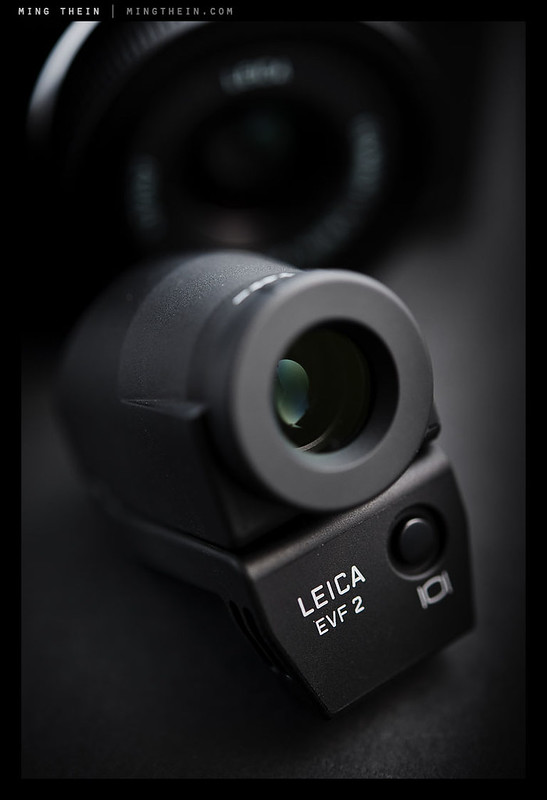
I did an experiment with the EVF out of curiosity – the plug looked like any one of the existing EVF plugs. Expecting it to fit my D-Lux 5 Titanium, I was surprised when it didn’t; but it did fit my Olympus OM-D and Pen Mini. Even more interestingly, it worked! Draw whatever conclusion you wish; it’s a very nice EVF all the same, and my preferred way of working with the camera. Oh, and it tilts, too, and locks securely in the down position (something not all tiltable EVFs seem to manage.)

_X21_L1020107 copy
Through the keyhole. Leica X2

During the last few days, I shot over 500 frames with the Leica X2. With the X1, this would have meant two battery changes; I actually had three spares for mine, which would leave me with one left over after a heavy day of shooting. (I’m the kind of person who can finish off an entire EN-EL4a on a day’s assignment and add a five figure mileage to a camera in short order). The X2 showed half – that’s a pretty darn impressive performance, considering either the LCD or EVF were on the whole time, and I was using it frequently enough that it didn’t have time to slip into power save mode. It could be the effect of a more efficient sensor (the previous sensor was a relative of the one in the D90, which was notoriously power hungry in live view) or processing internals. This is on par with my current mirrorless long-life battery champ, the Pen Mini – which will easily hit a thousand frames per charge if used carefully.

_X21_L1020099 copy
Artificial everything. Leica X2

Finally, if you’re a flash shooter, good news! The leaf shutter remains, which means 1/2000s sync speeds (unheard of for most cameras) and the popup mechanism has been redesigned. It looks a lot more complicated, but I suspect that this is actually going to be more robust than the old press-to-raise-and-lower design – I’ve heard a lot of complaints about it being easy to break.

_X21_L1020093bw copy
Untitled. Leica X2

You’ll notice I haven’t said anything about the sensor up til this point; that’s because you’re not going to notice it immediately upon shooting (duh). But what you will notice is an ISO 12,500 (no idea why it isn’t 12,800, i.e. double 6400) setting. It’s APS-C, so I didn’t expect it to be useable. What’s nice to report is that the new 16.5 MP CMOS used is class leading in every way. It even manages 5fps continuous shooting for eight frames, but the penalty is that you have to wait while the camera writes the files – it doesn’t seem to buffer in parallel. This is true whether you shoot one or eight frames. As for the sensor, I suspect we may actually have seen a relative of it before in other products, most notably one with three zeroes or an N in its name. This is a good thing.

_X21_L1020128 copy
Obligatory night test shot. ISO 3200. Leica X2

Let’s get noise out of the way: it’s all luminance. Shooting DNG, with zero noise reduction, I’d happily use ISO 3200 with a bit of work; there’s a big jump in noise to ISO 6400, which renders that and the top 12500 setting strictly for those shots of the Loch Ness Monster assassinating JFK. Or perhaps they might work well for you if you like extremely grainy B&W conversions. Even with NR zeroed out in ACR, I’m seeing some smearing at 3200 and up, but it’s less obvious at the two highest settings because of the overriding luminance noise. You might be able to retain more acuity by shooting 1600 and underexposing a stop, then bringing it up again in the raw converter afterwards. It isn’t too bad, but you’ll notice it’s there. All in all, the Leica X2 is up there with the best of the APS-C cameras, and frankly feels like it would give my D700 a run for its money on luminance noise, but loses out on dynamic range. Pixel level acuity remains excellent, though some files seem to require an extra sharpening pass – it may be the effects of diffraction starting to creep in at f8 and up.

X2-noisecrops1 copy
Some noise crops follow below. Click on the links for 100% versions.
Crop one
Crop two
Crop three

The X2 seems to have its own color signature that is different enough from the X1 that my initial experiment to use the same ACR profiles was unsuccessful. It’s tonal map also doesn’t match the Ms; dynamic range seems to be somewhat bunched in the shadows (which I don’t see on the more linear-response CCD sensors in the M and S cameras) and the relatively low noise floor responds well to shadow recovery. If anything, the color is much closer to being ‘accurate’ than any Leica to date – the skin tones are great, at least in RAW. White balance is similarly excellent – I made very, very few corrections to color; this is highly unusual for my workflow. Have to watch the red channel closely though, it doesn’t take much to hit saturation. Note that neither display gives an accurate idea of exposure or color, though. Using the histograms is highly recommended.

_X21_L1020149 copy
Pudu Plaza. Any photographer in KL will recognize this place. They’ll also recognize that the reds are both accurate and not accurate; they’re a little hot but the tone is mostly right. Leica X2

Although I’d never personally shoot JPEG with any camera, given the option – especially something whose files have as lot of processing latitude, like the Leica X2 – I know a lot of potential buyers might well do so, so I also had a close look at the native JPEG image quality. I’m pleased to report that it produces crisp, detailed files with very few artifacts; there are some customization parameters if you have a particular preference for how your files look. However, by default, the output is best described as neutral. Skin tones are still definitely better in DNG; there’s something about skin color that just seems out of gamut for most in-camera JPEG conversions.

_X21_L1020090 copy
Yellow men. This color is accurate, and identical to the scene. Leica X2

A comment on file formats, and a gripe I had with the original X1 – I don’t know why the camera can’t write DNG only – you have to do DNG+JPEG, which seems like a waste of space and buffer. Still, for single frame shooting (I can’t actually think why you’d use bursts on this camera) there isn’t any noticeable penalty in operation.

_X21_L1020051 copy
The fountain. Leica X2

There are a few other minor things that could be improved – as always. We can never have AF that’s too fast, or too continuous; in all fairness, this is a comment leveled at every camera, and the latter to mirrorless cameras in particular. The rear control dial is now far too loose and difficult to turn in single increments – especially when trying to apply exposure compensation. What would be nice is that when shooting, exposure compensation is the default setting like on the M9; but we’d definitely need a stiffer dial for that. The odd electronic stabilization ‘feature’ remains; I’d avoid it because it just gives me double images. A proper optical stabilizer would be nice, but at least we have the option not to use it.

_X21_L1020050 copy
Yawn; just another camera? Certainly a very stealthy one; nobody once gave me a second look when I was shooting them. Especially if using the finder flipped up at 90 degrees. Leica X2.

I have a little beef with the top plate dials. On every other Leica, all exposure adjustments move in half stop increments/ detents. On the X1 and X2, you get whole stops for shutter speeds, and third stops for aperture – what’s up here? Size of the shutter dial can’t be a reason, because the M9 has more speeds and is the same size – and still gives half stop detents. I like the increased dial tension, but can we please have consistency in exposure increments?

_X21_L1020030 copy
‘Hi, I’m doing a survey. Let me probe your brain for a moment.’ Leica X2

Finally, there’s the lens. It gives me mixed feelings. On one hand, it’s an excellent optic; the biting sharpness, excellent corner performance (it was after all, supposedly designed for full frame originally) microcontrast structure and general transparency which was one of the image quality hallmarks of the X1 is still there. On the other hand, it’s relatively slow at f2.8 – not a problem given the newfound low-light capabilities of the sensor; however, it doesn’t really allow isolation, and that’s one of the things people seem to expect from a Leica. Another stop – or even two – might make for some beautiful bokeh (I know I’ve seen it from the 24/1.4 Summilux-ASPH M, but then again that’s also a physically enormous and hugely expensive lens).

_X21_L1020012 copy
Reflections. Some of you might recognize this building. Leica X2

Whilst the lens delivered almost perfect results from wide open on the X1, the X2’s slightly higher density sensor seems to be pushing the resolving power a little – images shot at f2.8 are definitely a little softer than f4; it’s almost as though there’s a slight AA-filter effect at f2.8. This is easily solvable with a second sharpening pass, and doesn’t seem to materially affect the microcontrast structure of the image. Thereafter everything is good until you run into diffraction, a hint of which is visible at f8 and obvious by f11.

_X21_L1020040bw copy
Yes? Yes? Not today. Leica X2

Technical improvements are all well and good for the spec sheet and marketing people, but where does this leave us in terms of real-world usability? The X concept was almost certainly conceived by a photographer; it’s a combination of M and point and shoot that should in theory allow anybody to create images with that ‘Leica look’ (which I think most lay people mistake for bokeh, but is actually a combination of that, color transmission, sharpness, focus transition and microcontrast – but let’s not get started here) with minimal fuss. It failed fundamentally because it was too slow to be useable. However, it did have one overriding redeeming quality – the image quality was truly outstanding.

_X21_L1020037 copy
Untitled. Leica X2

The X2 takes the image quality even further, but more importantly now feels like a mature product. It’s a better distillation of the M gestalt, and definitely easier to use for the simple reason that it’s more responsive to shoot with. During the course of testing, I never felt like I lost a shot because the camera was too slow; I definitely did with the X1 and X100. There’s no single feature or area that makes you go WOW, but the combination of improvements makes it a very compelling little camera that just does its thing and delivers the most important thing – image quality – in spades. Here’s an interesting thought: if you shoot in low light a lot, you’ll probably want to get one of these instead of an M9 – the sensor is that good.

_X21_L1020014bw copy
The escape route. Leica X2

What does the future hold for the X system? Purely speculating, I think it’s unlikely we’ll ever see interchangeable lenses – it doesn’t make sense to develop new lenses given there’s already M mount, and M mount has a digital solution; the cost of developing an all-new mount and AF lens lineup is going to be pretty staggering, which would price the camera in M territory. Rather, that would make sense as a future evolution of the M line – something compatible with new autofocus lenses, as well as the older manual focus lenses. I can’t see how a rangefinder fits into this, though – the end product would probably be very Fuji X-Pro like, which overly complicates things and is far from the Leica design philosophy. But at the very least, I think the X2 needs a telephoto or long normal companion – this would be a killer studio camera due to the leaf shutter and high speed sync. And a pair of those would cover most travel photographers’ needs, without sacrificing image quality.

Time will tell. In the meantime, deciding which mirrorless camera to augment your primary system just got a lot tougher for us photographers. MT

_X21_L1020018 copy
Review complete; happy hour. Leica X2

Addendum, 10.30am 11 May 2012: My sleep-depreived brain has just remembered there’s one thing I forgot to mention: movie mode, or the lack of it. Whilst this sensor must clearly be video capable to produce the live feed, Leica has chosen not to implement a movie mode of any sort; I personally don’t see this as as huge issue as I don’t do video anyway. In any case, the inability to easily follow focus is probably a bigger impediment for moviemaking than the fixed focal length. I’d see video capability here as a nice to have, but not critical. Besides, the V-Lux 3 and D-Lux 5 are much easier to use for video, if you must have a Leica. I’ll be sticking to my D800E for the few times I do need video. MT

The Leica X2 is available in both black and silver here from B&H and Amazon.

____________

Visit our Teaching Store to up your photographic game – including Photoshop Workflow DVDs and customized Email School of Photography; or go mobile with the Photography Compendium for iPad. You can also get your gear from B&H and Amazon. Prices are the same as normal, however a small portion of your purchase value is referred back to me. Thanks!

Don’t forget to like us on Facebook and join the reader Flickr group!

appstorebadge

Images and content copyright Ming Thein | mingthein.com 2012 onwards. All rights reserved

Lens review: The Nikon AF-S 85/1.4 G

_7001872 copy

Untitled still life. Nikon D700, AF 85/1.4 D with extension tubes.

Let me start by giving you a bit of my fast 85mm history. I never saw the big deal about this focal length until I went full frame; and even then, not til I got a D700 and the f1.4 D version in late 2009. Up til that point, it was just another forlorn intermediate marking on the barrel of my 70-200 or 70-300mm lenses.

_7001585 copy
Tea plantation, Cameron Highlands. Nikon D700, AF 85/1.4 D

After The First Leica Period, I had to find a lens to satisfy my bokeh addiction – it would spiritually replace the Leica 50/1.4 ASPH and Voigtlander 50/1.1; since all of the Nikon mount fast 50s were frankly pretty weak, and after the M8’s 1.3x crop factor, 50mm becomes 75mm, 85mm was the natural choice. I went for the Nikon AF-D 85/1.4 – the screwdriver focus version – and had a love/ hate relationship with it. On one hand, it delivered amazing bokeh, and great sharpness and separation of planes; use it at f2 and smaller apertures for optimal performance.

_D90_DSC8703bw copy
Ticketed. Nikon D90, AF 85/1.4 D

But what I didn’t like was that it missed focus frequently owing to the backlash in the focusing system, and often wouldn’t be able to move the elements enough to take care of small changes in distance. And then there was the edge softness, and CA…which was perhaps the worst I’ve ever seen in a modern lens design. Wide open, on a high contrast edge, you’d get a good 2-3 pixels PLUS some sort of interesting ‘bloom’ that would span anywhere up to a further 5 pixels – on a 12MP FX body, which is already fairly forgiving of lenses.

_7008049bw copy
On set. Nikon D700, Zeiss ZF 1.4/85 Planar

Enter the Zeiss ZF 1.4/85 Planar. Not only did it have minimal CA, and somehow deliver 2/3rds of a stop more shutter speed for a given aperture setting (no doubt the T* coating had something to do with the hugely increased T stop) – it also delivered micro contrast and color transmission that was absolutely out of this world. In fact, the ability to reproduce fine structures went far beyond anything that I’d seen from Nikon glass – and I was pleasingly reminded of the 2/28 Distagon I also owned.

_7009484 copy
Construction, Putrajaya. Nikon D700, Zeiss ZF 1.4/85 Planar

There is, of course, one catch: it wasn’t easy to focus. There was definitely some focus shift on stopping down; I solved that problem by shooting it wide open all the time – and with bokeh like that, I can’t think why anybody would want to stop it down in the first place. But more than that, depth of field – as expected – was about the thickness of two sheets of paper. Maybe two and a half, if you had a more distant subject.

_7008344bw copy
Arches. Perbadanan Putrajaya. Nikon D700, Zeiss ZF 1.4/85 Planar


The Nikon AF-S 85mm f1.4 G ED IF N SWM (full name). Image from Nikon USA.

When Nikon released the updated AF-S 85/1.4 G in late 2010, I jumped. I didn’t intend to, but a brief test drive at my dealer purveyor of addictive substances confirmed my worst fears: it was not only on par optically with the Zeiss (at least on the D700), it also focused by itself, and was able to do so with precision, thanks to the AFS motor.

_5100_DSC1117 copy
Left out. Nikon D5100, AFS 85/1.4 G

On the D700, 12MP and 16MP FX bodies, I still think it’s an amazing piece of glass. You get all of the good properties of the Zeiss – high transmission, smooth bokeh, great micro contrast, broad spectral transmission, that 3D look, almost no CA – lateral or longitudinal – but with precise, fast autofocus. It’s also slightly sharper in the edges and corners than the Zeiss was.

_5100_DSC1276 copy
Pipe man, Nikon D5100, AFS 85/1.4 G

There really isn’t a lot to say beyond that it’s a) almost perfect on these bodies and b) eye-wateringly expensive. It was, and still is, my favorite lens for the D700 – fully 7% of all the images on my flickr stream were shot with it (which is amazing when you consider the number of cameras I use, and the number of lenses I’ve got.)

_7030977 copy
Rickshaw man, Kathmandu. Nikon D700, AFS 85/1.4 G

Which is why my subsequent experience with it on the D800 is very, very confusing indeed. It doesn’t focus accurately or quickly; in fact, it tends to hunt more than a little, and doesn’t snap to focus with the certainty of the D700. (Although this could be my body, with it’s AF sensor misalignment and other peculiarities – I’ll report back again once I’ve had a chance to do extensive testing with the replacement D800E). It also isn’t that sharp, even on center. Before you ask, it isn’t an AF fine tune issue – even focusing in live view yields similar ‘best case’ optical results. It gets better – or perhaps worse – there’s also now very visible longitudinal chromatic aberration, something I’ve never seen with this lens on the D700; this color shifting also causes reduction in contrast and visible degradation of sharpness.

_7043168bw copy
Failure to launch. Nikon D700, AFS 85/1.4 G

To top everything off, I find that if I calibrate the lens for close distances, then it’s off at infinity. And vice versa. Again – not behavior I’ve ever seen with any other body I’ve used this lens on. To be sure, I tested three samples, and several D800 bodies – they were all the same. I think it’s one of those unfortunate cases where the optical design doesn’t play nice with the new low pass filter or whatever other optical elements happen to be sitting in front of the new sensor.

_7030375bw copy
No trekking today. Kathmandu. Nikon D700, AFS 85/1.4 G

If you stop down to f2, most of the oddness goes away. By f2.8, the lens becomes its perfect self again – but we didn’t pay for the extra stop to use it at f2.8; perplexingly, the (optically) much simpler AF-S 85/1.8G (no nano coating, no aspherical elements, no ED glass, no RF or IF even) is perfect at f1.8, and stays that way – the f1.4G needs to stop down to f2.8 to match it. Of course, you do loose about 2/3 stop of transmission between the two lenses, so something has to be said for the value of the fancy coatings and optics in the f1.4G.

_7019199bw copy
A great lens for ‘sniping cinematic moments’. Nikon D700, AFS 85/1.4 G

Still. Surprising, no?

It’s a pity, because I really, really wanted to use this lens on the D800 – the sensor’s ability to reproduce very fine tonal gradations and subtle color nuances goes beyond anything else I’ve used; that combined with the 85/1.4 G’s resolving power and optical qualities (seen on the D700 at any rate) would have made a formidable combination for cinematic photography. Alas, it looks like I’m going to either have to buy the 85/1.8G to use on the D800, or stick with the D700/85/1.4G combo for now.

_8000063 copy
Stall chefs. Nikon D800, AFS 85/1.4 G

Can I recommend the lens? For D800 users, honestly, no. You’re better served by the 85/1.8G; use the balance of funds for other glass, or buy one of my prints with some of the money you’ve saved (shameless plug). It simply lacks the crispness I’ve seen with other bodies. For D700, D3, D3s and DX users: absolutely yes, it’s a stunning piece of glass, and has become my go-to lens together with the 24/1.4. I don’t know why it isn’t the case on the D800 since it has similar pixel density to the D7000, with which the lens does an excellent job – but it just isn’t. Now, what might be an interesting combination is D800 + Zeiss 1.4/85 Planar; I’d rather not find out in case I have to buy something. Having three 85mm lenses would be utterly ridiculous, wouldn’t it? 🙂 MT

_7035953 copy
Kathmandu. Not just a portrait lens; it’s great for reproducing the fine detail in landscapes, too. Nikon D700, AFS 85/1.4 G

The Nikon AFS 85/1.4 G is available here from B&H and Amazon.

____________

Visit our Teaching Store to up your photographic game – including Photoshop Workflow DVDs and customized Email School of Photography; or go mobile with the Photography Compendium for iPad. You can also get your gear from B&H and Amazon. Prices are the same as normal, however a small portion of your purchase value is referred back to me. Thanks!

Don’t forget to like us on Facebook and join the reader Flickr group!

appstorebadge

Images and content copyright Ming Thein | mingthein.com 2012 onwards. All rights reserved
An unfair fight? 35mm vs Medium Format: Nikon D800E and the Leica S2-P

_7064022 copy

I want to say upfront that until I did the test, I had no idea how the result was going to turn out. What I suspected wasn’t quite the outcome that occurred; but you’re going to have to read on to find that out 🙂 I apologize in advance, because what was supposed to be a quick A-B image comparison has turned into a 3,500 word dissertation. There are a lot of things that must be said, clarified and put into context when dealing with these cameras.

The best conceived test is completely useless if the methodology isn’t sound; likewise, a seemingly unfair fight can be actually relevant if properly executed. Both cameras are in the high 30MP range; 36.3MP for the Nikon D800E, and 37.5MP for the Leica S2. Close enough to make as near as no difference. (Also, the S2-P is the same camera as the S2 except for the sapphire cover over the screen and professional service.) Everything was shot at base ISO on a sturdy tripod (a heavy Manfrotto 444 Carbon One with Hydrostat head) and mirror lockup. Lossless compressed RAW for both, with files processed via ACR 6.7 final release with equal sharpening, zero noise reduction, and equal shadow/highlight recovery slider settings. Images were then saved as quality 12 jpegs – the full frame shots you see are reference for color only, not resolution of course – and the 100% crops are also quality 12 jpegs. There is some minor quality degradation but not a lot. The first cityscape had both cameras set to the same Kelvin temperature for white balance, however subsequent shots were point balanced in ACR to the same location as this was more representative of real-life workflow.

In addition to outdoor subjects – the dynamic range torture test – I also shot a number of indoor subjects to test both front and back bokeh, sharpness, high ISO performance, lens performance in the macro range, and a trial run for something I’d use both cameras for – watch photography.*

Similarly, I matched lenses as closely as possible; we chose the best for each system. Not difficult with the S2 – all of the lenses are incredible, and nearly flawless. It is simply one of the highlights of the system; there are no lenses worse than excellent. And each lens has its own calibration firmware embedded at the factory, to ensure perfect focus on every camera body – why other manufacturers don’t do this is beyond me. I certainly wouldn’t have had the D800 AF issue if this was the case. I used the Leica 35/2.8 Summarit-S and 120/2.5 APO-Macro-Summarit-S on the S2, and the Zeiss ZF.2 2/28 Distagon and Nikon 85/2.8 PCE Micro-Nikkor on the D800E – both lenses I consider to be the best of their focal length in F mount.

Focusing was done either via the AF system (and results checked via live view or manually bracketed) to achieve optimum sharpness. Everything was shot within minutes of each other, so there should be minimal differences in lighting. There will be some differences in the final watch shot as I couldn’t get the tripod to hold in that overhead position with the weight of the S2; the shot was handheld and there are some minor differences in lighting due to watch positioning and reflections.

*I shot part of an architectural assignment recently with the S2, 30mm and 70mm lenses; see an upcoming On Assignment for the rest of that article.

Part one: Cityscape – dynamic range and resolution test. Zeiss 2/28 and Leica 30/2.5

_8010052 copy
The full D800E + Zeiss ZF.2 2/28 Distagon frame

_S22_L1000854 copy
The full Leica S2 + 35/2.5 Summarit-S frame

The first obvious thing is that the color response of both sensors is hugely different, despite both being set to the same color temperature; I’m guessing it has to do with many factors, including a) CMOS vs CCD architecture; b) the nature of the Bayer algorithm used and the color filter array layout; c) internal signal processing and ‘company color profile’; d) ACR’s interpretation of the files.

The D800E’s file looks quite natural but is a touch too warm; the S2 is very blue-green biased and would make for great landscapes, however it doesn’t get the color right either. Both cameras could be corrected to accurate (as their sensors’ tonal response is broad enough) however neither gets it right out of the box. The S2 has slightly better dynamic range – perhaps half a stop or so – but there isn’t a lot in it. Neither camera has blown areas or blocked up shadows.

_8010051-1 copy
D800E 100% center crop, at f2.5

_8010052-1 copy
D800E 100% center crop, at f8.

_S22_L1000853-1 copy
S2 100% center crop, at f2.5

_S22_L1000854-1 copy
S2 100% center crop, at f8

In the center, the Zeiss/D800E combination is already excellent at f2.5 (set to match the S2) and barely improves at f8. The Leica, however, is even better at f2.5 (wide open!) and seems to soften a bit at f8. I repeated this test several times with the same result – the lens is best used wide open, it seems.

_8010052-2 copy
D800E 100% edge crop, at f8

_S22_L1000854-2 copy
S2 100% edge crop, at f8

The corners tell a very different story; the Zeiss/D800E is very good, but the Leica is outstanding. The former has clear softening due to CA at high contrast edges (note white building) due to field curvature; the Leica shows none of this whatsoever and is sharp enough to show minor evidence of color moire (!). This is best seen in the air conditioning condensers in the windows of the white building.

Note – shadow noise here is high because I’ve run a 50/50 setting for the shadow/highlight slider to maximize dynamic range.

Part two: Indoors, wide-angle bokeh test and flare test

_8010058 copy
D800E + Zeiss ZF.2 2/28 Distagon full frame

_S22_L1000857 copy
S2 + 35/2.5 Summarit-S full frame

There’s really not a lot in this one – both images look great. Color is accurate, and bokeh is pleasant – though I’d give the edge to the S2 because the highlight rolloff is a little smoother; which no doubt has much to do with the dynamic range of the sensor. What is noticeable here is vignetting on the D800E/ Zeiss combination; almost a stop. I guess it’s one of the factors that contributes to the cinematic look of the Zeiss. The Leica has zero vignetting, despite being shot wide open. Depth of field is about the same; the D800E/ Zeiss was shot at f2, and the Leica at f2.5.

_8010058-1 copy
D800E 100% center crop, at f2

_S22_L1000857-1 copy
S2 100% center crop, at f2.5

Both lenses are commendable in the way they handle the strong backlight with almost no flare; the coatings on both are superb and you see very little of the first few elements. However, on closer inspection at 100%, we see the Zeiss has a definite purple fringe, and the Leica appears almost completely apochromatic. I’d say resolution here is a tie.

Part three: telephoto bokeh and flare test

_8010060 copy
D800E + 85/2.8 PCE full frame

_S22_L1000860 copy
S2 + 120/2.5 APO full frame

We’ve now switched lenses to the short tele macros; the 85/2.8 PCE on the D800E, and the 120/2.5 APO-Macro-Summarit on the S2. The tripod was moved between shots to try to match the angle as the Leica 120 is about 95mm equivalent; I don’t have the AFS 105/2.8 VR handy, and besides, I think the 85/2.8 PCE is a better lens anyway – the micro contrast structure is a lot more refined, and LoCA is lower.

The D800E seems to have a slight dynamic range advantage here, though it could be due to exposure. Bokeh from the S2 is definitely better, as would be expected from a lens that’s both faster and longer. Both lens/ camera combinations deliver a very 3D feel, and pleasant foreground bokeh – something that’s frequently ignored by photographers, but contributes heavily to a workable defocused foreground as part of the composition or not.

_8010060-1 copy
D800E 100% center crop at f4

_S22_L1000860-1 copy
S2 100% center crop at f4

On closer inspection, we see both lenses are easily capable of matching the resolving power of the sensor; if forced to choose, I’d give a hair to the Leica, but there’s almost nothing in it. Where there is a difference is in longitudinal chromatic aberration (‘bokeh fringing’) which is very obvious on the Nikon crop, but almost completely absent from the Leica – the 120mm is an APO lens, after all. This may contribute to the overall impression of the Leica being slightly sharper. Interestingly, the micro contrast structure and color transmission between the two lenses is very similar indeed, which is to say very neutral.

Part four: high ISO test

_8010061 copy
D800E full frame, ISO 1250

_S22_L1000861 copy
S2 full frame, ISO 1250

The same scene, again – however, this time at ISO 1250, which is the upper limit for the S2. The D800E can of course go a lot higher – to 25,600 – but I wouldn’t touch this with a barge pole. Notice the reduction in dynamic range for both cameras – more so on the S2, as expected from its CCD sensor architecture. Color transmission is commendably consistent between the two. In case you’re not convinced it’s dark, exposure time was 1/40s at f4 ISO 1250 for both cameras. Although this isn’t pushing the limits of the Nikon with it’s CMOS sensor, it is pretty much forbidden territory for most medium format systems.

_8010061-1 copy
D800E 100% center crop, ISO 1250 f4

_S22_L1000861-1 copy
S2 100% center crop, ISO 1250 f4

THe S2 displays a similar noise profile to the M9 at the pixel level; this of course isn’t surprising because they share the same base sensor architecture from Kodak. It is clear that both cameras are showing noise (there is zero NR applied here; it could be much improved by judicious use of the noise reduction tools in ACR). The D800E’s noise pattern is very fine grained luminance noise only; there’s a hint of chroma noise in the S2, but it’s still mostly luminance. I’d put it at being 1.5-2 stops behind the D800E. This is clearly not an available light camera; frankly, neither one is; I’d pick a D3s or D4. Detail retention for both cameras is still excellent, with the edge again going to the Leica – more clearly this time – perhaps the Nikon is applying some noise reduction on its raw files (though I switched this option off in camera.)

Part five: practical applications

_8010074 copy
D800E + 85/2.8 PCE full frame

_S22_L1000870 copy
S2 + 120/2.5 APO full frame

What you see here is a processed (but un-retouched – that would take too long) final photo achieved with multiple Nikon flashes – triggered via CLS on the D800, or via an optical SU4 trigger on the S2 – which is representative of the kind of shoot I’d use either camera for. Of course, this doesn’t take into account the minimum practical frame size on the D800E being about 10x7mm, vs 60x90mm for the S2.

The S2 image pops more – it could be due to a slight change in camera position for reasons mentioned earlier – but I suspect it may be due to the Leica 120mm having slightly higher overall contrast than the Nikon PCE. Both cameras have done outstandingly well; I like both images very much. Color is commendably accurate after adjustment.

_8010074-1 copy
D800E 100% center crop, f5.6

_S22_L1000870-1 copy
S2 100% center crop, f5.6

Close up, there’s there’s a bite to the S2 image that’s lacking from the D800E; somehow the finest structures aren’t being completely transmitted by the lens; it seems the S2 lenses have more micro contrast. Once again, both images were shot at the same aperture, but somehow the S2 appears to have a hair more resolution and acuity.

Part six: specific comments on the Leica S2

There are a lot of things I like about this camera. It’s the first Leica system designed from the ground up in a long time, and it shows. There’s DNA from the R9 ‘Hunchback of Solms’ about the way the shoulders of the camera slope, the gigantic shutter dial, and the almost vertical shutter release (which is a great design choice, by the way – squeezing the grip greatly reduces camera shake compared to a vertical plane release). Even the power switch positioning is reminiscent of that lever on the R9 whose function I’d never been able to figure out. In fact, it’s pretty amazing that they managed to fit such an enormous viewfinder inside that prism hump – it’s not much bigger than the D800E’s hump, in fact (though the latter also contains a pop up flash).

Despite the legacy DNA, the control system is well thought out and remarkably simple – four hot keys around the LCD have soft functions; selections and scrolling are taken care of by the thumb wheel, which also clicks in to select or change exposure mode. It’s a very elegant and easy to use system. The camera and lenses are also fully weather sealed, with elaborately precise flanged gaskets that make the Nikon look positively crude by comparison. (Strangely, I was also told that it was probably not a good idea to shoot with the camera in the local monsoon rain). Build quality is excellent; it feels like a solid block of metal (and weighs about the same too, but a lot of this is attributable to the lenses), and there are very few external screws except on the base, which is rubberized; I’d say it’s a level above even the D4. The mirror mechanism is remarkably well damped, and for such a large mirror, blackout time is negligible. The one thing I don’t like about the ergonomics is the hand grip; that odd finger cut just doesn’t seem like it was made for Asian hands.

The viewfinder is enormous – as expected for medium format – and hugely addictive, being both of high magnification and high eye point. In fact, magnification is about 100% with the 70mm, which means you can comfortably shoot with both eyes open. I never thought I’d say this, but it makes the D800E’s finder feel like a dark tunnel. And there’s no comparison when it comes to ease of manual focus – though the D800E does of course have live view. Battery life is excellent, too – in my time shooting with the S2, I’ve never been able to make the charge indicator move more than a small fraction even during a heavy day of shooting with several hundred images. I’d estimate you’d get at least a thousand, possibly even two thousand, images off one charge.

The crown jewel of the system, however, has to be the lenses. The S system lenses are hands down the most impressive optics I’ve ever used; they’re almost flawless wide open, even in the corners, and even more perfect than the best M system lenses. And they focus themselves! Sadly they’re also enormous and heavy – which I suppose is the price paid for perfection. The 120 macro is almost the size of a 70-200 VR.

It’s not all roses, though. The S2 doesn’t work well as an available light camera; it’s very difficult to nail critical focus, stop camera or subject motion, and still stay within the good quality ISO range. I’d go to ISO 640 with reservations, and 1250 in emergencies. But then again, it was never supposed to be. The LCD could be improved, and some parts of the menu just look crude. The reverse-turning (at least relative to Nikon) aperture dial is also immensely confusing; I wish they put an option in the menu to allow users to reverse the direction. Autofocus is precise, but by no means fast; with the 120 APO-Macro it might take a while as the focusing helicoid nearly runs a full 360 degree turn of the barrel.

Part seven: specific comments on the Nikon D800E

You can find plenty of my thoughts on the nearly identical D800’s detailed first impressions review.

After a month of using the sibling of this camera in various ways, my opinion still hasn’t changed: it’s a game changer as far as image quality in the small format goes. There isn’t anything that can touch it, and the D800E stretches that bar even further. I thought the image quality of the M8 was good, but this is like having two M8 sensors welded together side by side – that’s a noticeable increase in resolution.

The D800E does require care with regards to moire; I’ve seen it several times already during my very short time with the camera. Both luminance and chrominance moire are possible; watch carefully with high frequency repeating patterns such as architectural detail or fabrics.

It’s a shame, however, that most of Nikon’s lenses don’t seem up to the task. They have built a monster of a camera body capable of incredible resolution and color that seems to have outstripped the rest of the system somewhat – very, very few Nikkors can do the sensor justice. The PCEs are a safe bet, as are most of the Zeiss lenses; of the AF glass, be careful with the primes. Yes, there were focusing problems, yes, they’re being repaired, and yes, my D800E is much better than the D800 – though still affected to a very slight degree. Enough that I’ll be careful, but not a deal breaker as most of my work with the D800E will be done under controlled studio circumstances with longer lenses.

Conclusion

What I find interesting is that we’re at a convergence point: my complaints of the S2 are because I’m treating it like a normal SLR; on the opposite hand, I’m expecting medium format quality from the D800E. This says a lot: both cameras have achieved and surpassed their design objectives. The Leica S2 was designed to make medium format easy and convenient; it does – to the point where we forget that we’re shooting with medium format. The D800E was supposed to raise 35mm-format DSLRs into the medium format realm; it does. I don’t think I’ll ever take the D800E with me on holiday; I’d certainly pack something lighter, smaller and less demanding to shoot. But I can offer my clients a new level of quality, but without the limitations of medium format (wireless TTL flash, magnification, focal length selection). By the same token, I’m quite happy walking around with the S2 and 70/2.5 (which is my favorite lens for the S system) and treating it as I would my M9-P. Both have a place in the photographer’s arsenal; however, you probably shouldn’t buy either unless you know you’re going to use the resolution – and in that case, the S2 wins on the quality its lens system.

You’ve probably read all the way to the end of this review hoping I’ll pronounce one better than the other; the reality isn’t that clear cut. The Leica S2 wins on lens quality (by a large margin), resolution (by a hair), dynamic range (though this may be debatable) and build; the D800E wins on color, practical usability (ISO 6,400 at medium format resolutions, anybody?), lens selection, speed and portability.

I honestly like both cameras and systems very much; I don’t think I could pick between the two if money weren’t an issue. The reality is that unless you’re going to torture your files and print them at enormous sizes, the D800E does deliver much better value for money. However, you’re going to have to spend a lot of money on lenses to do the sensor justice – that is if you can even find anything suitable; this lens selection is very, very small; and it’s also not cheap. I’d give the edge overall to the S2; because of the matched lenses, it feels like a more complete system, but you’ve got to climb a steep diminishing returns slope to get there. However, with the ever rising pixel densities of lower end cameras – 24MP APS-C, for instance – I’d be surprised if there wasn’t an even higher resolution D4x in the future, and given the undoubtedly huge investment for Leica, this is just the beginning of the S system. MT

Note: I don’t think I’ll be doing a direct comparison with the regular D800 as I no longer have one handy; however what I will do is try to dig out some similar files and do an approximate comparison that way. What I see from the D800E definitely has higher acuity at the pixel level, though I’ve also seen clear evidence of color and luminance moire – much in line with expectations.

____________

Visit our Teaching Store to up your photographic game – including Photoshop Workflow DVDs and customized Email School of Photography; or go mobile with the Photography Compendium for iPad. You can also get your gear from B&H and Amazon. Prices are the same as normal, however a small portion of your purchase value is referred back to me. Thanks!

Don’t forget to like us on Facebook and join the reader Flickr group!

appstorebadge

Images and content copyright Ming Thein | mingthein.com 2012 onwards. All rights reserved

POTD: I’m working on it.

_7063998bw copy
The mother of all DSLR comparisons is coming soon. Give me until Sunday!

Just arrived: Nikon D800E

_DL5T_L1000927bw copy

The D800 went back, so I won’t be able to do a direct A-B comparison, but what I will do is post an update as I shoot with it more. I’ll also try to find a matched image to shoot (both under ideal conditions) so we can take a look at the differences.

Initial impressions: acuity is better, but ever so slightly. It seems to remove that ‘layer of fog’ from some lenses, though. Annoyingly, you can’t save settings on a D800 then transfer them to a D800E; apparently the firmware is different, too. Everything else is the same.

The question you’ve been wondering about is AF: yes, it’s a hell of a lot better. Not 100% perfect on the left side, but close enough to LV that I’m now wondering if my copy of the 24 is a bit off and the other bodies just weren’t high enough resolution to notice it. The 85/1.4G is noticeably better than on the D800; no explanation why. I haven’t used the other lenses yet, so I can’t comment. But I do have a watch shoot coming up for which I’ll use the 85 PCE, so that should be interesting.

This month looks like there’ll be a lot of gear reviews – I’ve got an OM-D incoming, and I was told to clear my schedule for a couple of days after May 10. Please don’t ask me what for, I don’t know either. MT

Quick update at 8pm: I forgot to mention earlier that I also had a chance to play with the new AFS 28/1.8 G at Nikon; it was a prototype so they didn’t let me take it away for a more extensive evaluation, and I wasn’t allowed to keep any images. First impressions are positive; it’s sharp wide open, bitingly so by f2.8, consistent across the frame, focuses fast and positively, and is surprisingly light. However, the problem for me is that it simply lacks character; I can’t put my finger on why but I suspect it’s to do with Nikon’s preference for macro contrast over micro-contrast. The Zeiss 2/28 Distagon may not be as perfect on a test chart, but it certainly has much more personality – and remains my preference in this focal length. I suspect also that it has a much higher T stop than the Nikon.

Long term review postponed: The Nikon D800

I was originally going to post a long term review of the Nikon D800 today, but seeing as my camera has been autofocus-crippled and I’ve only used it under studio conditions with manual focus, it wouldn’t be fair. Instead I’ll roll my conclusions into the D800 vs D800E review which will go up later this month, once my camera arrives – I’m told later this week.

But what I can say is that the sensor is absolutely stunning, and remains one of the best, if not the best I’ve ever used – at least in 35mm format (sorry, I haven’t had a chance to shoot with the H4D-50MS or IQ180 backs). And it definitely provides more flexibility than anything larger; you can use the high ISOs, you can shoot faster than 1fps with it, it can do video…and I’ve not run out of useable dynamic range yet. Yes, the product definitely has some early teething troubles – and I’m not for one minute saying that we should let Nikon off the hook, because it is a lot of money – but if you stop for a minute and think about what we’re actually getting, it’s pretty amazing. Ten years ago, the same money got you a D100: the output from that camera was so soft that you wouldn’t even know if you were having edge AF issues or not; in fact, nobody would think to use the edge AF points for anything other than viewfinder decoration because they were that inaccurate.

I don’t know how many more large leaps in technology we’re going to see at the advanced consumer/ pro level – look at the incremental changes to the flagship Nikon and Canons – but I honestly feel the D800 is a game changer in the sense that it’s now truly made the next step in image quality accessible at a much lower price point than before; forget the Pentax 645D. But the same caveat always remains: just because you can afford the tool, doesn’t mean you know how to use it properly. And no amount of money can replace dedication and hard work in achieving photographic results. Then again, I suppose you could just buy a large print. MT

Some thoughts on storage and backups

What are your images worth to you? And by worth I don’t necessarily mean in a financial sense; how would you feel if your primary hard drive toasted itself and you lost most or all of your images today? What would you do? Personal and family images would be be irrecoverable and gone forever. Your stock library would suddenly cease to exist. No more portfolios. Images that you hadn’t finished editing and obviously not yet delivered to clients…imagine having to ask for a re-shoot.

Clearly, backup is important. Very important. Currently, the weakest link is in the camera at the time of capture: most cameras only have a single card slot, which means only one copy of the image at any one time. Even those that have dual card slots and allow parallel writing (best configured to mirror to give optimal flexibility) create issues when browsing, deleting and otherwise managing files in camera – it isn’t seamless or intuitive, and the limitations of a button driven graphical UI make file handling less straightforward and easy that on a PC. And even if you mirror your files to both cards, if your camera happens to suffer say impact damage or a moisture-induced short, you can probably say goodbye to both cards. Incremental backup to a PC on site either via an Eye-Fi card, WLAN or tethering is an option, but can be time consuming and downright impractical if you’re a photojournalist.

My current workflow is still subject to this limitation:
– I shoot as normal, and backup to a computer as soon as I’m done with the shoot.
– I won’t format the cards until everything is backed up, which means that I have two copies of the files at any time (and yes, I have a lot of cards – SD: 3x32GB, 5x16GB, various odds and ends; CF: 2x16GB, 3x8GB, 3x4GB – it’s a lot considering I’m only dealing with 14MB per RAW file on my sole CF camera (D700).)
– At incremental stages – usually every hour or so when editing – I’ll run a time machine backup of my working machine’s drive, which gives me a third copy of the original files, and a second copy of the edited files.
– Hard drives are kept disconnected from the computer and power supply to prevent any accidental data corruption due to surges, odd software glitches etc.
– Once I’m done with the processing and editing, I make duplicate backups of all files onto a pair of hard drives.
– Time machine the main editing machine again – now I’ve got four copies of the finished files, and five copies of the original files. Still with me?
– I don’t keep the original files on my main editing machine because of space limitations, but I do keep the finished files.
– Now I can format the cards from the shoot – this leaves me with four copies of finished files, and two copies of the originals.
– You want to maximize redundancy and failure-proofing with your backups, so keeping one full set of files off-site is a good idea. It’s also nice because you can easily access your work if you’re not in the office. Both of the backup hard drives and the time machine drive I currently use are 1TB portables; they require no external power supply and are small enough to go anywhere. One stays in my bag, which is almost always with me.
– There’s yet another copy of my portfolio files and critical image files on my travel machine (a Macbook Air) and iPad, making six sets for critical files. I’m fairly confident with this setup that I’ll be able to find an image if I need to, even if two or more drives fail. (And that’s not counting the drives that I’ve archived, which I’ll touch on in a minute.)

Now you’re probably wondering what happens if my backup solutions run out of space – after all, these days 1TB isn’t that much, and the minute you touch video work (a whole new kettle of fish) then the storage requirements multiply exponentially.

Fortunately, the pace of file size increases has also roughly matched then pace of both increases in storage density and processing speed (score one for Moore’s Law). I double the size of the replacement drives I buy – usually one every year and a half to two years or so – and find that gives me enough breathing room. When the new drives are in, I’ll make a fresh copy of all the files (NOT using a cloning tool, because that can also clone over any errors and bad sectors the old drive has – negating some of the advantage of fresh drives) onto my new, larger drives.

I recently had my time machine drive fail; that, culminated with a general lack of space (only 50GB left and plenty of those enormous D800 raw files) made me upgrade to one of these array thingies. I’ve got a WD MyBoook Studio II 6TB array, which is set to RAID 1 (mirroring) and partitioned into a 1TB block for my time machine backups, and a 2TB block for storage. Firewire 800 is thankfully supported, which makes moving huge files around quite painless. I’ll probably add one of the new WD portable 2TB Firewire/ USB3 drives to replace my portable 1TB so I can keep an offsite backup of my work on me (and a handy archive) wherever I go.

Backup is something everybody needs to think about seriously, today. Tomorrow may well be too late – there have been several occasions where I’m glad I was running multiple backups; unluckily I had a Maxtor primary drive and a Maxtor backup drive fail within a day of each other – leaving me with just a single (fortunately non-Maxtor, those things are a disaster) drive. If you can’t afford to lose your images, don’t put it off! MT

Stabilization systems and their limitations

Image stabilization systems are all meant to do one thing: reduce the effects of camera shake to prevent you from getting blurry images. If you know that, and know their limitations, you’ll find them very useful; if not, you’ll wonder why you can’t get a sharp picture of a racing car even though you’ve got an IS lens.

Rule 1: Stabilization systems are not a replacement for proper technique or support.
If you have good hand-holding technique or a tripod, you can always get a sharp image at shutter speeds below the 1/focal length threshold. No issue. If you don’t, then a stabilizer will help a bit, but it can’t prevent your finger from jerking when you press the button – that’s training. You can’t use a stabilizer for a long exposure, either. There’ll still be camera motion because it’s physically impossible for a person to stand that still. Lean the camera against something or get a tripod. It will help you when you’re shooting from an unstable platform – such as a boat or moving vehicle – but make sure you disable the lens’ panning mode to prevent it from canceling out motion in one direction only, believing it to be panning rather than irregular camera movement.

Rule 2: Stabilization systems will not affect subject motion.
The stabilizer is in the lens, or on the sensor. Either way, it’s attached to your camera. Not the subject. But you’d be surprised how many people think that VR or IS or OSS or SSS or whatever will also keep the bird still for you to get the shot. It won’t. Your subject is still bound by the same minimum shutter speed rules as all other subjects: about 1/30s-1/60s for people, 1/500s for human action sports, 1/1000s for motorsport, and somewhere between the two for animals.

Rule 3: Stabilization systems have an optimal window of shutter speeds.
Generally, if the manufacturer claims an X number of stops improvement, then deduct one and use that as a rule of thumb. So if a lens offers four stops, then your lowest shutter speed is going to be 1/focal length x (1/2)^(X-1). Confused? Example: 100mm lens with 4-stop stabilizer. Don’t expect sharp shots any slower than 1/100s x (1/2)^(4-1) – that’s somewhere between 1/10s and 1/15s.

What they don’t tell you is that there’s an upper limit to stabilizer effectiveness, too. Above a certain shutter speed, the stabilizer mechanism can’t respond fast enough – so you’re actually going to get a bit of smearing or double imaging. In general, I’d turn it off above 1/500s or so.

Rule 4: Not all stabilizers are created equal.
There are three types of stabilization: lens-based, which has a moving element controlled by two or more gyroscopes; sensor-based, which moves the sensor through lateral translation axes, and in the newest generation of cameras, also yaw, pitch and roll axes; and finally, electronic systems that use software-based image subtraction and have no moving parts at all. The least effective are electronic stabilizers – they are effectively useless, and worse still, leave behind odd image artifacts. Lens-based stabilizers are generally more effective than sensor-based stabilizers. This is because the moving lens element is generally at the nodal point of the lens, and only has to tilt in the opposite direction to compensate for relative camera motion; it can compensate for a greater degree of camera shake than a sensor based system, because the sensor has to move through the actual distance the image is displaced by on the focal plane; this means that sensor-shift systems get less and less effective as the focal length increases.

Rule 5: Turn off the stabilizer when using a tripod.
Stabilizers, by definition, use moving parts. The problem here is that when everything is locked down and not moving – i.e. a tripod-based scenario – the moving parts can’t stay perfectly still, unless they’re locked in place – i.e. the stabilizer is turned off. Even the systems which are claimed to be able to detect tripod mode don’t physically lock down unless turned off manually.

Rule 6: Stabilizers always cause some sort of image degradation.
This is unavoidable; to deliver optimal results, the optical formula must be precisely matched by the physical configuration of the lenses. Fine manufacturing tolerances and errors are enough to cause subpar performance; imagine what a moving element does to that mix. Conclusion: turn it off, lock it down, and use a tripod if utmost image quality is your objective.

Beware of the limitations, but also know that stabilization systems can give you a little edge when it comes to unique images – the best example I can think of is when you want static buildings but a little motion blur in the people to convey a sense of activity; throw in a longer focal length and it’s not really something you can produce without a tripod (often inconvenient, or downright disallowed). Another example is where you’re shooting wildlife with a monopod at dawn or dusk; light is marginal and you’re not using a tripod for maximum flexibility, but you need a little more latitude with shutter speed to keep the quality up. It’s situations like this where stabilizers shine. MT