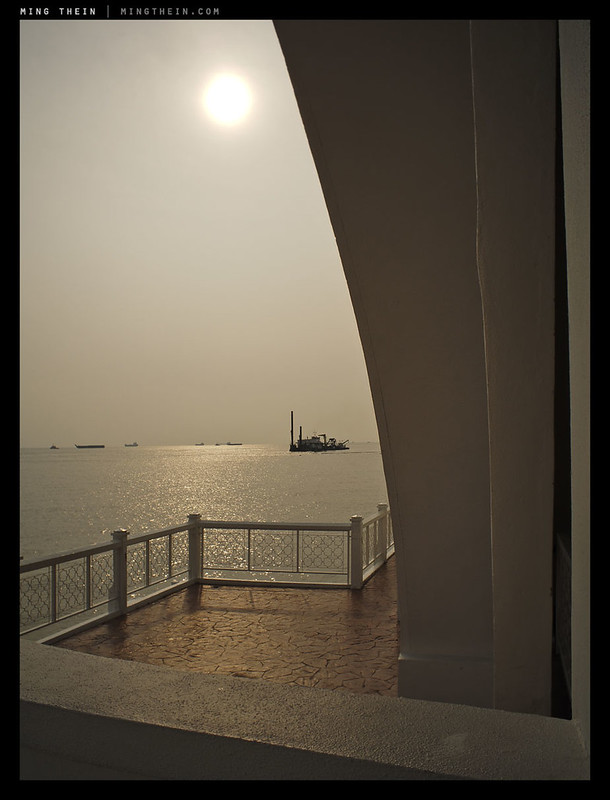
Deconstructing light, part four: continuous sources

The final part in this introduction to lighting mini-series is a look at when continuous light sources can be useful, and how to best deploy them.

I use continuous lighting primarily for food photography – specifically, large, high-CRI LED panels – because the low temperature of the source doesn’t interfere with the subject. (Try blasting sashimi with flash repeatedly, and you’ll soon see just how fast delicate fish can cook.) However, it’s also useful in other situations – obviously, to give clients an idea of what the end result will look like; for videography, when flashes obviously aren’t feasible, and less obviously, when you’re working in a dark environment and actually need a reasonably accurate representation of what the light will look like in order to compose and focus.

The rules for using continuous lights are pretty much the same, but with a few limitations:
1. Color temperature usually isn’t variable, and for large sources, you might not be able to find gels big enough – so you will probably have to go with almost 100% artificial light in your exposure. Note that you can also find continuous tungsten lights, but these run very hot and have a very low color temperature, which can lead to problems with blues.
2. LED panels aren’t that bright, so you will need to work with a tripod, and again, watch ambient light – it will creep in because the exposure times will necessarily be longer than for flash photography.
3. Subject motion – another consequence of longer exposures, especially with human subjects.
4. Heat. If you’re using tungsten light, be careful with things accidentally coming in contact with the bulbs or heads and catching fire or burning. That includes your skin.
5. Power. You’ll need to be plugged into mains or large batteries for lights of any consequential power. Ensure you take this into account when planning for a shoot – extension cables and power strips are your friend!

Let’s look at some examples, shall we?

_DL5T_L1000740 copy
The end of sorbet. Leica D-Lux 5

Single small LED panel to the top; note the hot spot on the spoon. The problem with using panels is that they’re difficult diffuse without a significant loss in power; the only way to make it work is either live with the hot spots (not a major problem for food) or get bigger panels (very expensive). I wanted my panels to be versatile, so I’m now using 45x45cm models.

_MM1_L9995676bw copy
Test shot from the M-Monochrom review. Leica M-Monochrom, 50/2 APO

One large LED panel off to the right; since it was a test shot, I didn’t bother to clear the wire from the foreground…with human subjects, LED panels enable faster, more comfortable working as you don’t have to make as many trial and error adjustments with the flash, and it’s simply not as hot.

_DL5T_L1000648 copy
Bread. Leica D-Lux 5

Part of a series from a food photography class I ran for Leica earlier in the year. I had two small LED panels for this, spread out around the top of the image and on even power; they provided definition and shadow. Image was shot top-down, obviously.

_DL5T_L1000646 copy
Foie gras. Leica D-Lux 5

Two LED panels; one top left, one top right. Both slightly above the subject to highlight that moisty, oily sheen on the seared foie gras. LED panels are quite directional but yet with short throw; this means they’ve got to be fairly close to your subject, and you’ll need more than one to fill in the shadows.

_DL5T_L1000702 copy
Leica S2, using the D-Lux 5

This is an example of what you can do when you have 40 LED panels at your disposal – I demonstrated product photography using the mini-panels to create a ring of light around the subject, with some actually providing light on the subject, and some just there to provide background texture.

_DL5T_L1000981 copy
Sushi platter. Leica D-Lux 5

One medium panel from the top took care of lighting here – getting the height and angle right is the critical part, so that the subject is evenly lit but yet has definition to preserve the shape and texture of the fish. Panels were about 30cm above the subject in this case.

_5003422 copy
Rice cones. Olympus OM-D

I used two panels here – one on full power from the right side, slightly elevated relative to the plane of the plate, and slightly behind; the other was to the left and running 1/8th power to provide fill and keep the food looking fresh and ‘bright’ rather than shadowy and ‘heavy’. Lighting is all about psychology and creating the desired mood in the viewer…

A primer on lighting equipment is here. Part one on single sources can be found here; part two on multiple sources, here; part three on balancing ambient, here.

____________

Visit our Teaching Store to up your photographic game – including Photoshop Workflow DVDs and customized Email School of Photography; or go mobile with the Photography Compendium for iPad. You can also get your gear from B&H and Amazon. Prices are the same as normal, however a small portion of your purchase value is referred back to me. Thanks!

Don’t forget to like us on Facebook and join the reader Flickr group!

appstorebadge

Images and content copyright Ming Thein | mingthein.com 2012 onwards. All rights reserved

Deconstructing light, part three: balancing ambient

One of the neat things you can do when you’re controlling the light is highlighting your subject, but preserving the ambient atmosphere. Today’s post focuses on how to do that.

Ambient light is your friend: it helps you to fill in the background with pre-lit object, providing compositional context; but more importantly, you can use it to preserve the atmosphere of the scene, which can be difficult to recreate if you’re using 100% flash or strobe only. All of the previous control points for single and multiple lights apply, of course. The two major challenges with balancing ambient are exposure and color. I’ll deal with exposure first.

There’s no fixed rule for this, but the more ambient you want to preserve, the closer your exposure must be to ambient exposure; the best way to do this is by shooting in manual mode and balancing out your shutter speed and aperture until you’re around one stop underexposed; I wouldn’t do anything more than three stops of difference (unless you have very bright ambient point sources) because very little, if any, ambient sources will remain. You’ve got three parameters to play with here – shutter speed, aperture and ISO. Shutter speed should fall somewhere between your max sync speed and around 1/30s if you’re dealing with people; higher if there are moving objects, lower if static. Aperture should allow you to hold in focus whatever you need to. ISO is the remaining balancing factor once you have set the other two – try and keep this low to maintain image quality, however. I generally don’t go higher than 800. Note that flash power should be the last thing that’s altered (and done by the camera’s meter to balance out the required exposure) – this is because you are firstly setting your exposure based on ambient, then filling the primary subject with the precise amount of flash required for a proper exposure.

Color is actually simpler: if it’s daylight, or close to it, there’s no need to gel your flashes, because they operate at fairly close to daylight Kelvin temperatures. If it’s tungsten or fluorescent, you’ll need to use the correct gels over the front of the flash so they provide the same temperature color source as the ambient lighting; you’ll also then have to set the white balance in-camera to match ambient. Note that you don’t always have to match the flashes to ambient; sometimes having a bit of temperature difference isn’t a bad thing, as it can help to highlight the subject. Just don’t make the difference too glaringly obvious.

Let’s move on to the examples.

_8019332%20copy%20(deleted%205039fb5b-27ac4-01431194)
Omega Speedmaster 9300. Nikon D800E

One of the more common situations I face where I have to balance flash and ambient are lume shots of watches – you need a very long exposure to capture the glow luminous material; often 30s at f16 ISO 100, or longer. However, a luminous dial pattern on its own isn’t very interesting, so I usually supplement this with some ambient. You could do this two ways – composite a regular (but underexposed by several stops) shot in, or just add a manual flash kicker to define the case. Here, I used 1/16th power from top left through the diffuser box.

_7061864 copy
Sandwich. Nikon D700

The background glow is the restaurant decor; I had flashes reflecting off umbrellas left and right to illuminate the sandwich. Exposure was balanced out to expose two stops under ambient for the restaurant, with a longer exposure time and base ISO (sandwiches don’t do much moving).

_D90_DSC7112 copy
Autumn texture. Nikon D90

One flash from the left, not diffused to provide a bit of harsh light to add texture and definition to the subject; exposure 1/2 stop under ambient. I wanted to fill the shadows and create some cross-lighting effects rather than make things soft and diffuse; a very flat angle for the flash position was used to accomplish this.

_8018601 copy
MRI room. Some of you might recognize this from a previous on assignment post. Nikon D800E

The objective of this shoot was to show the clean, high-tech environment of the hospital’s new MRI machine. The MRI and room itself had ambient lighting on both the machine and ceiling; if we shot with this alone, firstly our models wouldn’t have been able to keep still for long enough, and secondly, the ambient light was far too cool with a large difference in color temperature to the machine. Hence, flashes were used to illuminate the room and models – one in a reflective umbrella to the top right corner of the room; I needed throw and definition for the whites. The second one was placed on top of the rear casing of the MRI to fill the back of the room.

_8018569 copy
Mammogram. Nikon D800E

Here, the client wanted to convey a warm, friendly feeling to the room; nothing says this better than warm lighting. The color temperature of the flashes were shifted with gels; the primary source source was a flash reflected off an umbrella behind and above the machine; a secondary flash was bounced off the wall behind me (and to the right of the patient) to provide fill at 1.5 stops under the main flash.

_7065341 copy
Sony RX100 product shot. Nikon D700

The final example is one of those deceptively complex shots: one flash from top right was fired through the diffuser to light the camera body and background, but the exposure was altered until it balanced out that of the screen. If I’d just used the native sync speed of 1/250s and stopped down, the screen would black out because it isn’t that bright.

Come back again tomorrow for the final part in this series! MT

A primer on lighting equipment is here. Part one on single sources can be found here; part two on multiple sources, here.

____________

Visit our Teaching Store to up your photographic game – including Photoshop Workflow DVDs and customized Email School of Photography; or go mobile with the Photography Compendium for iPad. You can also get your gear from B&H and Amazon. Prices are the same as normal, however a small portion of your purchase value is referred back to me. Thanks!

Don’t forget to like us on Facebook and join the reader Flickr group!

appstorebadge

Images and content copyright Ming Thein | mingthein.com 2012 onwards. All rights reserved

Deconstructing light, part two: multiple sources

Part two deals with multiple sources: how and where do you use them? What is the one key rule to remember?

Although you can do a lot with a single flash, there’s even more that can be done with two or more. For starters, you can fill in shadows; or if you want to get more adventurous, you can mix both hard and soft light (direct and diffused) for better definition, or more accurate replication of found light sources. (There’s one particular shot I’m rather fond of that I call ‘the Hollywood’, which I’ll go into later).

There’s one critical thing to remember when using multiple sources, though: there must always be a primary source. If you don’t have one, then you won’t have any subject definition – opposing sources will fill in the shadows, and shadows are what defines the shape of an object.

The same parameters you can control with a single source apply to multiple sources, of course. The more sources you have, the more complicated things get. It’s useful to decompose your thinking thusly:
1. Primary source, on main subject
2. Secondary source, on main subject – definition (rim light, not diffused) or fill (diffused, or reflected)?
3. Other sources, for background objects or secondary subject – take steps 1 and 2 and repeat.

I’m sure you can now see why Joe McNally needs several trunks full of speedlights. I’m not quite there yet, but I find that most of the time a two-light setup is sufficient; there are times where I’ll use three for watches, but I’ve yet to require four sources (except in situations where I need more power from one location, and have to add a second flash to turn the wick up a notch).

Let’s look at some examples.

_N207239 copy.jpg
Ferrari 250 GTO. Sadly, not a real one. Nikon D200

This one has two distinct sources, both flashes behind diffuser panels – one at left, and one at right. They’re actually slightly behind the subject to create a nice specular highlight that defines the curvature in the panels; if I’d put the sources at right angles, you’d have very flat illumination and not much of a feel for the 3-D shape of the car.

_3002397 copy.jpg
Nikon 14-24. Nikon D3

Some objects betray their lighting secrets very clearly – reflective hemispheres are perhaps the worst culprits. For something like this, the best thing to do is keep the light source simple; in this case, two softboxes from the left and right. Power was equal; if not, you wouldn’t get the nice multi-colored reflections off the coatings on the lens. Note that the softboxes were actually pretty close to the subject; the hemispherical shape makes them appear further away.

_7052948 copy
Lange Datograph. Nikon D700

Through a trick of optical projection, the watch actually appears floating in mid-air and truncated, even though it’s resting securely on the surface behind. Note that this was shot with the lens and watch resting on a flat surface, but lit as though vertical. The primary source was through a diffuser, aimed at the watch and shielded from lighting the lens in front; a secondary source, at reduced power, lit the nameplate of the lens; finally, a third source – again at reduced power – lit the background. A simple-looking shot, but a bugger to light.

_N215925bw copy.jpg
Panerai Arktos. Nikon D200

Sometimes you want hard definition; in such cases, a concentrated, direct source is the best way to go, without diffusion. Here, I used one flash from the top, and one from the bottom to provide fill. Both were positioned at a low angle to avoid flat-looking interference at the point of the subject closest to the camera, with a small baffle on one side of the flash preventing light spillage.

_7060545 copy
Steak. Nikon D700

This example is an instance of when two light sources look like one. A flash with reflective umbrella was used from the top right; you actually need to see a bit of harsh reflection off the oil on the steak to know it’s a juicy steak, making a reflective umbrella ideal. However, you still need to soften out the edges a bit, which is where the very low power secondary source comes in; if it’s too diffuse, you lose the defining effect of the first source, so there’s another flash reflecting off an umbrella from the left, too.

_3009669bw copy
The Hollywood. Nikon D3

There are actually four flashes in play here: two at the back to provide the spotlight effect and backlit definition on the subject’s hair; one from the right in a softbox as the primary source, and a fourth on the D3 to serve as remote commander.

_7056862 copy
Jaeger-LeCoultre Gyrotourbillon I. Nikon D700

Lighting at the macro scale is extremely tricky – partially because you don’t have a lot of working distance, and partially because your source has to be the right size: too large, and the light is too soft and lacks definition; too small, and you’re going to get harsh reflections and rough-looking surfaces. Here, I used one flash fairly close to the topmost diffuser, with a secondary one through the back diffuser to provide fill of the shadows – thanks to the handy aperture in the watch dial.

_7040287 copy
Seiko Fifty-five Fathoms. Nikon D700

We finish this section with a classic two-light: primary source upper back center, and secondary fill from the left to give the transparent domed objects – water and watch crystal – some definition. Not much power difference between the two flashes; the bigger difference was the location of the flashes. The back one was further away and with a wider spread than the left one; this created a larger source of almost equal brightness.

Come back tomorrow for part three! MT

A primer on lighting equipment is here. Part one on single sources can be found here.

____________

Visit our Teaching Store to up your photographic game – including Photoshop Workflow DVDs and customized Email School of Photography; or go mobile with the Photography Compendium for iPad. You can also get your gear from B&H and Amazon. Prices are the same as normal, however a small portion of your purchase value is referred back to me. Thanks!

Don’t forget to like us on Facebook and join the reader Flickr group!

appstorebadge

Images and content copyright Ming Thein | mingthein.com 2012 onwards. All rights reserved

Deconstructing light, part one: one light

_7056032bw copy

Over the next few days, we’ll look at a few examples of lighting, and specifically, deconstructing it: what lights were positioned where, and what was the logic of doing so?

Today, I’m going to start with some relatively simple setups: they only use one light, with or without additional modifiers. Quite often, you don’t actually need much more than that. Single light setups tend to have very well defined shadows and highlights; chiaroscuro is the term that’s used to refer to an image that is predominantly described by it shadows and negative spaces. Classical painters were masters of this technique; they lit things in ways that are very difficult to replicate in real life – partially because of the size of their sources, and partially because they weren’t strictly limited by the laws of physics.

For simplicity, let us assume that you’re shooting at your camera’s highest sync speed, and that ambient light is not really a factor into the equation. Note that everything said here applies to both speedlights and studio strobes. I’m not going to discuss built in or on-camera flash, because it simply will not give you the results you need or offer the flexibility required. There are few variables in a one-light setup:

1. Output power
How bright do you want it? Usually, your lights will alter power based solely on your desired depth of field – which translates into aperture, which in turn translates into the amount of power required to provide a correct exposure. Note that the shutter speed only affects ambient light, not the power output of the flash. Flash duration is often 1/1000s or even much shorter. Most cameras will sync to 1/250s or thereabouts; this is the maximum duration of a full power flash. Those that sync at higher speeds require the flash to fire several times to cover the focal plane, as this is the highest speed at which the entire sensor area is exposed at the same time. (Anything faster, and the opening between shutter curtains is effectively a narrow moving slit.)

2. Distance
More distance requires a higher guide number to provide the same given illumination. Distance also affects the perceived size of your source – in general, providing the light isn’t a single point, the farther away you are, the brighter your source has to be for a given illumination level. For more diffuse light, you want your primary source to be further away.

3. Beam coverage/ angle
Most flashes and heads can have their beam angle changed – you want to match the beam angle to the focal length to produce the optimal balance frame coverage and power consumption; lighting more than you need to is a waste of power, but less than your angle of view will produce hot spots. Of course, you could always do this deliberately for a spotlight effect. Note that a wide beam close to the subject and diffuser will not look the same as a spot (telephoto setting on the flash) beam farther away with a big diffuser; the latter will produce far softer light.

4. Diffusion
The best example of diffusion is the difference between a clear, cloudless day and an overcast one: look at the difference in shadows. A cloudless day produces very harsh shadows and wide dynamic range with high brightness in the highlights; it’s a dynamic range nightmare (especially for outdoor wedding shooters, because of all that black and white involved). The opposite is true for cloudy days – note how soft and diffuse the light is. The clouds are effectively adding as a diffuser. For photographic/ flash purposes, you can use a diffuser – not a small clip-on thing that goes on your flash, but something larger like a softbox. The further away your source is from the diffuser, the softer the light is going to be. Control diffusion, and you effectively control the subject’s tonal differentiation.

5. Angle of incidence/ positioning
This seems obvious, but where you put your light and how you aim it can make a huge difference to the look of the image. In fact, it’s possible to leave the orientation of subject and camera fixed in one position, and just move your lights to create several completely different-looking images.

A quicks note on color and white balance: assuming all of your exposure comes from flash, just set your white balance to flash or daylight – most cameras will do this automatically. We do need to start worrying about mixed color temperatures, but only when balancing ambient and artificial light.

Let’s look at some examples.

_X1_L1001004bw copy
Hair. Leica X1

Single speedlight in softbox; shot at 1/2000s sync speed – to freeze motion, I used a camera with a leaf shutter and high flash sync speed. The source was positioned at 45 degrees to the subject and camera to provide definition; it was not that far away from the subject to avoid too much diffusion – this way, you still get some highlight definition which helps give the subject shape.

_8004654 copy
Maitres du Temps Chapter 3 prototype dial. Nikon D800

Single speedlight behind diffuser panel to the top of the watch. The watch was inside a diffuser box to control reflections of surrounding objects off its polished surfaces. For images like this, the precise position of the flash relative to the diffuser and subject, as well as the beam angle, are very important – a small change in the position of the flash or beam angle changes the nature of the reflection significantly, as you will see demonstrated by the next image. For this image, the source was reasonably high up, far away, and with a wide beam angle to produce a soft reflection.

_7051614 copy
Lange Datograph. Nikon D700

This shot employed an almost identical setup to the previous one, except the flash was at a lower angle, much closer to the watch and with a tighter beam spread (longer zoom setting). Note how the reflection in this shot is very concentrated in one spot close to the top edge of the crystal, and is much ‘harder’ and more defined than in the previous shot.

_7058192 copy
Seasoning. Nikon D700

I used a flash in an reflective umbrella to the back left of the subject here; I wanted some diffusion but also some definition – too much diffusion and the pasta looks like a flat, matte amorphous blob. The source was partially behind the subject to provide a bit of backlight, which would define the grains of seasoning against the dark background of the person’s shirt. Note: there is such a thing as too much diffusion!

_7046623 copy
Girard-Perregaux F1-047. Nikon D700

Despite appearances, this shot actually employed direct flash with almost no diffusion. The watch itself is fairly matte, and the texture of the carbon-fiber dial is only apparent when struck with strongly directional light. I used a single flash to the right of the subject, almost touching the diffuser panel; this provided a minimal amount of softening of the edge of the flash source (so it wouldn’t appear as a hard point source in the minor reflections) but enough directionality to give the dial definition.

_7021997 copy
Prawns. Nikon D700

This example involves one flash again, but bounced off an umbrella fairly far away from the subject. Given that the room, tablecloth and surroundings were predominantly white, any light source used would reflect and provide some fill. This meant that the primary source had to be diffuse, yet directional – making an umbrella ideal.

_M223825bw copy.jpg
Eugenie. Nikon D200

The final example involves a combination of light modifiers – a snoot and a diffuser box. The snoot was used to concentrate the light to the center of the diffuser; the diffuser was used to soften the skin of the subject. The net effect was a soft spot – imagine a source about the size of a large dinner plate, with intensity dropping off towards the edges. Thus, we get the best of both worlds – chiaroscuro definition, and gentle tonal rolloff in the shadows and highlights.

Come back tomorrow for part two. MT

____________

Visit our Teaching Store to up your photographic game – including Photoshop Workflow DVDs and customized Email School of Photography; or go mobile with the Photography Compendium for iPad. You can also get your gear from B&H and Amazon. Prices are the same as normal, however a small portion of your purchase value is referred back to me. Thanks!

Don’t forget to like us on Facebook and join the reader Flickr group!

appstorebadge

Images and content copyright Ming Thein | mingthein.com 2012 onwards. All rights reserved

Lighting equipment: a primer

One of the overwhelmingly popular requests I seem to get is for an article on lighting – specifically, how I achieve what I achieve with my images. This article will be the first in a series of five, covering various aspects of lighting and deconstructing the source. It’ll also serve as a useful prelude to my studio lighting workshop tomorrow.

Before we do that, it’s important to establish a baseline: if you don’t know what it is you’re using, then it’s going to be both time consuming to explain, and difficult to understand. Thus, we’re going to begin with an explanation – a quick 101, really – of common lighting sources, tools and modifiers – and an explanation of what they’re useful for, and how one would deploy them. Please excuse the crude line drawings; I don’t have a lot of these objects myself, hence a lack of source images. We’ll go down the list in alphabetical order.

barndoor

Barn doors
Moving plates fixed to a light to control spill off. Useful for creating strongly directional light and preventing too much from reaching the background behind the subject.

beautydish

Beauty dish
A set of nestled reflectors fitted to the end of a studio strobe to create a ringlight effect for portraits/ faces – soft, without shadows, but still with some definition.

diffuser dome

Diffuser dome
A clip on bit of translucent plastic that goes over the end of a flash to soften its output. Usually makes almost no difference but eats a lot of power.

diffuserpanel

Diffuser panel
Any sheet of semi-translucent material that goes in front of a light source to soften the directionality of its output; varies in thickness and opacity.

flash

Flash/ Speedlight
Small, portable, self-powered light source. Usually mounted to the camera, and communicates with the camera’s meter using electronic contacts to control output power. More sophisticated models are capable of wireless operations, triggered optically by another flash and with metering taken care of by the camera. The flash head itself has some modifiers built in – usually zoom, which controls beam spread, in addition to being aimable.

gel

Gel
A piece of transparent, colored plastic that filters the output of any light to balance it with ambient sources; usually yellow/orange or green to balance tungsten and fluorescent sources respectively.

gobo

Gobo
An opaque piece of material with a cutout to permit light to pass through; usually with a shape or design. Used more frequently for productions than photography. The best example of a gobo is perhaps the Batman sign…

grid

Grid
Exactly what it sounds like – a grid of panels placed at right angles to the light source. Acts like an array of 90 degree barn doors; controls light spillage and ensures that most of the light goes in one direction, but without the hard edges that barn doors produce.

HMI light
Very bright incandescent source in the form of a studio strobe – used for video production. Compatible with all normal accessories, e.g. softboxes/ gobos/ diffusers etc.

_5001017bw copy

LED Panel
Continuous, low-temperature light source. Nowhere near as bright as HMI lights, but also nowhere near as hot. Useful on location when you have to operate off batteries, or when you have to photograph temperature-sensative objects – ice cream, for example.

monoblock

Monoblock
Any self-contained studio light that doesn’t require a separate power source or transformer. Plugs directly into the wall.

radiotrigger

Radio triggers
Wireless trigger for flashes or strobes that isn’t restricted by line of sight. Requires one controller on-camera, and one for each flash unit.

reflector

Reflector
A piece of material – usually white/ silver or gold (warm) – held below a or to one side of a subject to provide fill light on the shadow side by reflecting the primary light source. Softens out the shadows. Usually requires an assistant, as in, ‘Tilt the reflector down a bit more, thanks.’

ringflash

Ringlight/ Ringflash
A flash with a circular tube, or a light shaper in the form of a ring that simulates the effect of a circular tube. Once again, useful for portraits.

softbox

Softbox
A tent of sorts – usually fabric – which the light source fires into at one end, with a semi-translucent window at the other end. The insides are usually reflective to minimize light loss. Creates a large, soft, diffuse light source; comes in many sizes. Useful for anything and everything. Can be used in conjunction with grids, barn doors, etc.

snoot

Snoot
A cone-shaped object, open at both ends that goes over the end of a light source to create a very tight, intense beam of light – effectively a spotlight.

stand

Stand
Anything used to hold your lights or accessories.

Strobe
Large studio flashes – much more powerful than portable flashes/ speedlights, but require mains power or large lead-acid battery packs to run.

umbrella

Umbrella
Umbrellas come in two varieties: shoot through and reflective. The former act as diffusers; the latter produce a slightly harsher, more directional (but still diffuse) light. Usually deployed in conjunction with flashes or smaller studio strobes. More light loss than a softbox because the sides are open; not always a bad thing because sometimes a little ambient illumination is required.

zoom head

Zoom head
The part of a flash that allows control of the beam spread – it’s called a zoom head because it allows the photographer to match the angle of coverage with the field of view of the lens, with minimal power wastage.

Stay tuned for subsequent parts – we’ll cover reverse engineering setups, and some more advanced techniques and tricks. MT

____________

Visit our Teaching Store to up your photographic game – including Photoshop Workflow DVDs and customized Email School of Photography; or go mobile with the Photography Compendium for iPad. You can also get your gear from B&H and Amazon. Prices are the same as normal, however a small portion of your purchase value is referred back to me. Thanks!

Don’t forget to like us on Facebook and join the reader Flickr group!

appstorebadge

Images and content copyright Ming Thein | mingthein.com 2012 onwards. All rights reserved

The Olympus E-PL5 PEN Lite review: a mini-OM-D

_5009231 copy

I make no secret of the fact that I’m a huge fan of the original Olympus E-PM1 Pen Mini (full review here); it brought big-camera speed and image quality to a very compact package. However, the OM-D clearly demonstrated that the image quality potential of Micro Four Thirds could be taken quite a bit further without entailing any compromises. After enjoying a period of exclusivity to that body, the same sensor and imaging processor has now made its way into Olympus’ lower end offerings – the E-PL5 Pen Lite and E-PM2 Pen Mini, both recently announced at Photokina. I was given the opportunity to try out a final production E-PL5 recently by Olympus Malaysia.

_5009281 copy

_5009276 copy
Removable grip.

The two cameras retain their original differentiation – a tilting screen and a few buttons. But the E-PL5’s screen now pivots through 170 degrees for self-portrait narcissists (I can’t personally imagine ever using this feature, though tilting it up for waist-level shooting is great for stealthy capture or a better angle without having to bend over). Both also gain the same capacitative touch screen capability of the E-P3 and OM-D, which I’m find increasingly useful and missing on my Nikons. Sadly though, the LCD on the two smaller cameras remains as a 3″, 16:9 aspect ratio unit, which is great for video but leaves a lot of unused real estate in the form of black bars when you’re shooting in the native 4:3 aspect ratio of the sensor. Useable area is probably closer to 2.5″.

_5L20165 copy
Bookstore abstract. E-PL5, 15/8 body cap

Aside from the 15MP sensor of the OM-D, the E-PL5 also gains a few additional art filters, and compatibility with Olympus’ new OI.Share SD card and app for smartphones and tablets (currently, Apple iOS and Android are supported). There are also interchangeable grips – similar to the E-P3. There are also some minor cosmetic changes that give the camera a slightly blockier, more textured appearance. Personally, I prefer the smooth look of the older cameras. Sadly, Olympus still hasn’t moved the strap lugs – they still dig into your hands in the normal shooting position. I can’t help but feel a narrow loop would be a much better solution for a camera of this size, as well as being silent during video recording.

_5009239 copy
It’s grown in size a little, but it’s still roughly in the same ballpark as the original (and Pen Mini, in background.)

In use, the camera is snappy and responsive for all normal operations; AF speed remains excellent, if perhaps fractionally faster than the last generation. (I’m comparing it with my Pen Mini, since I don’t have an E-PL3 handy – they share the same innards anyway.) The menu system is redesigned and now looks very similar to the OM-D, complete with most of the custom functions and extensive customizability that is unusual for a camera in this class, which has become one of Olympus’ hallmarks. It also gains 8fps shooting, though without AF, of course. I use it as a single-shot camera, or at most in bursts of two or three shots to gain some added stability.

_5L20204 copy
Closed for the weekend. E-PL5, 15/8 body cap

On the subject of stability, the in-body sensor-shift stailization system is improved over the last generation; I actually turned it off on my Pen Mini because it tended to give odd double images under some conditions. I left it on on the E-PL5, but it’s worth noting that it still isn’t as effective as the 5-axis gyro system in the OM-D.

_5L20365 copy
Pirates can still be found in some parts of Malacca. E-PL5, 45/1.8

One of the things I missed from the OM-D was the configurable single-button magnify option that allowed one-touch enlargement of either live view or the playback image to your desired ratio at the focus point (10x is actual pixels) – until I discovered that you could just double-tap the screen to achieve the same result. Needless to say, score one for the touch screen. You can of course also use it to select the focus point and release the shutter; speaking of focus points, you can now select a smaller point size by default, which the camera remembers when turned off – something I sorely miss on the OM-D as the large boxes often aren’t precise enough. A good number of the other buttons are user-configurable, too.

_5L20184 copy
Sunset over the straits. E-PL5, 15/8 body cap

Something I had trouble getting used to was the feel of the shutter button. Since it’s probably the single most important control on the camera, the way it feels is actually quite critical in how you feel towards shooting it; in this respect, the pro Nikons and Canons get it right – a soft but distinct half-press, and no clicky transition but a firm increase in resistance to release. There’s enough travel between positions to avoid accidental releases, but not so much to induce lag. The OM-D feels pretty good, too. Other cameras get it wrong – the Sony RX100’s shutter release is far too soft; I’m always accidentally firing off a frame when I meant only to focus. The digital Leica Ms are far too notchy and difficult to press smoothly; it’s as though there’s something rough inside the button’s housing or something; perhaps to do with the three positions. Shame, since the mechanical Ms were fantastic. Unfortunately, the E-PL5 just falls on the wrong side of soft – it isn’t so much the pressure required, but the near-zero difference in travel between half and full press that feels off. And to make things worse, even though the travel is short, the pressure required is very firm – making it difficult to hold the camera steady when releasing. Lack of an eye-level finder only compounds this.

_5L20353 copy
Determination in the face of choices. E-PL5, 45/1.8

I don’t’ have a lot to say about image quality – if you’ve used the OM-D, you can safely skip this section. The files look exactly the same, and deliver the same amount of flexibility in postprocessing. Colors are typical Olympus – slightly warm, reasonably saturated, and biased towards delivery of very pleasing skin tones. Dynamic range is around 11-12 stops from a carefully processed raw file at base ISO, which also remains at 200. The tonal range tends to be somewhat midtone and shadow biased; the relatively small pixel pitch of the sensor makes itself known in the highlights; expose with care because there isn’t a whole load of recoverable headroom – perhaps a stop at most. Fortunately, there is a live shadow and highlight clipping display option, which allows for precise exposure adjustment at the time of capture. Noise is minimal to ISO 800, and I feel the camera is useable up to ISO 3200, or ISO 5000 under certain lighting conditions.

_5L20257 copy
Just your average chaotic street scene. E-PL5, 45/1.8

At this point it’s worth talking a bit about the Olympus Viewer software – I’ve never had to use it before since ACR always supported the files of cameras I’d purchased. This time, I use the built in raw converter to make a relatively low-contrast TIFF with accurate white balance and exposure, which I’d then take into Photoshop. The native environment is very familiar – it looks a lot like Bridge, from which you can develop and save your files in…you guessed it, something that looks a lot like ACR – or at least an early version of it, without the huge number of options the current version has.

_5L20175 copy
Late afternoon. E-PL5, 15/8 body cap

Previews are fast, and general responsiveness and usability was good. This is easily amongst the better own-brand pieces of software out there. (Nikon, I’m looking at you. For shame.) In fact, the only critical things I can find missing are shadow/ highlight recovery sliders and a gradient tool. I’m not so happy with the output, though – the files seem to have a decidedly magenta cast to them which is both difficult to remove, and renders color not as accurately as the JPEGs – especially skin tones, which I find my Olympus cameras generally excel at even via ACR.

_5L00051 copy
Harley after the rain. E-PL5, 45/1.8

Battery life is excellent; I estimate around 500-600 shots with moderate LCD use and power-off between shots. It uses the same battery as the E-PL3 and E-PM1, too, which is nice if you’ve got a few spares already lying around. Note that there are two models of battery and charger, some of which are compatible and some of which aren’t – the light gray model is the latest version of both.

_5L20346 copy
Where Elmo does his shopping. E-PL5, 45/1.8

Throughout the review period, I kept asking myself who this camera was aimed at; the DSLR user/ enthusiast/ amateur looking for a second, more compact body, or the compact upgrader? I personally think it fits the latter better, much like the original Pen Mini. Although it’s compatible with the various accessories that connect to the accessory port under the hotshoe (including an EVF) – the lack of a built-in viewfinder means that if youre going to keep the camera compact, you’re restricted to arms-length style shooting. The huge number of art filters – also useable in movie mode at the expense of reduced frame rate – and in-camera processing options offers a relatively simple (if slightly lacking in control) method for the amateur user to achieve their desired look without resorting to Photoshop. I personally don’t use any of these, but I do know plenty of friends and family who might. What I did really enjoy was using it with the new 15/8 body cap lens as a hyperfocal snapshot camera; in this configuration it’s lag-free, and lets you focus solely on timing and composition. It’s also just about pocketable.

Ultimately, success at this end of the market will depend heavily on the camera’s price point. The rich feature set and overall refinement in operation make me curious to see what will succeed the E-P3; now if only they’d make one with a built-in EVF like the NEX-6…

The Olympus E-PL5 PEN Lite is available here from B&H and Amazon.

____________

Visit our Teaching Store to up your photographic game – including Photoshop Workflow DVDs and customized Email School of Photography; or go mobile with the Photography Compendium for iPad. You can also get your gear from B&H and Amazon. Prices are the same as normal, however a small portion of your purchase value is referred back to me. Thanks!

Don’t forget to like us on Facebook and join the reader Flickr group!

appstorebadge

Images and content copyright Ming Thein | mingthein.com 2012 onwards. All rights reserved

_5L20396 copy
Where are my customers? E-PL5, 45/1.8

_5L20255 copy
Somewhere in here is a human being. E-PL5, 45/1.8

_5L10109 copy
Abstract Kuala Lumpur skyline. E-PL5, 15/8 body cap

The Nikon D600 review: full frame for the masses?

_5010018 copy

Some cameras launch with a huge amount of anticipation and fanfare, some are surprises from far left field, and some are simply such poorly kept secrets that the manufacturer might as well just have skipped the announcement. Although the Nikon D600 falls squarely into the last category, I think photographers in the world were pleased when it finally broke official cover. The camera itself breaks almost zero new ground technically – it doesn’t push boundaries in any way. Not quite what you expected me to say in the first paragraph, I bet. This is not to say that it’s a bad camera; far, far from it.

_5010025 copy

_5010029 copy
Smaller than the D800, but you’ve got to put them side by side to see it. Subjectively, it’s lighter but you don’t really notice in use; it feels about the same weight because the square handgrip design requires you to exert more pinky pressure, which makes the whole thing feel a bit heavier than it is…

I think two questions were on the mind of the Nikon enthusiasts and pros after the launch of the D800 (full review here) and D800E (which curiously, I’ve never actually reviewed): firstly, was this the D700 replacement, and why the enormous resolution? The D800 snuck in at the same price point as the D700 back in 2008; subsequent erosion of the D700 saw prices fall to the US$2200 level or thereabouts, at least for street prices in this part of the world. The older model continued in the lineup together with the higher spec (and higher priced) D800 pair. At this point, however, the technology inside the D700 was five years old – an age in the digital world, and possibly the oldest sensor architecture still purchasable new (with the exception of the Leica M9, whose photosite design was inherited from the 2006 M8).

_6000322b copy
Awaiting departure. Nikon D600, 85/1.8 G

The D700 and D3 were turning points in Nikon’s history: first full frame, and first time in recent memory the noise advantage shifted decisively away from Canon. Even today, the D700 remains an excellent camera – mine has over 70,000 frames under its belt and hasn’t missed a beat. I still use it on reportage assignments or where the client doesn’t require 36MP and the associated enormous files. (My long term review of the D700 is here.) This review will be written from the point of view of a long-term D700 (100,000+ frames on two bodies) and D800E (20,000 frames between the D800 and D800E) user, with comparisons and references to both.

_6001223b copy
Man in blue. Nikon D600, 85/1.8 G

Over the last few months, I’ve received no end of emails from prospective upgraders asking if the D800 was the camera for them; my answer is a resounding no. If you need the level of image quality this camera can deliver, you’ll know it, and you won’t need to ask me. If you don’t, and you buy it, you might be surprised that it doesn’t quite deliver the same pixel-level crispness as the D700 or D3. It’s an excellent machine, supplanting low-end medium format gear, but it also requires the rest of the support (lenses, processing workflow) to go along with it.

_6000586b copy
Car lust. I make no secret of the fact that I’m a huge BMW fan. Nikon D600, 28/1.8 G

Note: this review, as with all of my other camera reviews, is written from the point of a working professional. Images are edited through my usual Photoshop workflow as this is how I’ll be using the camera normally; I don’t shoot JPEG SOOC other than for client previews. For those who think it skews results, Photoshop benefits all images equally: it can make a great shot even better, but it can’t fix something that should have been there at the time of capture. EXIF data is intact and can be viewed by clicking through the image to its Flickr hosting page.

_6000098b copy
Rain = traffic, Kuala Lumpur. Nikon D600, 85/1.8 G

Enter the D600. I think it’s best described as a hybrid of the D7000 and D800; it inherits the feel, construction, AF system and controls of the former, with most of the innards of the latter. It falls between the two in size, too, but it closer to the D7000 in ergonomics and weight. It also has a similar shutter/ mirror feel to the D7000 – well damped, and much quieter than D700 or D800, but is limited to 1/4000s instead of 1/8000s. Mirror blackout feels about the same as the D7000, which is still excellent. You won’t notice shutter lag with any of these cameras, which are all in the 40-50ms range. All three share the same EN-EL15 battery. The rest of the spec falls squarely in the middle, too: 24MP, 5.5fps (no boost with the optional EN-EL14 battery grip, and no provision for taking the larger/ higher capacity battery from the D4); 1080p30 or 720p60 video, native ISO range from 100-6400 with extension to 50 or 25.6k.

_6000476b copy
Selat Mosque, Malacca. Nikon D600, 28/1.8 G

It uses the same EXPEED 3 processor as the D800, which means shunting around those largish 14bit files with relative abandon; the 14-bit lossless compressed RAW buffer is 10 frames. (Despite the files being smaller, it doesn’t feel any faster, though.) You also get a 100% finder with 0.7x magnification, but not the round eyepiece or eyepiece shutter; it’ll take the DK21M magnifier, and has a reasonably high eyepoint – I can see the whole frame just fine with my glasses. Sadly, the focusing screen has become even less snappy than the D800; it’s nearly impossible to use for manual focus without the focus assist dot. Fortunately, live view works the same way as on the D800, with a button to enable it surrounded by the still/ movie mode switch. It’s also inherited the record button placed behind the shutter, and the slightly difficult to reach second button – except now it controls metering mode, with exposure modes placed on a lockable dial – together with the fully customizeable U1 and U2 memory positions from the D7000. You also get IR remote receiver ports on the front and the back in lieu of the 10-pin connector on the front, which neither the D700 nor D800 have.

_6001053b copy
Pick’n’mix for grown ups. Nikon D600, 85/1.8 G

It definitely doesn’t feel as solid or dense as the D800, let alone the D700; but if you haven’t handled either, you probably won’t be able to tell the difference. Nikon claims a magnesium-alloy top panel, polycarbonate bottom section and magnesium frame, although the only way you’ll really be able to tell you paid a bit less is the feel of the rubber grips – it’s definitely D7000 semi-slippery and not D800/ D700 sticky. I personally don’t find the shape that comfortable either; it’s too square around the bottom portion where you little finger rests. The body has environmental seals to about the same level as the D7000; the gaskets don’t look as robust as those on the D700 or D800, and certainly not the D4. Curiously, I don’t feel either the D600 or D800 are true replacements for the D700; neither will do 8fps, and the model that shares the same build (D800) has such a high pixel count that it isn’t really suitable for some applications such as photojournalism or low light work. The D700 line has thus bifurcated into a more serious and less serious option.

_6000870b copy
Slurp. Nikon D600, 85/1.8 G

There is one huge improvement in usability that’s worth mentioning: in manual exposure mode and live view, the camera now shows a usable/ visible image rather than the actual shooting exposure, which means that you can easily manual focus with a flash setting (say 1/200s, f8, ISO 100) in ambient light rather than having to change exposure or switch between aperture priority and manual to be able to see your image. The image is also a lot sharper than the D800 and not blocky – it’s much easier to tell what is in focus, and what isn’t. Needless to say, we don’t need to talk about usability of the D700’s live view function – putting it on the drive mode dial was just clunky, and precluded the use of the self timer or mirror lockup to minimize vibration.

_6001030b copy
The surprise joy of finding you just might be in love. Nikon D600, 85/1.8 G

On the other hand, the D600 lacks a few controls that I’ve come to rely on in my normal workflow with the D700 and D800E, and as a result feels a bit more amateur than I’d like, mainly due to the number of button presses required for some things. Once again, if you’ve never used either D700 or D800, you probably won’t know or won’t miss them: specifics that come to mind are single-button zoom to a desired magnification level in playback using the center multi-selector; having the metering switch around the AE-AF-L button, and a separate AF-ON button. There are also fewer custom settings, though, notably around control configurability and autofocus. It’s also worth noting that although the camera has the same levelling display as the D800 in live view mode, it lacks the two-axis overlay in the viewfinder; instead, it uses the exposure meter to show left-right tilt, at the expense of the other shooting information which subsequently disappears. The LCD also appears to be less accurate for judging exposure than before; it appears much brighter and more contrasty than the actual image, which is something I haven’t seen on Nikon’s typically accurate LCDs.

_6000992b copy
Untitled. Nikon D600, 85/1.8 G

You get the 39-point MultiCAM 4800FX autofocus module in this camera, not the wide-field CAM3500FX system in the D700 and D800 – and the cause of much consternation amongst D800 owners for the notorious ‘left side AF’ issue. I’m pleased to report that after extensive testing and specifically looking for the problem, autofocus on the D600 is fast, accurate and positive even with moving subjects; perhaps feeling a little more ‘solid’ than the D800 – more like the D700, in this sense. My particular example required no AF fine tune adjustment with most of my lenses, and -5/20 on the 28/1.8. CAM4800 has been tried, tested and proven in the D7000, and performs equally well here; it’s even been tweaked a bit to be able to focus consistently with lenses as slow as f8 to allow reliable use with 2x teleconverters.

_6000817b copy
A glimpse into home and family. Nikon D600, 28/1.8 G

The one bad piece of news regarding autofocus is that the points are now even more clustered around the center of the frame than the CAM3500FX cameras; it seems that the base AF sensor itself has been taken from the D7000 and used without adaptation to the field of coverage. The overall coverage area is similar to the Canon 5DII, and it doesn’t cover the rule of thirds points, meaning that you’re almost always going to have to focus and reframe with off-center subjects, whereas the outermost row of five points would cover these subjects on the D700 and D800. Still, I’d rather have reliable accuracy over wider coverage, but ideally we should have both. The AF mode controls now use the new Nikon system of button plus command dial; rear to select AF-S or AF-C, and front to choose the number of points or 3D tracking.

_6000688b copy
Stall proprietors sometimes remind me of thespians. Nikon D600, 28/1.8 G

In some ways, I miss the physical switches of the last generation, but having these settings electronically selectable means that you can save all settings, including AF configuration, to the U1 and U2 mode dials – I’ll probably keep one set up for regular reportage-style shooting with 11-point AF-C, aperture priority and auto-ISO, and the other for studio/ flash work at the X-sync speed (1/200s), manual exposure mode, base ISO, and 39-point AF-C. I wish my D800E had this option. That said, I’ll probably leave the D600 set up for reportage, and the D800E for studio work.

_6000573b copy
Lantern and Dunlop. Nikon D600, 85/1.8 G

The D600 uses Nikon’s tried and tested RGB metering sensor (which also feeds color information to the AF system for subject tracking, as well as face recognition); it appears to be less biased to the active focus point than in the consumer cameras, but not quite as accurate for the overall scene like the D700; the camera seems to meter a bit hot in dark scenes, and a bit under for light/ white scenes – it seems we’ve taken a step backwards here. I feel the D700 generation had the most reliable metering of the lot; the D800 falls somewhere between the two. Auto white balance is accurate, and can safely be used for most situations.

_6000104b copy
A curious symmetry. Nikon D600, 28/1.8 G

I believe the D600 shares the same base Sony sensor as the A99 (previewed here). It’s a 24MP CMOS design, apparently customized for Nikon – in the process losing the A99’s 10fps capability (or perhaps deliberately, to protect the D4’s position in the line as flasgship). Uncompressed RAW is no longer an option, but the whole workflow is 14bit. In any case, I remember testing the difference between lossless compressed and uncompressed NEF with the D3 and not being able to see any difference. The sensor delivers the same color palette as all of the other modern 14-bit Nikons; no surprises here. It’s worth noting that despite the larger pixel pitch, the D600 only matches it for dynamic range – somewhere around 13.5 stops useable at base ISO, which is on par with the leading DSLRs at the moment.

_6000022 copy
Full test scene.

D600-D700-D800E low iso comparison
Low ISO crops. Click here for 100% version. As usual go by what I say, not what you see; you’re looking at an artefacted JPEG, not the original file.

D600-D700-D800E high iso comparison
High ISO crops. Click here for 100% version.

Both D600 and D800E produce slightly cleaner images at the pixel level than the D700 at identical print sizes; they’re also cleaner at the pixel level. The D600 doesn’t seem to gain anything over the D800E though; if anything, there appears to be more chroma noise at a lower, blotchier frequency. There’s also some softening going on; it seems that NR OFF isn’t really NR OFF on the D600 in the same way that it is on the D700 an D800E. The D600 also isn’t holding anywhere near as much detail – the AA filter no doubt has some bearing on that. What’s surprising is that at ISO 6400 and above, I’m not sure it’s outresolving the D700, either – look at the numbers in the purple swatch. The D700 also has noticeably less chroma noise; the amplitude is higher, but the grain pattern appears tighter and almost entirely monochromatic. Overall, I wouldn’t hesitate to use ISO 6400 under normal conditions, and perhaps 12800/HI1 under duress with a significant amount of postprocessing. One important caveat: Adobe Camera Raw does not yet support the D600, so I couldn’t put the files through my usual workflow. I used the default Neutral picture control with sharpness at 7 and HIGH ISO NR off from all three cameras; though it seems that sharpening 7 means different things on the different bodies I believe I’ll probably gain another incremental bit of image quality once I can run the files through my normal workflow. Such are the downsides of early adoption. For now though, a flat JPEG is eminently useable, if lacking in some of the tonal plasticity of a good NEF. The lens used was a Zeiss 2/50 Makro-Planar at f5.6, focused at high magnification with live view. The cameras were locked down on a Gitzo 5-series Systematic tripod and Manfrotto Hydrostat head.

_6000827b copy
Inside the ‘kitchen’. Nikon D600, 28/1.8 G

Overall, it’s safe to say the D600 shoots with the dynamic and tonal range of the D800, with the low light usability of the D700 – in part due to the lower pixel density sensor, and in part due to the very low vibration shutter. The large pixel pitch also means that it’s more forgiving when it comes to lens quality; needless to say anything that performs well on the D800E is going to perform well on the D600; I’m primarily using my AFS 28/1.8 G and 85/1.8 G without issue. Image quality is definitely closer to the D800 than the D700, and under circumstances where you can’t achieve sufficiently high shutter speeds, I suspect the D600 may well yield a better image than the D800 can, simply because it’s less demanding on the photographer.

_6000542b copy
Feeling the emptiness and abandonment. Nikon D600, 85/1.8 G

Battery life may well be the best of all of the current Nikons – I’m estimating around 2,000+ frames per charge with my normal shooting pattern (400 frames with a mix of CLS, live view and regular CH reportage/ street cost 20% in battery life). No flash and short bursts of 2-3 shots yielded the results below – without a photo, I don’t think any of you would have believed it. I certainly wouldn’t – that extrapolates to about 3,400 frames/ charge! If that’s still not enough for you, there’s an optional MB-D14 vertical grip that allows addition of another EN-EL15 battery; the grip is physically smaller to match the size of the camera, so it can’t physically fit the larger battery from the D4, and consequently doesn’t get a frame rate boost with the grip installed.

_5L20426 copy
I don’t remember seeing this even on my D3. Whatever they’re doing with that new sensor, it’s very, very power-frugal. Also, the test was done with an older battery from my D800E which had been cycled a few times – so it’s not a new cell anomaly. The screen appears monochrome because the highlights are blown; it was a very dark scene and shot for illustrative purposes only.

I don’t have much to say about the camera’s video capabilities – I’m leaving that for persons more knowledgeable than myself; I’m absolutely not a videographer. However, on the few quick panning test videos I’ve done, I see minimal rolling shutter and to my eyes, it looks slightly more fluid overall than the D800’s video. This isn’t entirely surprising given the sensor’s shared origins with Sony’s heavily video-centric A99; video has traditionally been one of the company’s strengths. I believe the D600 also has the same capability as the D800E to stream uncompressed video out to an external recorder via HDMI, which will make it an interesting option for videographers on a budget.

The D600 didn’t receive anywhere near the same fanfare or hype as the D800/ D800E at introduction; perhaps it was the long rumour train, or perhaps it was the fairly conservative spec sheet. However, I think this is going to be one of those cameras that enjoys a long burn in much the same way as the D70 and D700 did – it brought a decent feature set with a sizeable leap in image quality at a new low price point. The D600 body retails at US$2,100 or thereabouts. In that respect, I feel in the long term it will do for full frame what the D70 did for DSLRs in general: it made it accessible. It’s more than enough camera for the average user, yet not so much that getting the most out of it becomes a challenge, like the D800/ D800E. The D600 is full frame for the masses; if you’re not a pro but you’re itching for an upgrade from your D700 or D7000, this is probably what you’ve been waiting for.

_6000779b copy
Untitled. Nikon D600, 28/1.8 G

You’ll notice I haven’t said much about its nearest immediate competition, the Canon 6D – that’s because I haven’t handled one. But I’d be surprised if there was any dramatic difference in image quality; photographers will pick one or the other based on the lenses they already own. Both of these cameras would make excellent travel outfits. Personally, I’m currently trying to decide if I’ll stick with the OM-D or go with a D600 and a couple of pancake primes. Both are capable of delivering excellent image quality in the right hands, have a few tradeoffs, but neither would be taxing to carry and shoot for an extended period of time in the same way a D800 and suitable lenses would. It’s the first big camera I’ve bought that didn’t feel like it was a dramatic upgrade in some way to what I had previously (think D200 to D3, or D700 to D800E) ; but a solid, incremental upgrade in all directions.

In conclusion: the Nikon D600 may not be the D700 replacement or make waves like the D3 did, but for most users it’s going to be like Goldilocks: just right. MT

The Nikon D600 is available here from B&H and Amazon (body only or kit (with 24-85 VR lens).

____________

Visit our Teaching Store to up your photographic game – including Photoshop Workflow DVDs and customized Email School of Photography; or go mobile with the Photography Compendium for iPad. You can also get your gear from B&H and Amazon. Prices are the same as normal, however a small portion of your purchase value is referred back to me. Thanks!

Don’t forget to like us on Facebook and join the reader Flickr group!

appstorebadge

Images and content copyright Ming Thein | mingthein.com 2012 onwards. All rights reserved

Photokina 2012 commentary and opinions

The rush of product announcements is over, the collective giddy fanboy-like enthusiasm has died down somewhat, and presumably some serious business is being discussed in the back meeting rooms and dingy service hallways of the exhibition hall in Cologne, or over giant pretzels at the local bierhaus. It’s about the right time for a bit of serious reflection and commentary on some of the more interesting announcements from the last week.

The beginning of full frame for the masses.
The Nikon D600 and Canon 6D are squarely aimed at the space which the Nikon D70 and Canon 300D battled over nearly eight years ago; enthusiast-level cameras with serious image quality and a reasonably good feature set. Granted, the price point is a bit higher, but then again, inflation has moved things along somewhat, too. I actually think both of these cameras are far more capable than the average user needs, but people will buy them anyway. Commendably, Nikon actually had cameras in stock, and for sale at dealers on the day that was announced; this seems to be a rare exception in days of ‘pre-announcements’ months ahead of actual availability. And there weren’t any shortages, either – my dealer (admittedly one of the largest in Malaysia) got 60 bodies, compared to two(!) D800s. The D600 is an extremely refined camera that has no major issues anywhere – and I’m pleased to see that QC is much better this time, too; even though the camera comes from Nikon’s Thailand plant instead of Sendai. I’ll be doing a full review the D600 in the coming days, so stay tuned.

Breaking away from the traditional fixed limitations to camera software.
Nikon’s S800C is the first attempt by a large, traditionally-camera (I don’t count Samsung) manufacturer at doing quasi-open firmware; I think its success will depend on two things – the ecosystem around apps, and the level of integration with normal photographic functions. I don’t think it makes sense to have a camera that’s touch-screen only, which requires you to navigate some menus before you can even take a picture; instead, perhaps the ‘camera app’ could be loaded and running over the base OS by default, with other functional configurations loaded as required. They’ll need to retain buttons, too. And I have no idea how Android handles image processing, especially for very large files.

Wireless, wireless, wireless
Nikon, Canon and Olympus have gone big on wireless file transfer this year, each taking slightly different approaches. Nikon’s is dongle based, and allows ftp of files to any server, which is great for working professionals; Canon’s is built into camera (why aren’t they all like this?) – I haven’t used one, so I can’t comment on functionality. Olympus is card-based and requires an app on a tablet or smartphone to work, but is very well integrated with social media. I think the strategies actually represent their respective companies quite well; Nikon is still conservative and photographic-focused; Canon is a bit gadgety, and Olympus’ target market is very much the blogger and casual user. I hope that at some point the wireless standards will be sufficiently fast and well-defined enough to allow transfer of any file to any other device, or direct upload from the camera itself; Olympus’ implementation seems to work the best of the lot (as far as speed and multiple users go) – unfortunately there’s no way of having it send anything other than a jpeg to a tablet.

More mirrorless
There were a slew of offerings here: the Fuji X-E1, Panasonic GH3, Sony NEX-6/ NEX-5R, Olympus E-PL5 and E-PM2. It’s clear that smaller sensors are here to stay – remember sufficiency for the masses – and viewfinders are becoming an increasingly rare spec. The X-E1 is probably what the X-Pro should have been in the first place; I honestly found the hybrid finder in the X100 gimmicky after a while, and landed up using the EVF most of the time for more precise framing. If AF is improved as much as they claim, Leica will have competition on its hands, but then again, they probably won’t mind because they’ll just sell more lenses. The GH3 now occupies top spot in the M4/3 pyramid, and appears to be a notch above the OM-D in both spec and price. The asking money – $1299 – isn’t cheap at all. Fortunately, sensor quality in the new M4/3 cameras more than justifies it. Sony is more of the same – a cheaper NEX-7, and an evolution of the NEX-5. The hybrid AF technology with phase detect points in the imaging sensor itself was surprisingly low-key; I would have thought that something this useful would be deserving of more fanfare. Olympus’s lower-end cameras have been updated with the innards of the OM-D (though not the 5-axis gyro stabilizer). The E-P3 remains in the lineup for now, though I don’t see why anybody would buy one given the price and older sensor. I’ve got an E-PL5 here for testing, and it’s a pretty impressive camera – this is what the original E-P1 should have been. It’s fast, responsive, very nicely built, and pocketable with the body cap lens; I’ll have a full review up in the coming days.

Sony A99
Sony’s different approach to mirrorless has meant some unique value propositions at the low and mid range, and a slightly odd product at the high end – the A99 shares a base sensor with the D600, but is positioned at the price point of the D800E. At that level, you get higher fps than either camera, an excellent EVF, but a slightly odd control layout and user interface. General operation is fast enough, but I have no idea whether tracking AF is up to speed with conventional DSLRs or not; this has traditionally been a weak point of Sony cameras. I don’t think the package is compelling enough to attract new photographers to the brand, but videographers might be convinced by the quality of the output; the RX100 is seriously impressive, and that sensor is a fraction of the size of the A99’s. I still don’t think EVF’s are anywhere near good enough for critical applications, though; it’s not so much about resolution as dynamic range. I previously had a hands-on preview here.

Carl Zeiss
It seems that they’ve come back with a vengeance: first the 2/135 APO, and then the 55/1.4 Distagon, not to mention AF lenses for the X-Pro and E mount – a 12/2.8, 32/1.8 and 50/2.8 macro. It seems odd that they would skip over the much larger M4/3 market at first, though the relationship with Sony might have something to do with it. On the SLR front, although most of the lenses are capable of excellent results on even the D800E, the 50/1.4 Planar and 85/1.4 Planar have left much to be desired. It’s interesting to see that the 55/1.4 adopts their wide-angle Distagon formula; I suspect this is going to be an outstandingly good lens – it had better be, given the size (82mm filter!) and likely price. It’s apparently the first in a range of very high resolution DSLR lenses that will sit above the current ZF.2/ ZE line.

More M4/3 lenses
Olympus 60/2.8 Macro, 15/8 body cap lens and 17/1.8 announcement; Schneider’s 14, 30 and 60mm primes and Panasonic’s 35-100/2.8 were all announced. Serious glass is a good sign for system maturity. Whilst I won’t be buying the 17, Schneider 30/ 60 or Panasonic 35-100, the Olympus 60/2.8 macro has proven to be one of, if not the best lens I’ve used on M4/3, and one of the best macro lenses ever, period. I’ve acquired one for myself, along with the 15/8 body cap – it’s a fun toy, makes my E-PM1 an interesting pocket option, and is a very good street shooter thanks to huge DOF and a mechanical focus lever. Being a 28mm lover, the Schneider 14mm is definitely on my list, though the expected price tag is eye-watering. I think they will have to lower prices for this range of optics to be a success; I simply can’t see any quantity of people willing to pay this much for lenses relative to the cost of the rest of the system.

Enthusiast compacts with small sensors are still going strong
There were several announcements in this category: the Olympus XZ-2, Canon S110/ G15, Nikon P7700, Panasonic LX7, and Fuji XF1. All were evolutionary rather than revolutionary; the most exciting thing was the mechanical lens on the rather compact (and surprisingly large 2/3″ sensored) XF1. I think for this category of camera to survive, they’re going to have to get smaller and more versatile with lenses, or cheaper; Sony’s RX100 makes for stiff competition given its much larger sensor and reasonably fast lens – and it’s compact. I see the Canon S110 and Fuji XF1 doing reasonably well because of their size; the LX7 has that f1.4 lens; the rest are probably going to wither.

Leica
Aside from the new, confusing naming, Leica did what we expected them to do (and probably should have done quite some time ago) – brought live view to the M, along with a much improved LCD. Although I’m sure they’ll sell in droves anyway, what will make or break this camera as a professional tool won’t be price – rather, the quality of the sensor from the new Belgian supplier, as well as the reliability of the electronics and other parts. At least we don’t have to worry so much about rangefinder alignment; however the EVF makes things somewhat ungainly and also impossible to use flash or a thumb grip (not that that will work anyway, with the ergonomic modification and extra control dial). The M also loses one of its windows – frame lines are now LED illuminated, which is a big deal because it means much easier viewing under difficult light conditions. The M-E is a stripped down M9; I suppose there were a lot of leftover components to use up. I’m curious about the color, but that’s about it. The S has received a supposedly new sensor, though the pixel count remains the same; let us hope image quality is improved, then.

The wildcards: Sony RX1 and ‘that Hasselblad’
Perhaps this section should have been called ‘the good, the bad and the ugly’; or ‘beauty and the beast’. The RX1 appears to be a masterpiece of innovation, even though the camera isn’t as small as it appears to be, and the price is rather high. I think it’s now only a matter of time before we see great compact full frame cameras in the vein of the older Ricoh GR1v and Olympus Mju II. That can only be a good thing for those of us who don’t always want or need to carry around a D600. The Hasselblad Lunar, on the other hand, is either a masterpiece of capitalistic genius which will make them a boatload of money from the taste-challenged Middle Eastern and Chinese markets, or the beginning of the end for the brand. I suppose this is what happens when a bunch of financiers who don’t understand photography take over a camera company; for shame. Granted, Leica is doing the same thing with its rebranded Panasonics, but at least they look better than the original versions. The Lunar is so hideously ugly that it appears to have been designed by a five-year-old, rendered by a fifth form graphics design student, and then posted on April 1st. Except, it wasn’t, and it seems that nobody within Hasselblad can see that the emperor’s new clothes are missing. Having said that, a technology partnership with Sony makes perfect sense: look at the technical prowess required to create the RX100 and RX1. If anything, they could breathe new life into medium format. However, rebranding the company’s existing cameras is definitely NOT the way to go.

A note on marketing strategy
For whatever reason, companies seem to choose to announce all of their products at the same time – this is stupid. As a result, none of the products individually get the attention they could otherwise have managed if the announcements were spread throughout the year; Photokina should be an industry show where things are on display and the reps are there to answer questions and do business. I’d consider myself a fairly avid follower of the industry in general, and yet I keep finding things that I simply overlooked in the deluge of announcements – the Nikon P7700 was something I wasn’t even aware of until today, for instance. And the Zeiss and Schneider announcements got lost against the noise against the Hasselblad Lunar. Fifteen minutes of fame, yes – it just doesn’t make sense to fight with your competitors for the same fifteen minutes so that everybody at best gets five seconds each. Leica did it right with their May 10 event; I suspect the impact was much stronger than at Photokina, and they certainly got more attention in the blogosphere.

Overall, the theme for this year has been evolution and lenses; there are a lot of solidly interesting products out there, some of which I’ll review, some of those in turn which I’ll buy – but the list isn’t that long, probably just the Schneider 14/2, Zeiss 1.4/55 Distagon and 2/135 APO. I don’t see anything dramatically different or improved over what we’re currently using, but better lenses are always worth lusting after. MT

____________

Visit our Teaching Store to up your photographic game – including Photoshop Workflow DVDs and customized Email School of Photography; or go mobile with the Photography Compendium for iPad. You can also get your gear from B&H and Amazon. Prices are the same as normal, however a small portion of your purchase value is referred back to me. Thanks!

Don’t forget to like us on Facebook and join the reader Flickr group!

appstorebadge

Images and content copyright Ming Thein | mingthein.com 2012 onwards. All rights reserved

Macro shootout on Micro Four Thirds: four lenses, one winner

_5009894 copy

Today’s post is a continuation of yesterday’s review of the new Olympus M.Zuiko Digital 60mm f2.8 Macro; aimed at answering two questions: what is the best macro lens for Micro Four Thirds, and just how much better are the system-specific lens designs? Firstly, a bit of background logic. I’ve selected lenses around the same focal length range – 50mm+/- – in mounts that can easily be adapted to fit M4/3; this pretty much means native lenses and Nikon; Canon and Sony do not have mechanical aperture control, and thus no way of stopping down; besides, Zeiss makes the same lens in multiple mounts. I haven’t used conventional lenses with extension tubes* as these are not real macro lenses; their optics have not been designed with optimization for close range performance in mind. Exotic optics and things that aren’t easily available such as the Coastal Optics 60/4 APO-UV-VIS-IR were also excluded for obvious reasons.

*With one exception, explained later

This left us with four practical contenders: the Panasonic Leica 45/2.8 Macro-Elmarit (PL45), the Carl Zeiss ZF.2 2/50 Makro-Planar, the Nikon AFS 60/2.8 G Micro, and of course the Olympus M.Zuiko Digital 60/2.8 Macro (ZD60). Some are going to cry foul at not having the older Zuiko Digital 50/2 Macro present, but there’s a good reason for that – I didn’t have one handy, and the newer lens has a much higher MTF. Basically, we have here the best short focal length macros available for the respective systems – I might have missed one, but the test would be meaningless unless repeated with all lenses at the same time.

These tests would be useless without consistent methodology – so a quick note on that is necessary to provide some background context to the tests. The camera used was an Olympus OM-D, the highest resolution camera available for Micro Four Thirds, and with a pixel pitch equivalent to a 64MP full-frame sensor; this was shot RAW, converted in ACR with identical settings and zero sharpening. I used a Manfrotto 468MGRCO Hydrostat head and Gitzo GT 5562 GTS legs with no center column; this combination is rock-solid and rated to far higher loads than I can even physically carry. To completely rule out camera shake, the test subjects were illuminated with flash – in this case, a pair of Olympus FL-600Rs, triggered wirelessly using the supplied flash for the OM-D. The lens was defocused serveral times for each shot and the best image selected.

Focusing was performed with either AF and checked with 10x live view, or manually with 10x live view, at the intended point of comparison. A G-compatible adaptor was used to mount the Nikon and Zeiss lenses; the aperture on the 60mm was set to the same approximate size (as viewed from the front, object side) as the Zeiss when stopped down. The magnification of each scene was matched between the different lenses by moving the tripod.

The test scenes were artificial constructs to investigate specific properties: resolution at center, border and corner wide open; bokeh, longitudinal and lateral chromatic aberrations and distortion. The lenses were tested in the range they would be typically used – moderately close distances down to the 1:1-1:2 magnification range. All use floating elements, and infinity performance is excellent across the board – it isn’t difficult to design a normal lens that performs well at infinity.

With regards to the commentary, please go off what I say and not what you see: even though these are low-compression jpegs of screen shots of 100% crops, there will inevitably be some differences in color and resolution compared to the actual files which I’ve viewed on a calibrated monitor, at full resolution. Clicking on the ‘full resolution’ links takes you to the original screen shot file.

1. Center resolution at mid distance, f2.8

_5009081 copy
Full frame

ZD60 comparison center mid distance
Click here for the full resolution 100% screen crop.

Wide open, the ZD60 has both the best resolution and microcontrast here, taking the crown from the PL45 by a hair; there seems to be just a tiny bit of CA or bleed on the edge of the lettering of the PL45 that’s robbing the lens of crispness. You can also see that the lens doesn’t seem to be resolving on as fine a level as the ZD60  – note the fiber in the right hand center edge black portion. Neither the Nikon nor the Zeiss are anywhere near in the running here; both have internal veiling flare that clearly lower contrast and resolution, especially in the texture of the label. The Zeiss is a bit better than the Nikon, but then again it should be; it’s the only lens in this group that’s been stopped down by a stop. The legacy lenses are a little disappointing but not entirely surprising; even on the larger pixel pitch D800E they require some stopping down to reach optimum resolution.

2. Bokeh and longitudinal CA, f2.8

ZD60 comparison loca-bokeh
Full resolution. From the previous frame. A set of keys was lit directly with another flash to provide a bright, contrasty and reflective background subject.

Bokeh is pretty good in all of these, but not perfect in any of them. If I had to choose one, I’d say my vote is betweens the Nikon and the Olympus; the Nikon appears the smoothest of the bunch, but also suffers from significant longitudinal chromatic aberration. The Olympus has almost no longitudinal CA, but it does have some texture in the OOF highlight area, as well as a bright edge to the same area. The PL45 is clearly the worst of the bunch, with uneven highlights, bright edges, and longitudinal CA to top things off; it seems that it might also be prone to double imaging with certain out of focus subjects. The Zeiss falls somewhere in the middle for smoothness, but has the worst longitudinal CA. Remember that the relative merits of bokeh are very subjective – what might be to my taste may not be to yours. CA, however, is CA, and can require significant postprocessing work to fix if present in the OOF areas.

3. Corner resolution at approx. 1:3 magnification, f2.8

_5009115 copy
Full frame

ZD60 comparison corner
Full resolution

As with the initial center crop, it’s a very close race between the PL45 and the ZD60; both appear to have contrast, but the ZD60 has slightly higher resolving power and microcontrast. I see a small amount of CA on the PL45 image too; the top edge of the white line has a slight green fringe. The Nikon lags behind both for resolution, and has some visible CA; note the top edge of the white line. The Zeiss is the worst here – there’s visible CA, a tiny bit of coma, low contrast, some flare, and markedly lower resolution than the others. It also has the warmest rendition of the lot (WB was manually set to the same Kelvin temperature for all images).

4. Center resolution at 1:2 magnification, f2.8

_5009132 copy
Full frame

ZD60 comparison center 1-2mag
Full resolution

Things haven’t changed much in the center and at closer distances; the two legacy lenses are closer in resolving power to the native M4/3 lenses, but both still lack microcontrast. In overall resolution, there’s little to choose between the Nikon and Zeiss, the PL45 is only a bit better. It’s actually surprising how much crisper the ZD60 appears here.

5. Border resolution at 1:1.2 magnification and distortion, f5.6

_5009170 copy
Full frame; a 20mm extension tube was required for the Zeiss ZF.2 2/50 MP to achieve this magnification as it’s normally limited to 1:2.

ZD60 comparison edge 1-1
Full resolution

A more practical application – for me, at any rate. None of the lenses had any noticeably distortion, so I didn’t bother to include full crops from them. For all intents and purposes, it’s a non-issue. The focus point of this image was the center pinion of the second hand of the watch (the round thing), not the 60 text. Note that the hand is very dark blue, and the left-edge blue highlight is the color of the hand. The color fringing visible on the high contrast edge of the steel pinion itself, on the other hand, is chromatic aberration. On stopping down a little, the Zeiss has caught up with the PL45 and ZD60 in both resolution and microcontrast; there’s very, very little to choose between the three. The PL45 appears to have the most contrast overall, followed by the Zeiss; the ZD60 still seems to be resolving slightly more than the other two (note micro-machining marks in the highlights of the silver guilloche pattern) but with lower contrast; perhaps its coatings cannot deal with the reflections from the silvered pattern as well as the Zeiss T* or Leica coatings. The Nikon is clearly struggling to deliver the same macro- and microcontrast, though resolution appears to be only a hair behind the other three. I think the PL45 looks the best here, with the Zeiss and Olympus tied for second, but it is very, very close indeed.

Conclusions

Given that you’ll have to shoot all of these lenses at relatively large apertures (for a macro lens) to avoid diffraction, wide open performance and close to it are both very important. Although both the Zeiss and Nikon are relatively modern designs, it’s clear that the legacy mount lenses simply don’t do as well as the dedicated designs, which isn’t surprising. As a practical option, although image quality is more than acceptable – we are very much into the realm of pixel peeping here – the dedicated M4/3 lenses are simply much easier to use thanks to autofocus; it’s nearly impossible to nail critical manual focus wide open and handheld, though quite doable on a tripod. If resolution is your priority, then your choice should be either the ZD60 or PL45; however, if it’s bokeh, you might want to think about an adaptor. Bottom line: if you have these lenses around, and work in a controlled environment, you could quite happily make do with an adaptor.

All of these lenses are capable of producing stellar images technically; the artistic content is of course very much down to the photographer. I don’t think it’s difficult to pick a winner here; although the PL45 and ZD60 are both excellent lenses, the ZD60 simply has far fewer optical shortcomings than the PL45, and a transparency about it that makes it look as though the other lenses have a veil or film or something pulled over them. I own all of these lenses, and have extensive experience with them. The Nikon has been my mainstay lens for watch photography since its release several years ago; the Zeiss I use for food, and the PL45 has increasingly been my lens for both product and food shoots because of the extended depth of field available with an 45mm real focal length and the M4/3 system. I’ve generally avoided shooting wide open with the Nikon and Zeiss at close distances, though. However, this test (and the preceding review of the Olympus ZD60) is seriously making me reconsider the position of the former two lenses; the Olympus is so much better on M4/3 than the other two even on the Nikons, let alone adapted to M4/3.

I think you don’t need me to tell which lens is the clear winner here…MT

The various lenses tested are available here from Amazon: Olympus ZD 60/2.8 Macro, Panasonic-Leica 45/2.8 Macro-Elmarit, Nikon AFS 60/2.8 G Micro, Zeiss ZF.2 2/50 Makro-Planar.

____________

Visit our Teaching Store to up your photographic game – including Photoshop Workflow DVDs and customized Email School of Photography; or go mobile with the Photography Compendium for iPad. You can also get your gear from B&H and Amazon. Prices are the same as normal, however a small portion of your purchase value is referred back to me. Thanks!

Don’t forget to like us on Facebook and join the reader Flickr group!

appstorebadge

Images and content copyright Ming Thein | mingthein.com 2012 onwards. All rights reserved

Review: The Olympus ZD 60mm f2.8 Macro and FL-600R wireless flash system

_5009896 copy

Although ‘development announced’ (i.e. officially leaked) several months ago together with the 75/1.8, Olympus’ newest macro lens – the M.Zuiko Digital 60mm f2.8 (hereafter known as the ZD60) was formerly announced at Photokina 2012, and should be available sometime in October 2012 at a price of around RM2,000. It’s also only the second macro lens available natively with a Micro Four Thirds mount (and autofocus), the other one being the Panasonic-Leica 45/2.8 Macro-Elmarit, which I reviewed earlier here. Being an OM-D shooter, and heavily product-photography oriented, I was invited by Olympus Malaysia to review the ZD60 together with the new PEN Lite E-PL5 (review coming in the next week or so). The macro work I do almost always involves flash, so I had them loan me a set of their most recent flashes – the FL-600R. This review will therefore be approached from the point of view I’m most familiar with: photographing watches with speedlights, in a pretty much identical manner to how I do it with my main Nikon system. There will be comparative notes throughout, and no pictures of flowers, cats, eyes, coins, trinkets or other typical macro subjects. Let us begin.

_5009907 copy

All images in this review were shot with an Olympus OM-D and FL-600R wireless flashes; the images are all from the ZD60, except the images of the ZD60, which were shot with the PL 45/2.8.

Let’s talk about the lens first: it offers 1:1 reproduction ratio at a minimum distance of 19cm from the sensor plane, which translates into a healthy 7-8cm of working distance at maximum magnification. This is great news for people who want tight frame coverage; by comparison, if I try to get the same subject coverage (i.e. 2:1 on full frame) with my D800E and Nikon 60 macro, I’m down to around 4 of working distance, which makes even lighting control much more difficult. The optical design has 13 elements in 10 groups, with one ED element, two HR elements and one E-HR element (I presume these are different types of optical glass).

Optical design and MTF chart. From Olympus Malaysia

Three of the groups float and perform focusing functions. This is not a simple optical design! There are traces of a double-Gauss base design in there, but it looks as though heavy modifications and extra elements were added to optimize resolution and close range performance. By comparison, the excellent Nikon AFS 60/2.8 G Micro – which has been my mainstay lens up til now – has one less element and one less group.

_5009904 copy

Size-wise, it’s similar to the 12-50 kit lens for the OM-D; build quality is definitely better, but still plastic and nowhere near as nice as the 12/2 and 75/1.8 lenses. The plastic used is matte, feels reasonably robust, but curiously has visible moulding lines in several places – I’ve not noticed this on any of the polycarbonate-shelled Nikon or Canon lenses before, but it may be because those tend to have a spatter-finish paint that hides the seams better. It’s also weather sealed, with ‘SPLASH PROOF’ in big letters on the bottom of the lens barrel. The lens is made in China.

_5009558 copy

Omega Speedmaster 9300.

_5009558 crop
100% crop of the above.

Two small points of interest on the ergonomics of the lens itself – firstly, although the (optional, shame on you, Olympus) hood is a bayonet fit, it telescopes in and out; neat, but I found it annoying after a while as if you support the lens by the hood and put too much pressure on it, the hood will easily shift or start to collapse back in. Second is the little rotary knob to control the focus range, accompanied by a pointer scale showing the subject distance and corresponding magnification level. The switch has several settings – full range, 0.4m to infinity, 0.19m to 0.4m, and a sprung detent to take the lens to 1:1. It sounds clunky but is actually very practical in use – selecting the right range keeps focusing fast and positive, and the 1:1 position is very helpful in traversing the focusing range when you don’t have a full-time mechanically coupled focusing ring. Overall, ergonomics are excellent.

_5009726 copy

_5009726 crop
100% crop of the above.

Once in a while, (though increasingly frequently with today’s computer-designed optics) you come across a lens that is truly outstanding – the last two that come to mind were the Olympus ZD 75/1.8 and Leica 50/2 APO-Summicron-M ASPH. I’ve used a number of competent, but imperfect, lenses in the meantime, none of which were that memorable for their optics. Fortunately, the ZD60 is another one of those lenses that falls into the ‘truly outstanding’ category – I’ve tried hard under many varied test conditions to find fault with the optics, and come up with an extremely short list. If you want the short answer, you can skip the next few paragraphs: this lens offers excellent optical performance at every aperture and focus distance.

_5009610 copy

The lens has an even more impressive MTF chart than its highly-regarded predecessor, the ZD 50/2 macro for Four Thirds; granted, both designs only have to cover the small Four Thirds frame, and they used a lot of elements to do it, but still: it clearly outresolves the OM-D’s sensor, even wide open. On my copy, I simply didn’t see any improvement in stopping down – you get increased depth of field, and sharpness stays constant (i.e. outstanding) at every part of the frame. There’s diffraction beyond f8, and that’s about it. The plane of focus is also flat, as far as I can make out, and there’s almost zero distortion present. Let’s just say that the ZD60’s resolving power is not going to be the reason for any soft images. Like most of the extremely sharp lenses, the ZD60 also has very high microcontrast – these characteristics are related because high resolving power is required to differentiate between subtle tonal differences in the subject. In fact, it’s amongst the best lenses I’ve ever seen; deserving of the superlative classification (for lenses, at any rate) – of transparent.

_5009812 copy

For reference, the screws on the right are about 1.5mm across.

Although overall resolution would support a much higher-density sensor, it wouldn’t be practical in use: on the OM-D’s 16MP sensor, you already have minor diffraction from f8, and visible diffraction at f11 and up (even though the lens can stop down to f22, I really wouldn’t recommend it; you might as well use a pinhole at that point). I suppose it would have been nice if it had tilt control too, but I think given the target market for Micro Four Thirds, that option might be a long time coming. I believe Novoflex has a T/S bellows system, which might be worthy of investigation at some point in the future.

_5009392 copy

Jaeger-LeCoultre Reverso Latitude.

As for the other optical qualities of the lens – bokeh, chromatic aberration, color rendition and transmission – there are very few flaws. The only one I could find was some slight texture in the bokeh, and even then only in a couple of frames with circular out of focus highlights at a certain brightness level – one of the signatures of a moulded hybrid aspherical element somewhere in the construction. To keep things in perspective, even the Panasonic Leica 45/2.8 Macro exhibits this trait, and more obviously. Aside from that, bokeh is smooth and pleasant, with very minimal bright edges on defocused highlights. Chromatic aberration was nonexistent laterally, and more commendably, almost completely absent longitudinally, too, even wide open. I have not seen this level of CA performance in any macro lens I’ve used to date, even the Leica 120/2.5 APO-Summarit-S. Color rendition is neutral and pleasingly saturated, and taken in tandem actually quite reminiscent of the Zeiss lenses. Olympus uses their new ZERO coating on the lens, which keeps transmission high – I would estimate the lens to be around T3.0.

The ZD60 uses Olympus’ MSC system, which has the elements moving linearly on a rail; it’s not as fast as the 12/2 or 45/1.8, but with the limiter in the 0.4m-infinity position, it’s similar in speed to the 75/1.8, and definitely faster than the Panasonic-Leica 45/2.8.

_5010037 copy

FL-600R compared to the Nikon SB900. One would fit in your pocket; pocket the other and you’d probably be arrested on a public indecency charge.

Next up, we have the FL-600R flash; it has a guide number of 50m at ISO 200, or 36m at ISO 100, running off four AA batteries, with a wide panel and zoom head covering from 16 to 85mm. Full-power cycle time is claimed to be 2.0s with NiMH batteries; it didn’t feel any slower than my Nikon SB900s or SB700s, which I find to be pretty fast. In addition to the usual TTL and manual modes, the flash can also act as both wireless commander and slave using Olympus RC system. It’s also got a bright single LED in the base portion – ostensibly for video use, but I actually found it to be a useful modelling light for macro work, making focusing and composition quite a bit easier. If only it was in the head itself and even brighter…

_5009382 copy

In use, the flashes are fairly simple to operate, though the very low number of external controls means that a lot of button presses are required, and you have to remember what does what – I much prefer the softkey and physical switches approach of the SB900 and SB700. That said, the units are physically much smaller than even the SB700 and SB600, and positively dwarfed by the SB900 – this leaves very little real estate on the back for the LCD and controls.

_5009485 copy

Overall, I found TTL flash exposure to be mostly good; wireless TTL on the other hand, was a bit hit and miss. There were certain situations – specifically when one flash was firing at the background, and the other at the subject – where the subject exposure was a bit inconsistent. Not much of an issue, I just dialled in manual power. The limited external controls and display space also mean that adjusting settings for remote flashes with the FL-600R as master isn’t so easy, and requires far more button presses than I would like. Fortunately, even with the FL-600R on the hotshoe, the camera itself can be used to set the remotes; the hot shoe contacts then transmit the data to the flash. Coupled with the OM-D’s touchscreen, it’s a fast and easy experience – in this respect, better than the Nikon system. And you can control all three groups of flashes from the camera, regardless of which flash is attached to the hotshoe – which is one more than the Nikon system. There are also three available channels so other users’ flashes aren’t triggered by yours and vice-versa if there are a few of you. I can see this being useful if you shoot Nikon or Canon, but to be honest, I’ve never encountered an Olympus flash shooter…

_5009342 copy

The only major issue I have with the wireless flash system is triggering – the sensor on the flash unit itself seems to be very small, aimed forwards and somewhat recessed – this makes no sense whatsoever, seeing as the flash is likely to be facing the subject, which means that the sensor will be away from the camera. Even the Nikons – with side and front mounted sensors – still have problems picking up the optical trigger signal at times. With the FL-600Rs in orientations where the sensor wasn’t almost facing the camera directly, triggering was somewhat hit and miss, especially with the small flash supplied with the OM-D. Use of one of the FL-600R units as a master improved this somewhat, but camera companies really need to start making flashes with multiple optical sensors, or better yet, built in radio triggers for both camera and flash. I know some of you might suggest external radio triggers, but has anybody tried looking for a TTL PocketWizard for Olympus lately? It just doesn’t exist.

_5009513 copy

To date, when using the OM-D for macro work, I’ve either been using my large LED panels (and hence continuous lighting) or the SU-4 optical slave mode on my SB900s and the supplied small flash set to 1/64 power, which works well, but lacks the convenience of being able to set the power output from the flashes either via TTL metering or directly from the camera, let alone both. This can be inconvenient at the best of times – worse still if your flashes aren’t easily accessible. I’ve wanted to try the Olympus wireless flashes for some time now; my thoughts are that so long as you can spare one unit to use as a master trigger, they’re a viable alternative to the Nikon system; the problem is that I’d have to buy another five flashes to get the same flexibility as I have now, which seems somewhat silly.

_5009319 copy

That said, the Olympus system – and Micro Four Thirds – for macro work has a lot going for it; firstly, a truly outstanding lens which is almost completely CA-free; flashes that aren’t that expensive, and very, very small – like the rest of the system. I could fit an equivalent system to what I use now in a bag half the size. Although on the face of things, the Nikon system has a huge resolution advantage – you lose something in diffraction (despite the D800E not having an AA filter), and the OM-D files are clean enough to upsize well to 25MP or so. The difference is much less than you might think. I think I’d have a very difficult time deciding what to buy if I was starting over again with the same objectives. As it is, I won’t be returning the ZD60 to Olympus; it’s unquestionably earned a place in my arsenal, edging out the 45/2.8 (it’s also nice that I no longer have a focal length overlap with the faster 45/1.8). As far as I’m concerned, this is the new reference lens for Micro Four Thirds. It’s that good. MT

The Olympus M.Zuiko Digital 60/2.8 Macro is available here from B&H and Amazon.

The FL600R flash is also available here from B&H and Amazon.

Come back again tomorrow for part two: a four way shootout between the M.Zuiko Digital 60/2.8 macro, Panasonic Leica 45/2.8 Macro-Elmarit, Zeiss ZF.2 2/50 Makro-Planar and Nikon AFS 60/2.8 G Micro!

____________

Visit our Teaching Store to up your photographic game – including Photoshop Workflow DVDs and customized Email School of Photography; or go mobile with the Photography Compendium for iPad. You can also get your gear from B&H and Amazon. Prices are the same as normal, however a small portion of your purchase value is referred back to me. Thanks!

Don’t forget to like us on Facebook and join the reader Flickr group!

appstorebadge

Images and content copyright Ming Thein | mingthein.com 2012 onwards. All rights reserved

_5009375 crop
Parting shot – another 100% crop.